Hello,
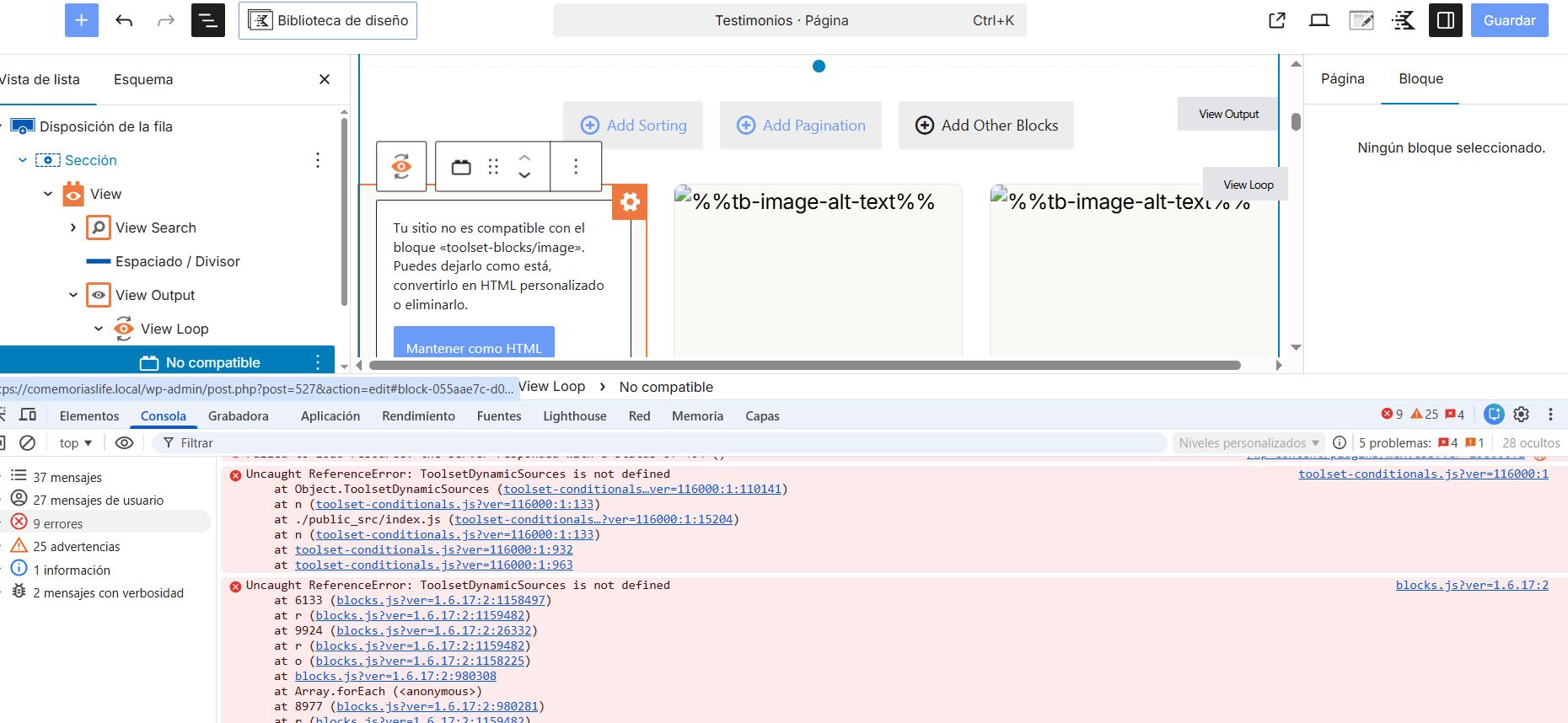
I am getting an error when updating Toolset-Blocks to the latest version.
I am attaching a screenshot of the error.
My stack is Toolset + Kadence, and I have all the plugins and themes updated.
The problem occurs when displaying blocks with dynamic content.
I look forward to your responses.
Thank you.
Hi,
Welcome to Toolset support. Is that broken block a Kadence one?
If yes, what happens if you add a page and add a view there and use the block from scratch and see the same thing happens?
I want to know of the If it works, then you can remove the block and add it again and it might work.
The issue seems to be the fact that a dynamic source is used that is not available now for some reason. So I think recreating that specific block should do the trick.
Thanks.
Thank you for your reply.
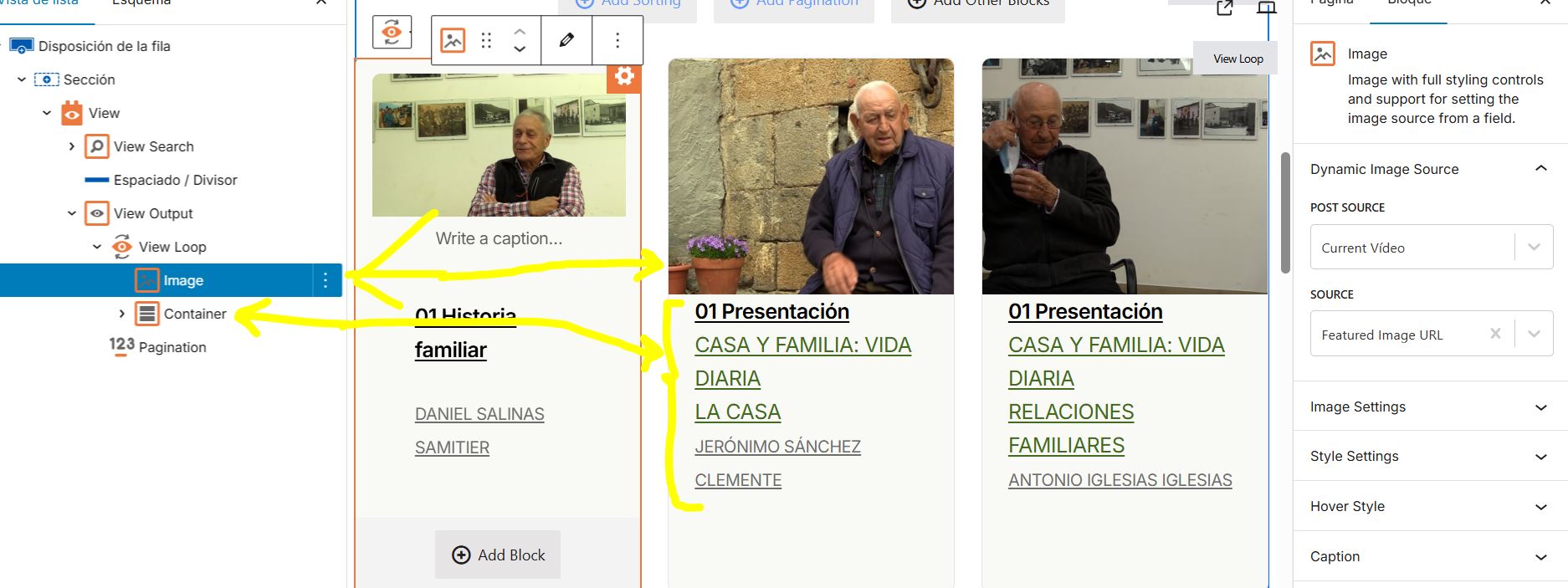
The block that is causing the error is not from Kadence, it is from Toolset, specifically the featured image, the title, and the post categories.
I am attaching an image with the old version of the Toolset-Blocks plugin, where everything was working correctly, so you can see the Toolset blocks that are failing.
Hello, have you been able to find out anything about the problem mentioned?
Basically, the scenario is this:
with my old configuration, all plugins updated except Toolset-blocks, everything works fine. If I update Toolset-blocks to the latest version 1.6.21, the dynamic source blocks in the view template fail.
I think it's clear that the problem is caused by the Toolset-blocks plugin. I hope you will release a new version of the plugin that fixes this.
Best regards
Hi,
Thank you. May I have an access to the copy of the website? You can set the next reply as private.
What I can do is to install the old versin of Toolset Blocks and then I will remove the Dynamic source from that image block. After that I will update Toolset block and then try to add the dynamic source again.
If it is something that you can do then better.
You can find the older versions of toolset blocks by going to:
https://toolset.com/account/downloads/
Click the download manually link and click the "Changelog & Previous versions" link next to it.
Thanks.
Hello, thank you for your reply.
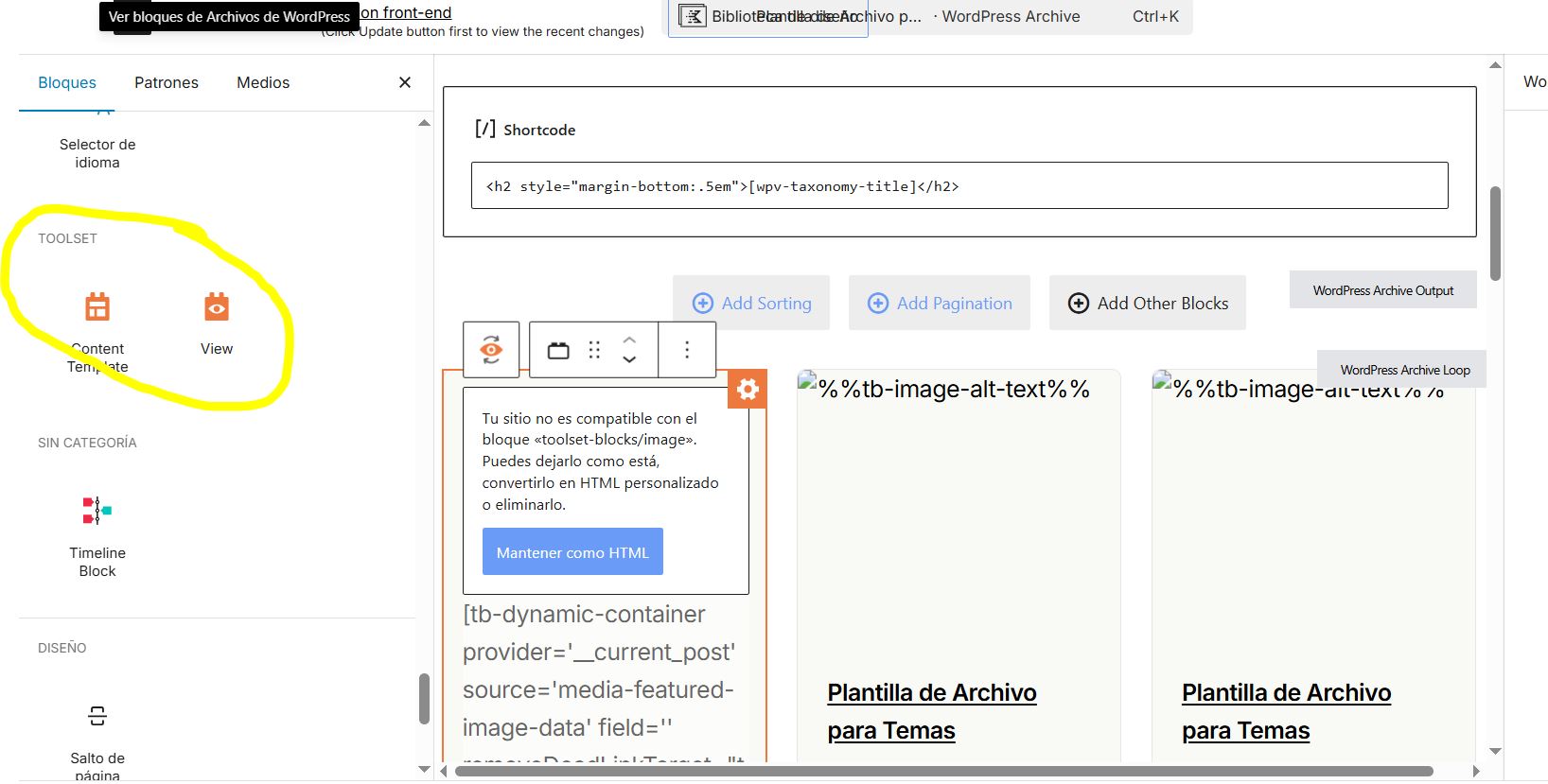
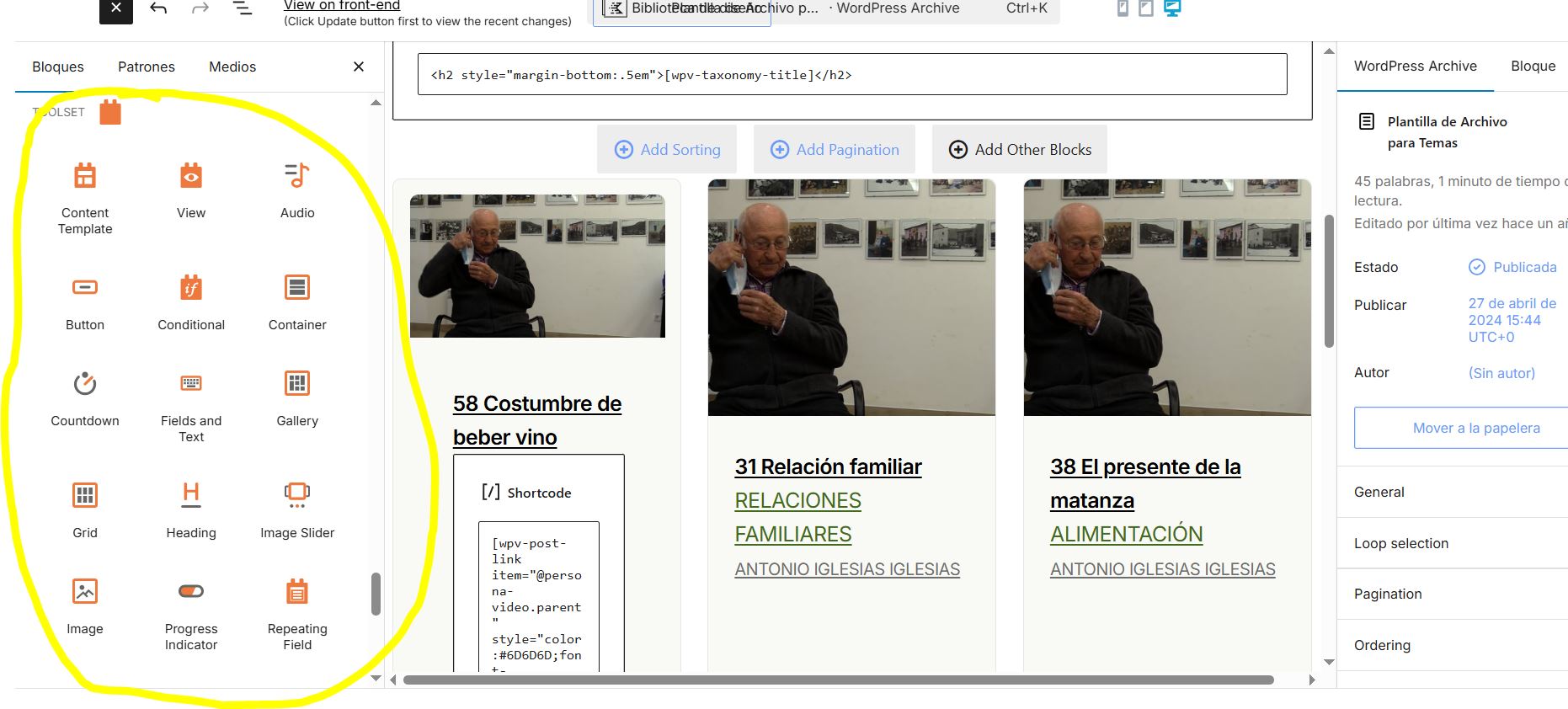
I don't think your idea will work because basically the problem here is that the toolset blocks do not appear as available in the editor for version 1.6.21, unlike version 1.6.16, where all the blocks are available. Please take a look at the two images I have attached to this message.
It is clear that there is a conflict between the latest versions of Kadence and Toolset Blocks.
How can I download the previous version, v.1.6.20? To confirm which version is breaking the site.
P.S. I can't give you access because I'm developing on my local computer, it's not a public URL. The public URL is the client's website, and obviously I can't update it because it would break it.
I look forward to a solution to this problem.
Thank you, best regards.
Hello and thank you for your reply.
I created a video explaining how to get the other versions of Toolset and what can be done next:
hidden link
Video Summary:
How to download an older Toolset plugin version: Log in to your Toolset account → go to Downloads (toolset.com → Account → Downloads) → choose Download Toolset manually → find the specific plugin (e.g., Views) → open Change log and previous versions → download the exact version needed (example mentioned: 3.6.2) to test/confirm behavior.
Observation: The reported issue (Toolset Blocks not showing) is unusual and not something the supporter has seen reported commonly.
Likely cause / next troubleshooting step: Treat it as a plugin conflict or theme conflict.
Isolation test recommended: Temporarily deactivate all plugins except Toolset, and switch to a default WordPress theme (example mentioned: Twenty Twenty) to see if the blocks return.
If deeper investigation is needed: Provide supporter access to the site (preferably a staging copy or a site package/backup, optionally without media).
How to share access securely: Send details via a private reply including WordPress dashboard login, and either attach the zip package or share it via a file-sharing link for download.
Overall recommendation: Test with different Toolset versions + rule out plugin/theme conflicts before proceeding further.
Thanks.