Dynamic Gradient Color Not Rendering Frontend.
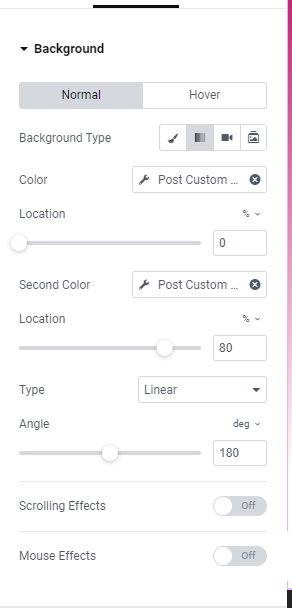
When adding a single text field in toolset and applying it to my Elementor template it only shows the one solid color even though I set it as gradient. I've contacted Elementor and they said that the issue is with the third party plugin which is toolset.
Please let me know what I can do to resolve this issue.
Thank you!
Dwayne
Hi Dwayne,
I am not sure if I understand the issue. Toolset does not have a gradient background color feature.
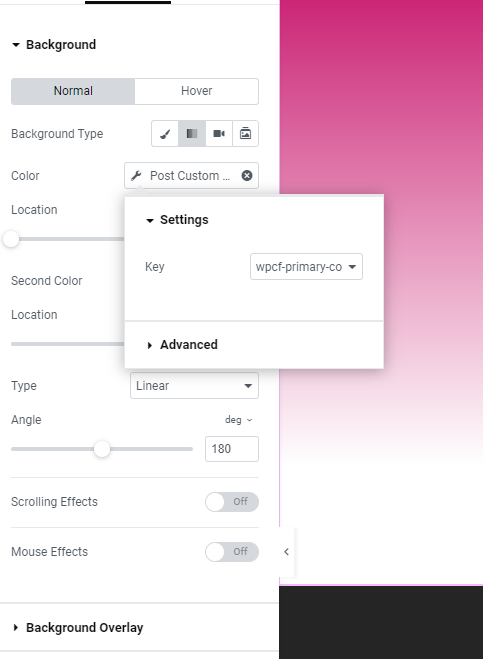
From the image sou shared it seem that you use an Elementor feature.
Now I do not understand what does the "single text field " have to do with the setup?
Would you please explain your setup in more details?
Thanks.
Thanks Christopher for you reply. Sure I can explain more.
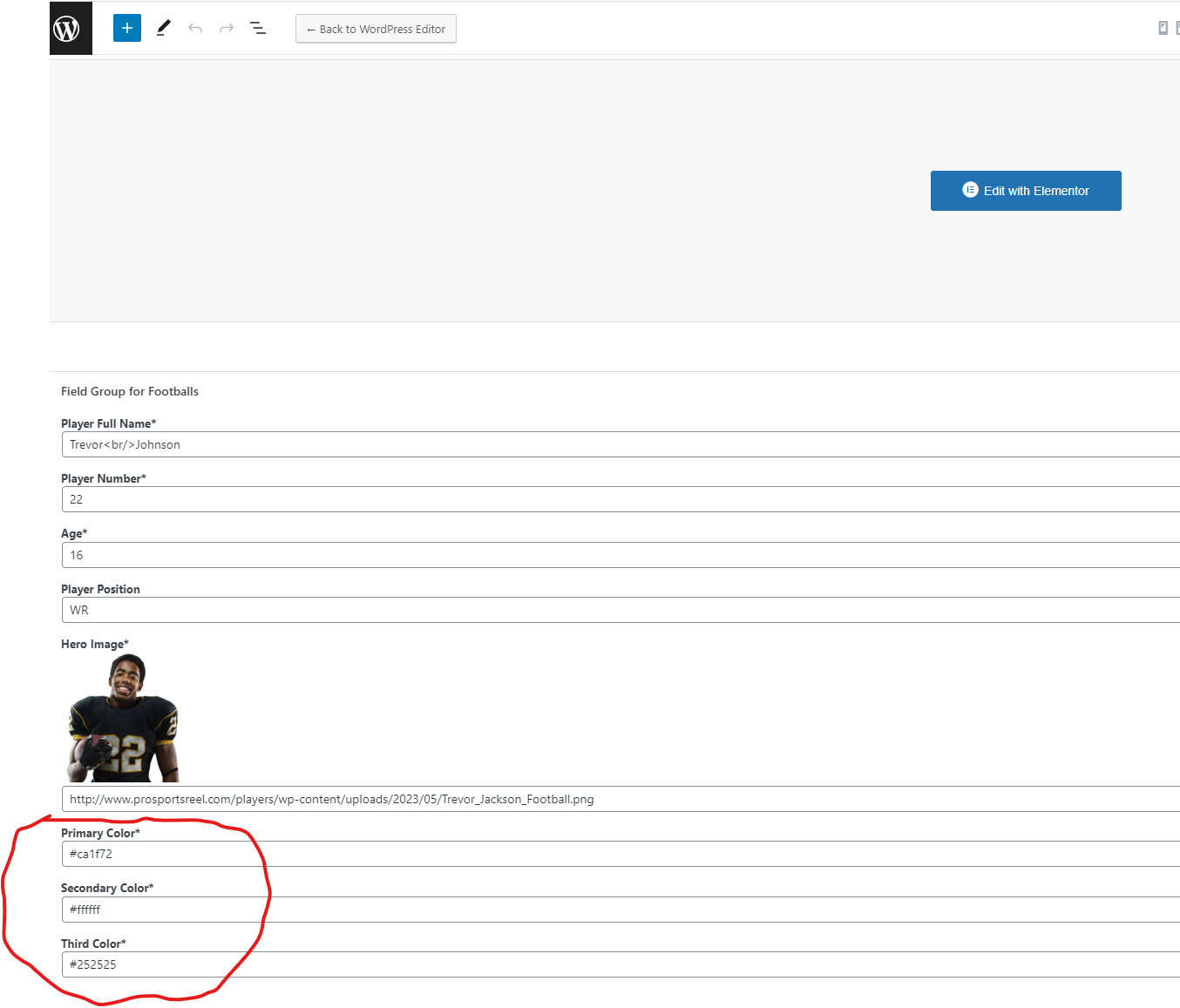
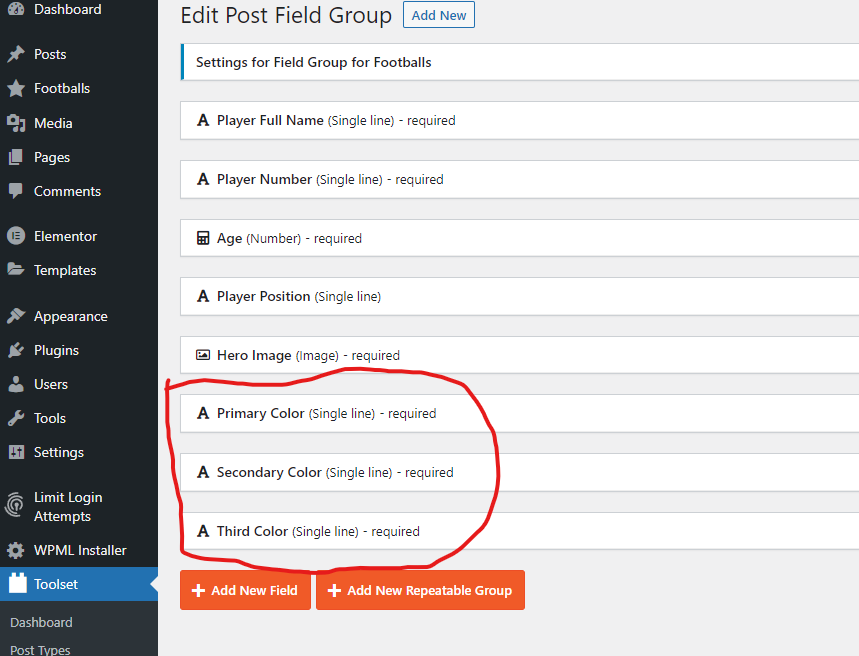
I created 3 single line text field using toolset to capture the hex color value so that I can use with an Elementor template for there background gradient option on a block section. When applying the different single text fields as dynamic it shows that it's applying the hex value correctly in the Elementor editor view but when I view it from the frontend of the page it only shows one color but does not show the other dynamic values that was added. If you see the screenshot you can see one page show a solid color and the other gradient. I contact Elementor already regarding this issue because I thought is was a issue with the template but they said it was the third party plugin I'm using which is Toolset. If your able to replicate this on your side that would help to see what the issue is. Please let me know if I explain this well enough for you to see my issue.
Thank you,
Dwayne
Hi there,
Thank you for the complete explanation and I understand the issue now.
Well, this is hard for us to know what is going on on the Elementor side as we are not the developers of that plugin.
What I have in mind is to test two things for now and let's see the result:
Check without #
Try to add the value of the Hex color code without #. Maybe the Elementor dynamic option only accepts the number and it adds the # sign itself. I am not sure but worth the try.
Check the value without Elementor
Check if Toolset adds a correct value int he first place.
Create a simple page and use a view to show the values on a page and see if it shows the correct value.
Finally, I would ask the Elementor support, what is the correct value that needs to be added there in their Element for the option to work?
Thank you 😊 .
Hi Christopher, I was able to remove the dynamic set for color gradient and everything works fine from the edit section and front end.
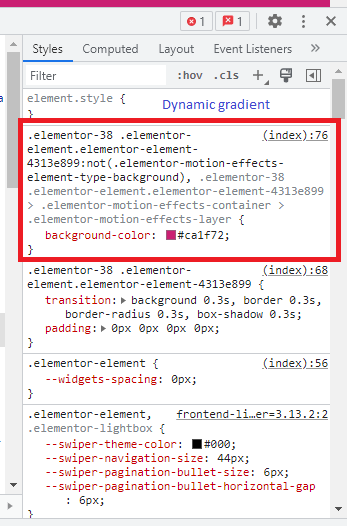
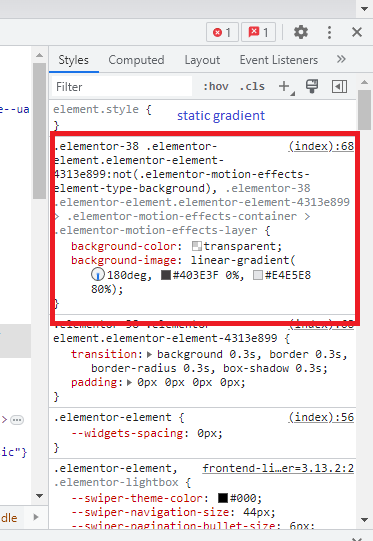
I was able to inspect the Google element and notice when the dynamic was added that the style for that element is missing the gradient but when it's apply static is shows. Please see the attachment that will help with my explanation.
Thank you and look forward to your reply.
Dwayne
Hi there,
Thank you for the information.
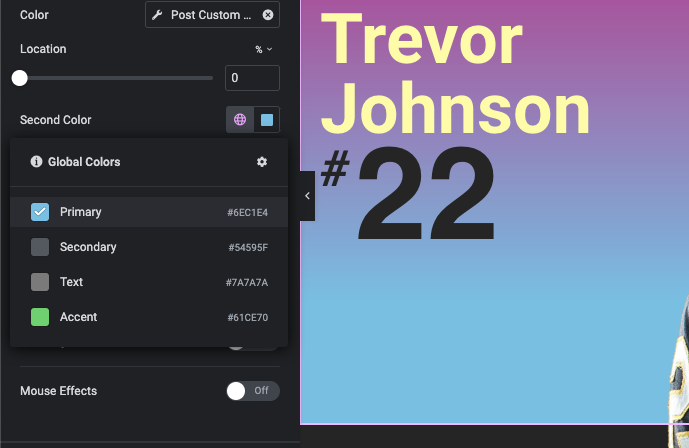
I checked the website and even if I use the normal Elementor primary color feature without Toolset for the second color it still has the issue and it does not show the result on the front end.
The fact that the color shows ok in the Elementor itself in the backend shows it is not a Toolset related thing and it is related to Elementor.
Toolset does not have any control over the code generation of the style, and Toolset uses the normal WordPress custom field (post-meta) feature to create the custom field.
Thanks.