Skip Navigation

[Resolved] Don't show results by default

This support ticket is created 3 years, 5 months ago. There's a good chance that you are reading advice that it now obsolete.

This is the technical support forum for Toolset - a suite of plugins for developing WordPress sites without writing PHP.

Everyone can read this forum, but only Toolset clients can post in it. Toolset support works 6 days per week, 19 hours per day.

Sun Mon Tue Wed Thu Fri Sat
- 9:00 – 12:00 9:00 – 12:00 9:00 – 12:00 9:00 – 12:00 9:00 – 12:00 -
- 13:00 – 18:00 13:00 – 18:00 13:00 – 18:00 14:00 – 18:00 13:00 – 18:00 -

Supporter timezone: America/Jamaica (GMT-05:00)

This topic contains 4 replies, has 3 voices.

Last updated by darcyR 3 years, 5 months ago.

Assisted by: Shane.

Author
Posts
#2455015
Screenshot 2022-09-12 at 11.29.45 am.png

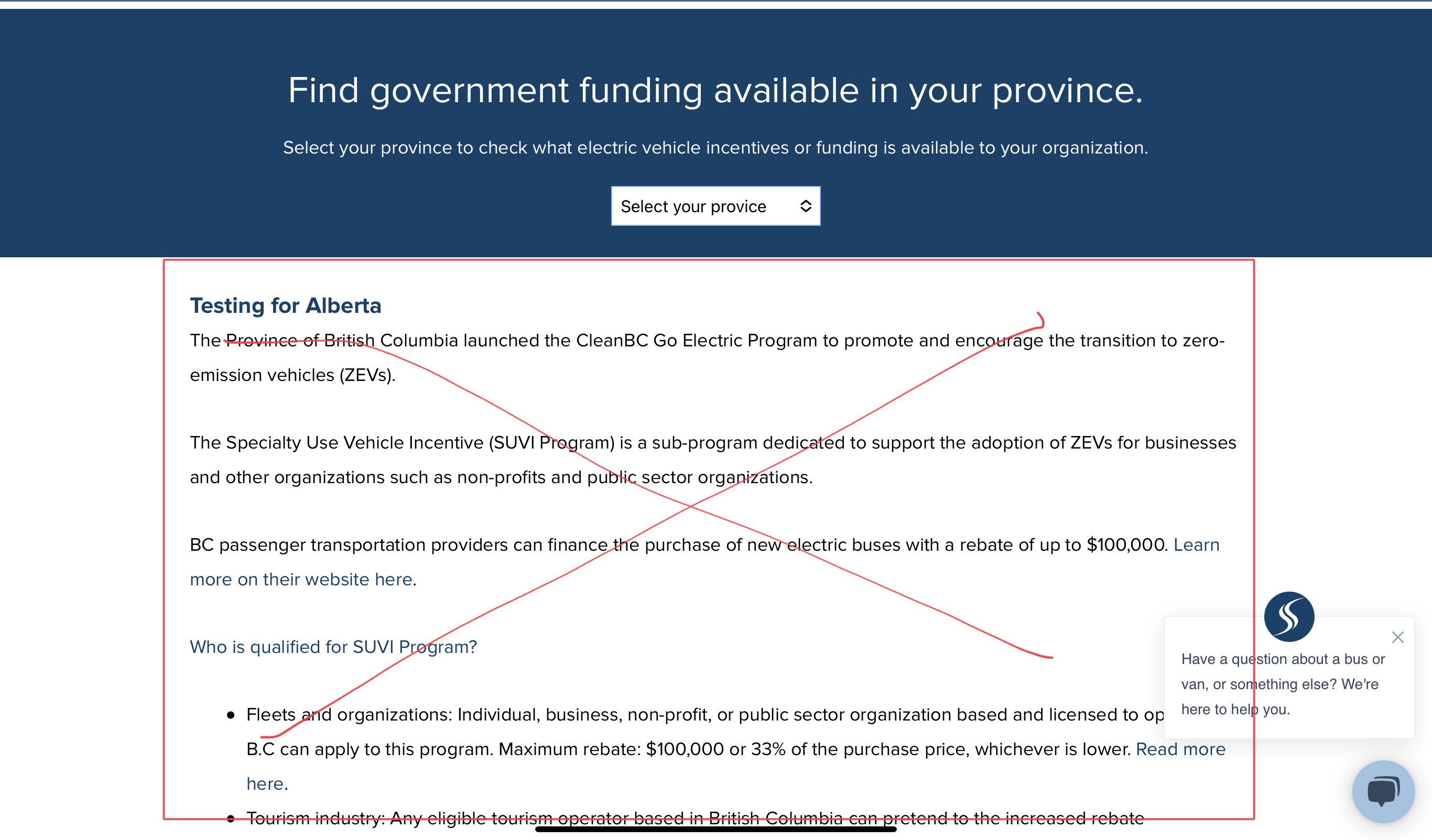
Tell us what you are trying to do? See attached, the results below the dropdown should not show when visiting the page without choosing anything in the filter. It should only show the results once something has been selected.

Is there any documentation that you are following? No

Is there a similar example that we can see? hidden link

What is the link to your site? hidden link

#2455149

Nigel
Supporter

Languages: English (English ) Spanish (Español )

Timezone: Europe/London (GMT+00:00)

#2455687

We're not using the Toolset Grid for this View, is there a version for the Classic editor? Thanks

#2455749

Shane
Supporter

Languages: English (English )

Timezone: America/Jamaica (GMT-05:00)

Hi Darcy,

Thank you for getting in touch.

The concept for the classic editor for view is essentially the same as you will need to wrap the items in the <wpv-loop> </wpv-loop> tag with the conditional shortcode like below.


[wpv-conditional if="('[wpv-search-term param='wpv_view_count']' ne '']
My content here
[/wpv-conditional]

Please let me know if this helps.
Thanks,
Shane

#2456095

My issue is resolved now. Thank you!