Skip Navigation

[Resolved] Display List With Taxonomy Terms

This is the technical support forum for Toolset - a suite of plugins for developing WordPress sites without writing PHP.

Everyone can read this forum, but only Toolset clients can post in it. Toolset support works 6 days per week, 19 hours per day.

Sun Mon Tue Wed Thu Fri Sat
- 10:00 – 13:00 10:00 – 13:00 10:00 – 13:00 10:00 – 13:00 10:00 – 13:00 -
- 14:00 – 18:00 14:00 – 18:00 14:00 – 18:00 14:00 – 18:00 14:00 – 18:00 -

Supporter timezone: Asia/Kolkata (GMT+05:30)

This topic contains 1 reply, has 1 voice.

Last updated by Minesh 1 year, 2 months ago.

Assisted by: Minesh.

Author
Posts
#2782457
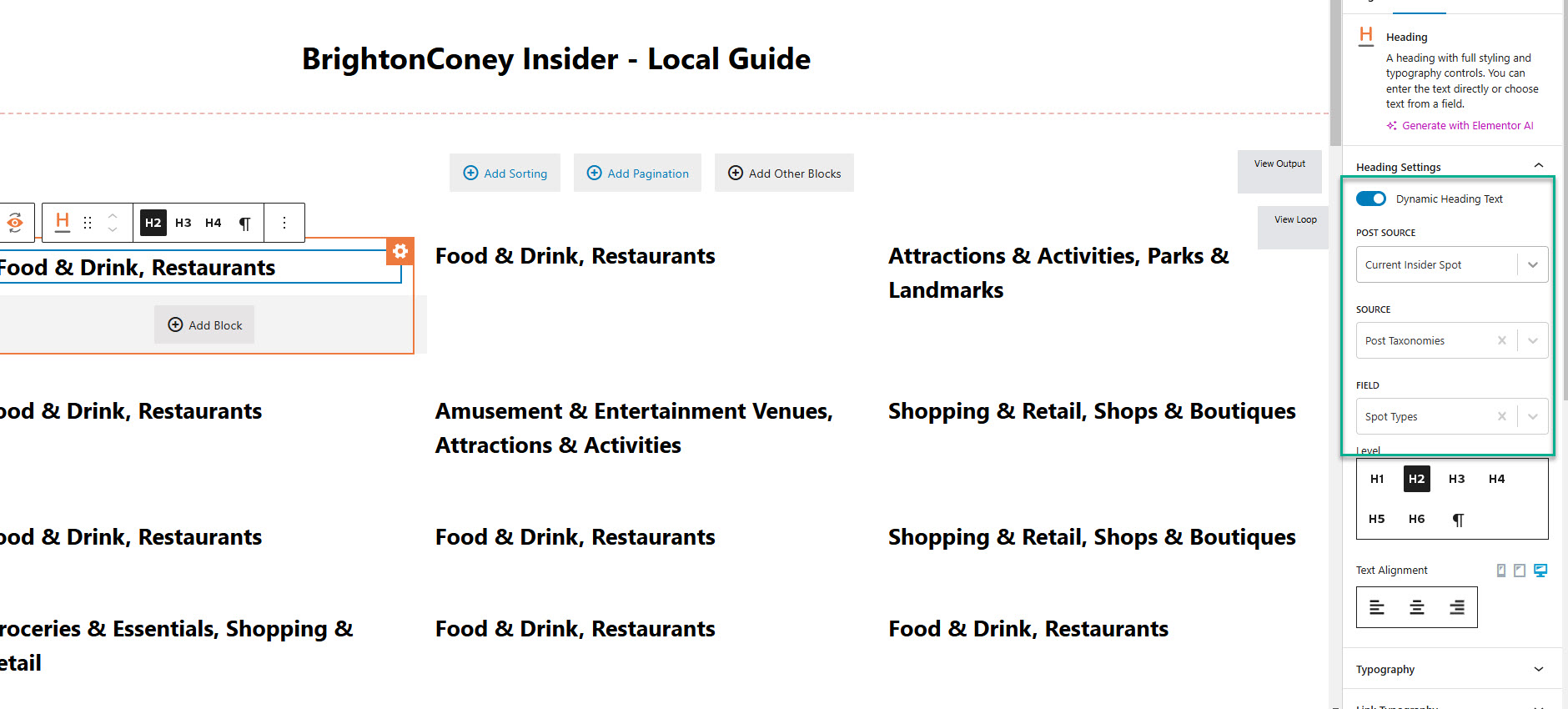
2024-11-06_14-56-41.jpg

Tell us what you are trying to do?
We're trying to create a page that shows a grid of the top level of our custom taxonomy. The end goal is to show this grid in the form of Images (that are representing each taxonomy term) or Icons.

Is there any documentation that you are following?
https://toolset.com/forums/topic/display-list-with-taxonomy-terms/
I saw this thread that mentions back in 2020 that you will soon implement taxonomy views in Toolset blocks, but I can't find it.

All I was able to do so far is create a loop block that shows the custom taxonomy of all posts (see screenshot).

Will appreciate your assistance.

Thanks!

#2782510

Minesh
Supporter

Languages: English (English )

Timezone: Asia/Kolkata (GMT+05:30)

Hello. Thank you for contacting the Toolset support.

Taxonomy view using Blocks is not supported yet.

To create a view for taxonomy, you will require to enable the legacy view:
- https://toolset.com/course-lesson/enabling-legacy-version-of-toolset-views/

Once you enable the legacy view, you can navigate to:
=> Toolset => Views => Add new and set the source of the view to your desired taxonomy.

More info:
- https://toolset.com/documentation/displaying-wordpress-term-fields/