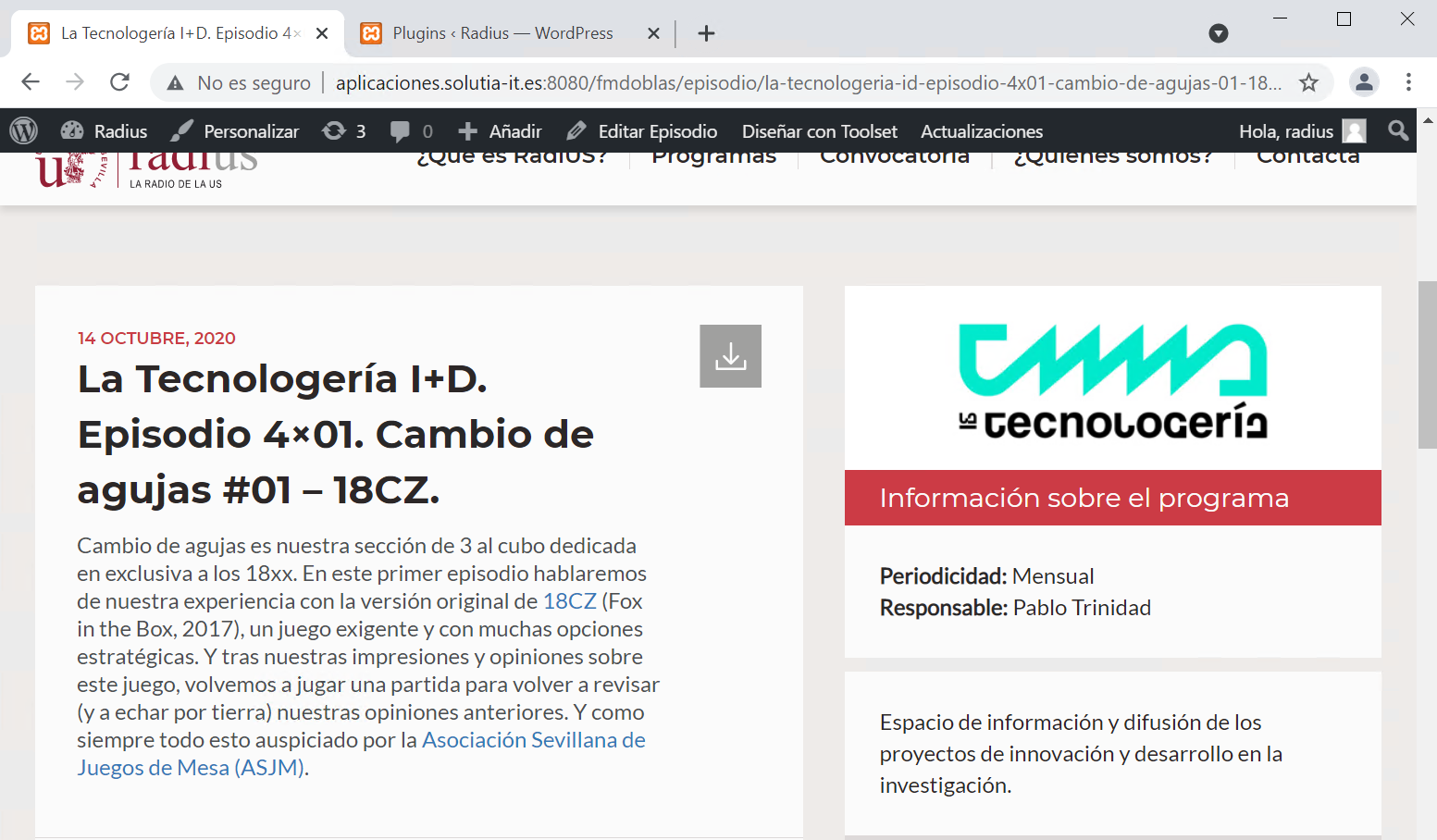
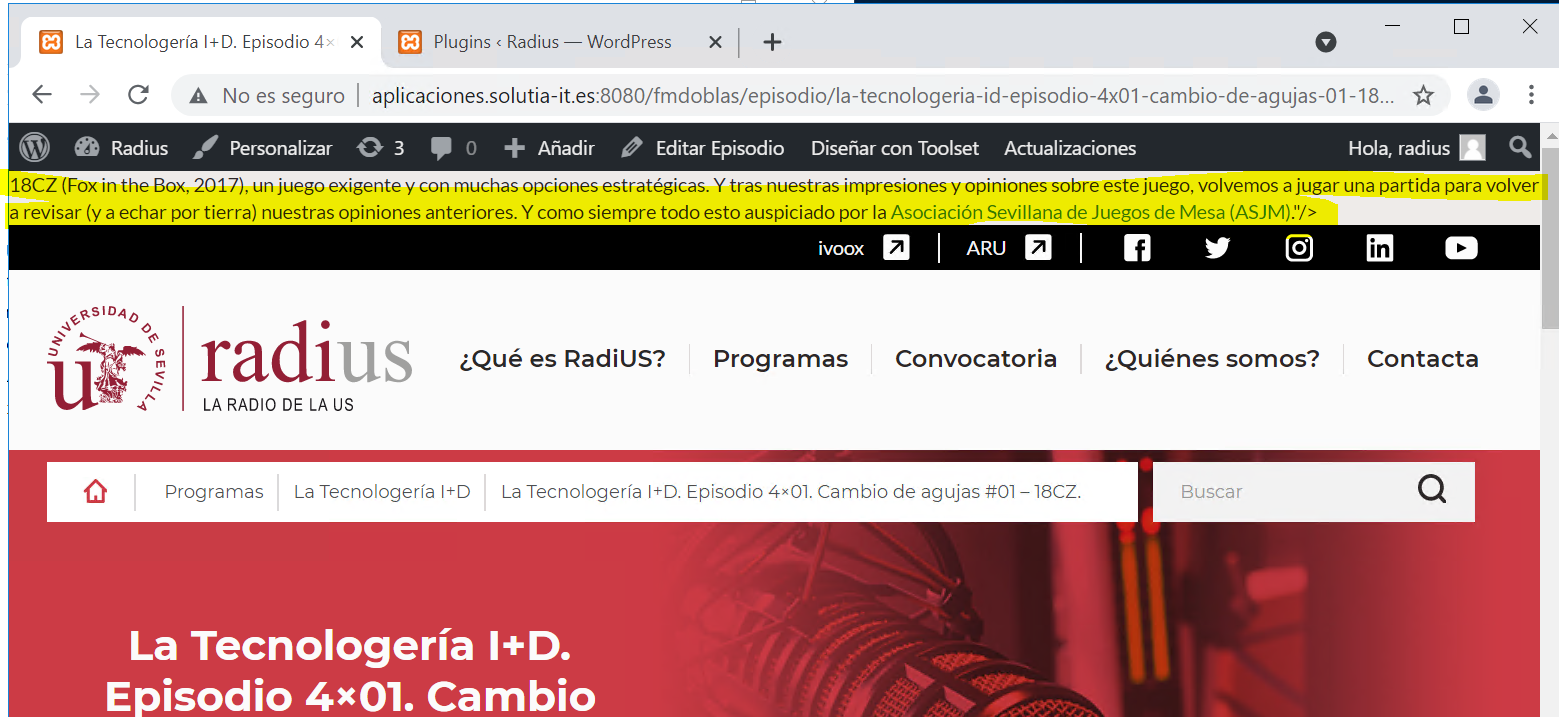
[Resolved] Description of one Types appear at the top instead.
This thread is resolved. Here is a description of the problem and solution.
Problem:
The user was having a duplicated title on the top of the page.
Solution:
It turns out that the user was generating a meta tag from a Toolset field on the theme's files. The custom field was containing HTML tag. It is not possible to have HTML tags inside attributes of other HTML tags.
We have a problem with a "Description" field of a Type we have made. When we put an <a> tag in this description, content appears at the top in the page. When in "Description" field doesn't have any <a> tag, all it's OK.
Can you see the problem in the next link. hidden link
Would it be possible to take a look at how you have set this up?
You have a custom field, and have created a description for this field, and you are outputting this description (where and how?).
When the description contains a link, the link (or the description?) appear in an unexpected location.
Does that sound right?
Let me mark your next reply as private so that we can get log-in credentials from you—you may want to create a temporary admin user for us to use that you can later delete. And be sure to have a current backup of your site.
Indeed, Nigel speaks in Spanish, but I don't know it very well. I am sorry, I can't answer you in Spanish.
I logged in to your website and analyzed the issue a little bit, but I could not find the real cause behind it.
The issue is produced by the theme. In fact, if you switch to a default theme such as 2021, the issue is not reproduced anymore.
I tried an elimination process on your theme to, hopefully, find the cause of the issue, but I did not.
I am afraid, you are using a custom-made theme, which is considered custom code, and thus out of the scope of the support forum.
Fortunately, while writing this line I find out that the issue comes from line 259 in the theme's functions.php file. As soon as I commented it, it resolved the issue: