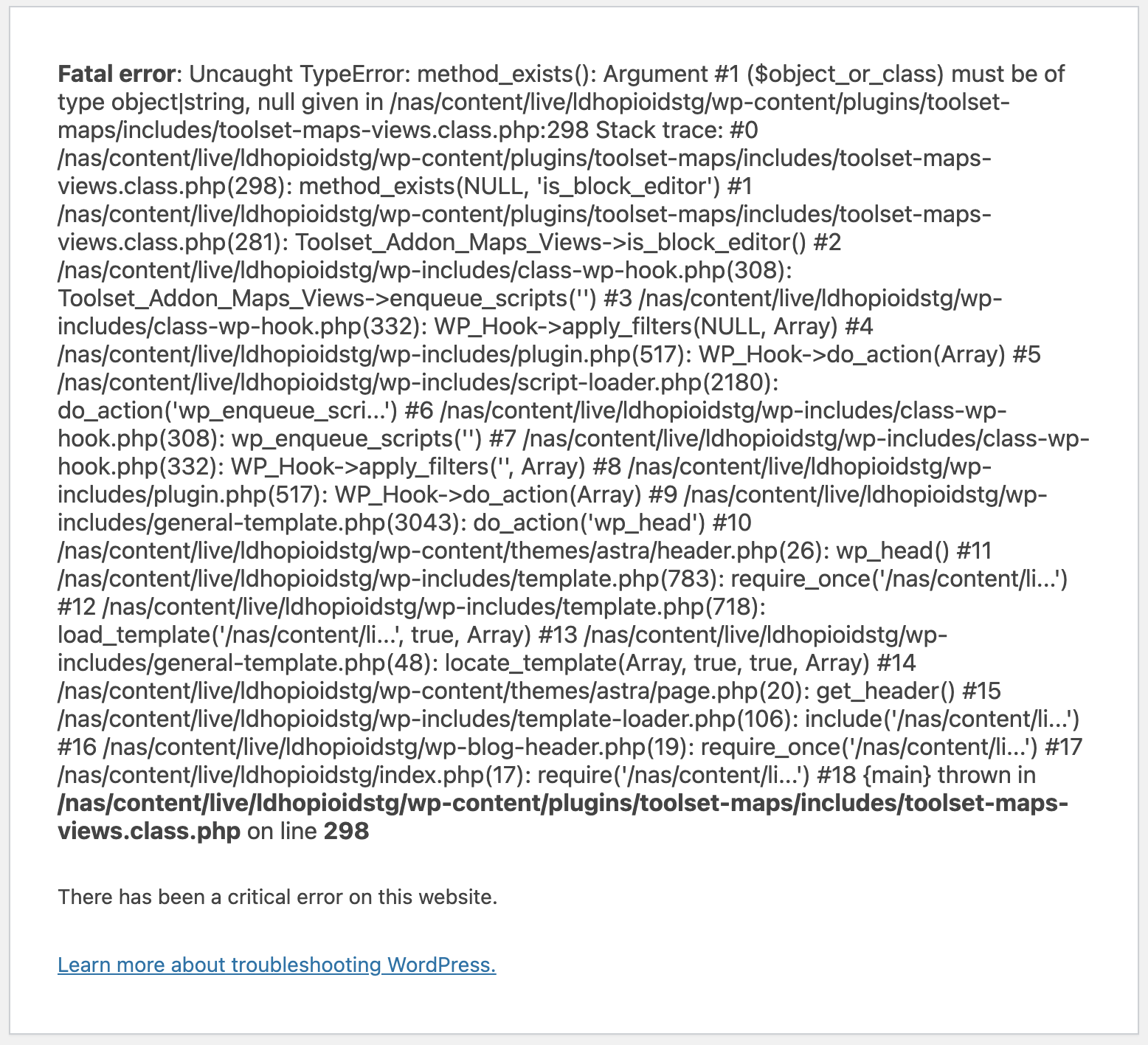
We are currently experiencing a "Critical Error" on our site due to the Toolset Maps plugin. We receive this error when trying to edit any of our site pages using Beaver Builder.
We've built 10+ sites using Beaver Builder and Toolset together, but have never seen this critical error before. If we deactivate the Toolset Maps plugin then we are able to access Beaver Builder and edit our pages. But when Toolset Maps is activated we see the following error.
How do we resolve the below issue so that we can work on our site? We are happy to share website credentials and FTP to resolve the issue quickly.
----------------------------
ERROR MESSAGE:
Fatal error: Uncaught TypeError: method_exists(): Argument #1 ($object_or_class) must be of type object|string, null given in /nas/content/live/ldhopioidstg/wp-content/plugins/toolset-maps/includes/toolset-maps-views.class.php:298 Stack trace: #0 /nas/content/live/ldhopioidstg/wp-content/plugins/toolset-maps/includes/toolset-maps-views.class.php(298): method_exists(NULL, 'is_block_editor') #1 /nas/content/live/ldhopioidstg/wp-content/plugins/toolset-maps/includes/toolset-maps-views.class.php(281): Toolset_Addon_Maps_Views->is_block_editor() #2 /nas/content/live/ldhopioidstg/wp-includes/class-wp-hook.php(308): Toolset_Addon_Maps_Views->enqueue_scripts('') #3 /nas/content/live/ldhopioidstg/wp-includes/class-wp-hook.php(332): WP_Hook->apply_filters(NULL, Array) #4 /nas/content/live/ldhopioidstg/wp-includes/plugin.php(517): WP_Hook->do_action(Array) #5 /nas/content/live/ldhopioidstg/wp-includes/script-loader.php(2180): do_action('wp_enqueue_scri...') #6 /nas/content/live/ldhopioidstg/wp-includes/class-wp-hook.php(308): wp_enqueue_scripts('') #7 /nas/content/live/ldhopioidstg/wp-includes/class-wp-hook.php(332): WP_Hook->apply_filters('', Array) #8 /nas/content/live/ldhopioidstg/wp-includes/plugin.php(517): WP_Hook->do_action(Array) #9 /nas/content/live/ldhopioidstg/wp-includes/general-template.php(3043): do_action('wp_head') #10 /nas/content/live/ldhopioidstg/wp-content/themes/astra/header.php(26): wp_head() #11 /nas/content/live/ldhopioidstg/wp-includes/template.php(783): require_once('/nas/content/li...') #12 /nas/content/live/ldhopioidstg/wp-includes/template.php(718): load_template('/nas/content/li...', true, Array) #13 /nas/content/live/ldhopioidstg/wp-includes/general-template.php(48): locate_template(Array, true, true, Array) #14 /nas/content/live/ldhopioidstg/wp-content/themes/astra/page.php(20): get_header() #15 /nas/content/live/ldhopioidstg/wp-includes/template-loader.php(106): include('/nas/content/li...') #16 /nas/content/live/ldhopioidstg/wp-blog-header.php(19): require_once('/nas/content/li...') #17 /nas/content/live/ldhopioidstg/index.php(17): require('/nas/content/li...') #18 {main} thrown in /nas/content/live/ldhopioidstg/wp-content/plugins/toolset-maps/includes/toolset-maps-views.class.php on line 298
My issue is resolved now. Thank you!