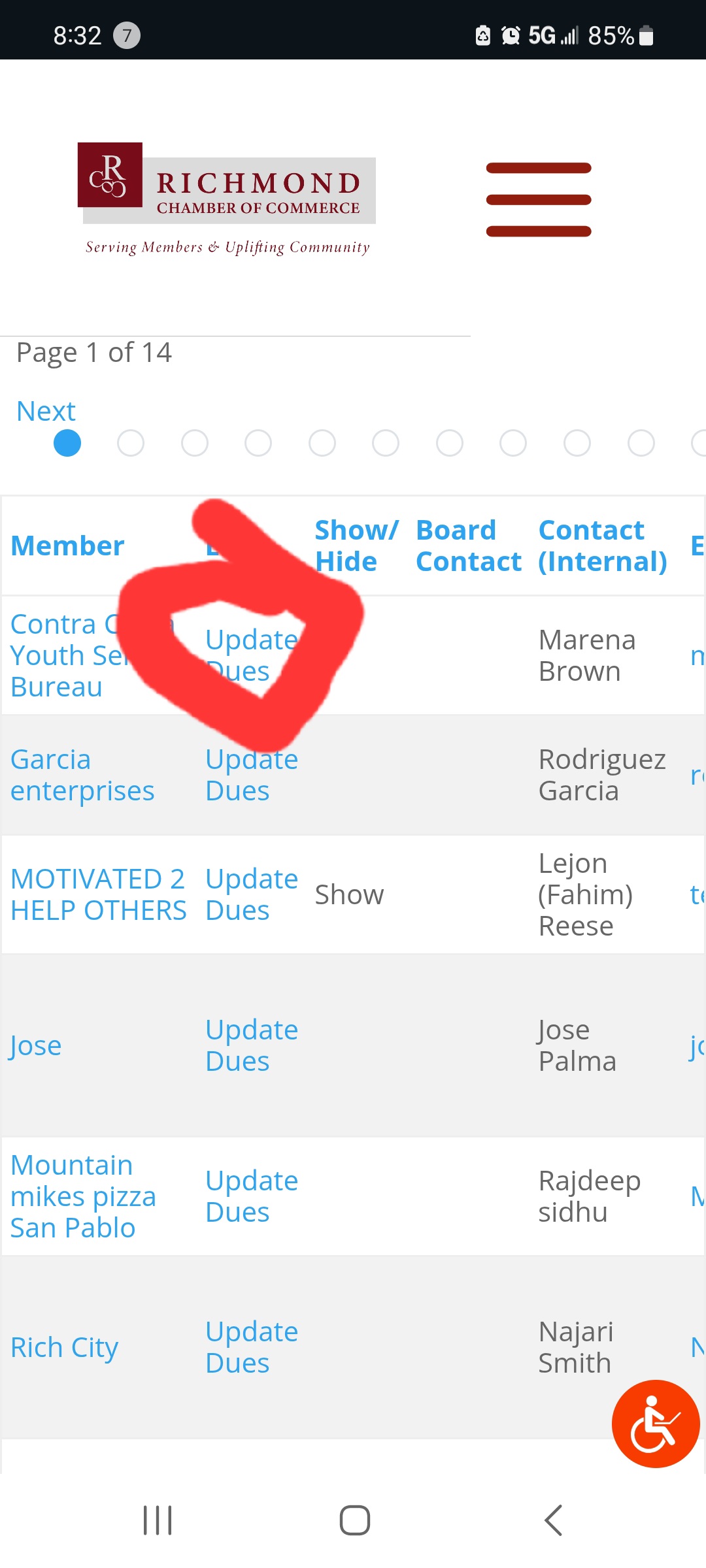
Tell us what you are trying to do? rcocstaff user not seeing cred form link to cred-edit-form=3708
Is there any documentation that you are following? support docs
Is there a similar example that we can see? a view using the same post type and similar form is working. hidden link
What is the link to your site?hidden link

Minesh
Supporter
Languages:
English (English )
Timezone:
Asia/Kolkata (GMT+05:30)
Hello. Thank you for contacting the Toolset support.
Well - I would like to know what role is assigned to "rcocstaff" user and is user is logged-in?
Can you please share exact problem URL where you added the edit form link as well as admin access details.
*** Please make a FULL BACKUP of your database and website.***
I would also eventually need to request temporary access (WP-Admin and FTP) to your site. Preferably to a test site where the problem has been replicated if possible in order to be of better help and check if some configurations might need to be changed.
I have set the next reply to private which means only you and I have access to it.

Minesh
Supporter
Languages:
English (English )
Timezone:
Asia/Kolkata (GMT+05:30)
Thank you for sharing admin and frontend user access details.
However - shared admin access details works without any issues but the frontend user access details with user "rcocstaff" when I try to login from "Staff Admin" I get wrong password error.
Can you please send me working frontend user access details.
I have set the next reply to private which means only you and I have access to it.

Minesh
Supporter
Languages:
English (English )
Timezone:
Asia/Kolkata (GMT+05:30)
Can you please share details where exactly you added the cred edit link to what content template/page/post?

Minesh
Supporter
Languages:
English (English )
Timezone:
Asia/Kolkata (GMT+05:30)
I have that URL which you shared but under what setion or what part of the page you added Edit link. Can you pelase share screenshot of that.
shows for admin but nor this user
hi, checking on support. thanks.

Minesh
Supporter
Languages:
English (English )
Timezone:
Asia/Kolkata (GMT+05:30)
I see you are using the following form:
- hidden link
And the form is to create a new post - do you want to create new post or edit existing post with the link you added?
edit existing. when I corrected the form, it showed up in the forms access as unchecked. (it had been checked before) I check marked it and then the link showed up for that user. So it's working but I don't understand why the link wasn't showing up when the form was set to create new post?
thank you.

Minesh
Supporter
Languages:
English (English )
Timezone:
Asia/Kolkata (GMT+05:30)
I've created the following content template that will hold the edit form:
- hidden link
Then, With your following view I've replaced the edit post link as given under:
<td>[toolset-edit-post-link content_template_slug='1015' target='_blank']Edit[/toolset-edit-post-link]</td>
More info:
- https://toolset.com/course-lesson/front-end-forms-for-editing-content/
as I said, it was working and I changed the form to submur with status changw. are you able to change the view link back to how it was?

Minesh
Supporter
Languages:
English (English )
Timezone:
Asia/Kolkata (GMT+05:30)
This is the code you used before:
<td>[cred-link-form form="member-dues" post="[wpv-post-id]" text="Update Dues" target="_blank"]</td>