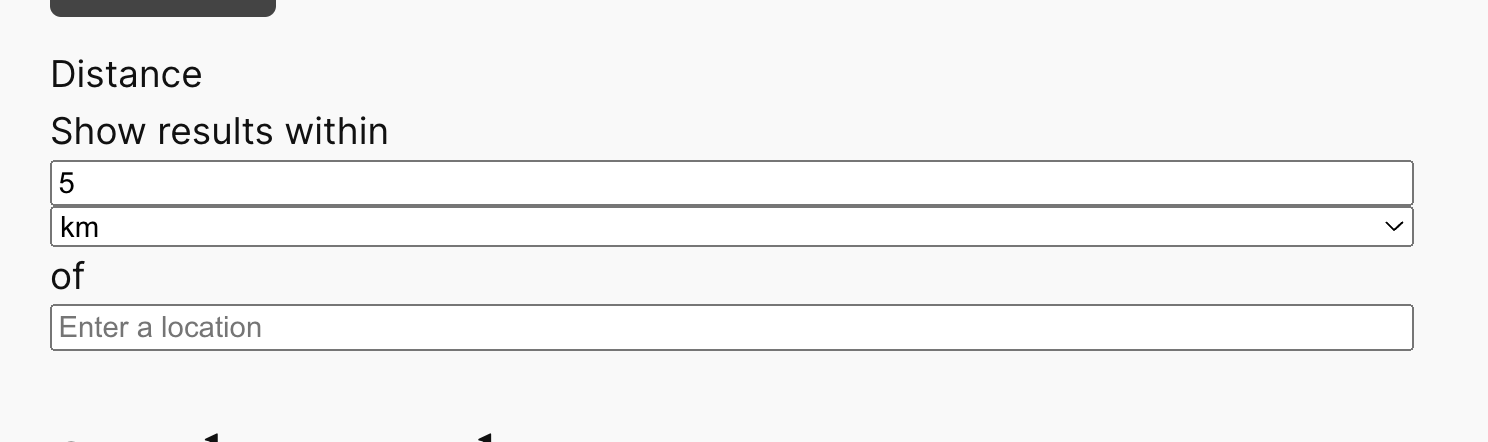
I have a page with a map of all my custom posts. I simply want to create my own custom search dialog with custom formatting and whatever search parameters I'd like to add. The primary search parameter I'd like to add is a distance filter so that whatever distance from the current map's position the user chooses, it shows those points in that radius. I already know how to do this, but the search dialog looks like it's from the 1990's, so I need to customize this AS WELL as add any other parameters I choose to add in the future. I cannot figure out how to do this, to change the layout, etc. Can someone please help me? The documentation has been very unclear regarding all of this. Your examples look so nice regarding distance filtering, and it doesn't show me how I can make it look so nice.
When you add a distance search filter the markup is essentially hard-coded, there isn't a way to customise the generated HTML, and how that appears will depend in large part on your theme.
If you want to modify how the output looks you would need to add custom CSS for that.
The screenshot Before.png shows how it looks by default with a standard theme.
I can imagine you might want to display the fields in a single line below the Distance label, for example.
To see how one might do that, you would look at the markup for the search filter using the browser dev tools.
On my test site, having done that, I identified CSS to change the layout of the filter to that shown in the screenshot After.png.
The simplest way to add custom CSS to the page is to insert a Custom HTML block, and then add the CSS within style tags, like so: