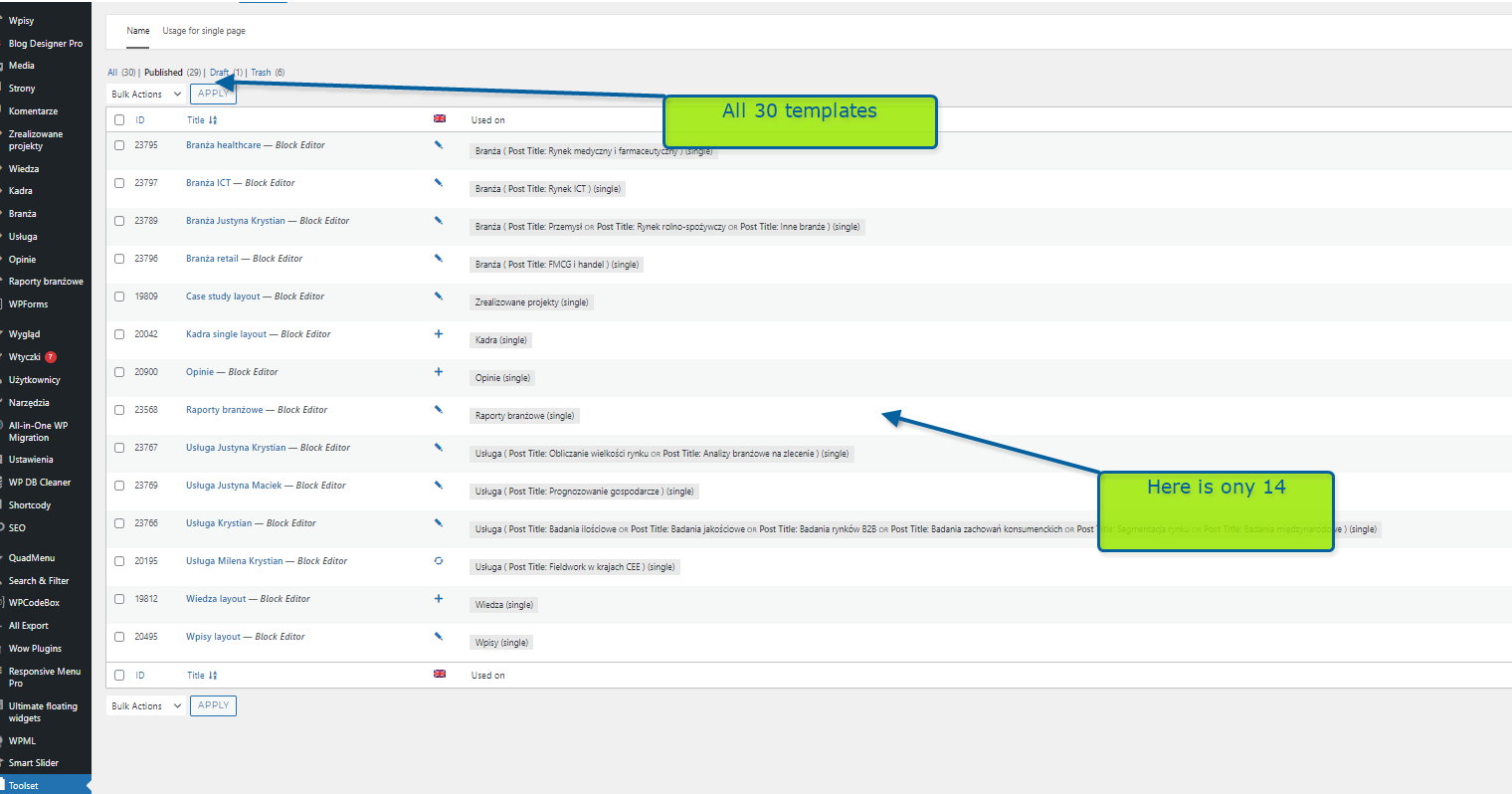
Hi, the content templates not showing all the templates. I'm seeing 29 published templates but on the list there is only 14. Where are the templates?
Hi there,
Would you please do the test below?
- IMPORTANT STEP! Create a backup of your website or even better, test it in the staging version of the website.
- Go to "WordPress Dashboard > Plugins" and deactivate all plugins except Toolset and its add-ons.
- Check if you can still recreate the issue.
- If not, re-activate your plugins one by one and check the issue each time to find out the plugin that causes the problem.
Also, would you please make sure that you use the latest version of Toolset? If not, please follow the steps below to update:
- IMPORTANT STEP! Create a backup of your website.
- Go to "WordPress Dashboard > Plugins > Add new > Commercial (tab)".
- Update Toolset and its addons there.
If the problem persists, I'd appreciate it if you could give me the URL/User/Pass of your WordPress dashboard after you make sure that you have a backup of your website.
It is absolutely important that you give us a guarantee that you have a backup so if something happens you will have a point of restore.
Please make sure that the next reply is set to private.
Thank you.
Hi there,
Thank you for the information I checked the website and it shows 14 at the moment. I also made sure that WPML is enabled.
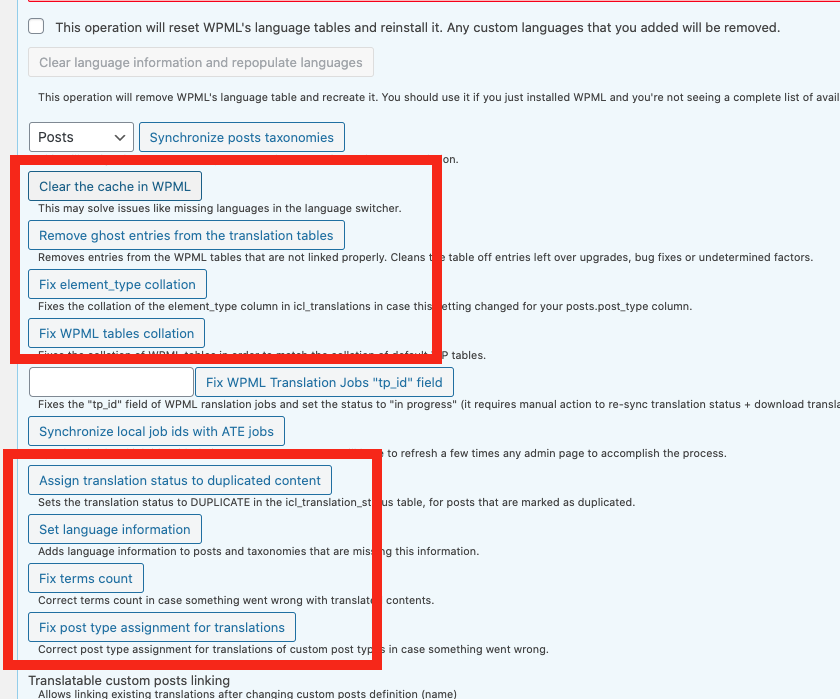
In general, it is possible to make sure that WPML synchronizes the post types between languages by doing the steps below:
- IMPORTANT STEP! Create a backup of your website.
- Go to "WordPress Dashboard > WPML > Support > Troubleshooting (link)".
- Click the buttons annotated in the screenshot below one by one and wait for each button process to finish:
https://wpml.org/wp-content/uploads/2020/10/7206941-buttons.png
It is not required at the moment s everything seems to be ok. Also I would completely backup the website before the troubleshooting steps.
Hi. It's not working. I cloned the website on the test location. Now it is 1:1. Please try again to help.
Hi there,
I checked the details and the problem that you are experiencing is that you added the Content Template while you were in the secondary language.
That is why the content template is added in the second language, but the listing is only can be seen in the primary language.
As soon as you translate the content template that you added in the second language it will show in the list.
By the way, the number at the top represents all the templates including the translated ones. When you enable WPML it shows only the main language content templates and a pencil icon to access the translated one.
When you disable WPML, the language loses its meaning and the system lists all the content templates including the translated ones in one long list.
Now what I suggest is that you keep WPML disabled, then from the list identify the ones that are not listed when WPML is enabled. Then click the edit link to go to the content template itself and from the right sidebar make sure that it is translated.
After that, it will show in the list when you enable WPML.
For example, I made the "Branża construction" was not showing when WPML was active, it appears now in the list even when WPML is enabled. Here is what I have done:
- Disabled WPML.
- Went to Toolset > Content Templates.
- Hovered over "Branża construction" and click the EDIT link.
- Opened up another browser window and enabled WPML.
- Refreshed the Content Template EDIT screen so that it will have the LANGUAGE section on the sidebar now after enabling WPML.
- On the sidebar Clicked the + icon under the languages section to add the Polish translation. (I just copied everything and made sure translation is set to 100% complete)
- Went back to Toolset > Content Templates and now I can see the "Branża construction" template.
To avoid such a situation, please make sure that you always are on the main language at the top admin language bar and then try to add a new content template, so that the content template will be created on the main language and not the second one.
Thank you.