I am trying to: Edit Pages and Products in WordPress / Divi
Link to a page where the issue can be seen:
PRODUCT PAGE: hidden link
PRODUCT: hidden link
I expected to see: The product page and/or product to be edited.
Instead, I got: "This page isn't working hidden link is currently unable to handle this request. HTTP ERROR 500"
We deactivated all plugins and reactivated until we discovered that the editing feature works correctly when Toolset Views is deactivated. Note that Toolset Types and Toolset Access do not cause a problem.
If the browser shows a HTTP 500 error, that means that there was a fatal error on the server during the request, and you can find details of the error in the debug.log.
If you haven't already, turn on the debug log by editing your wp-config.php file and change the line with WP_DEBUG like so:
That will create a debug.log file in your /wp-content/ directory which you can examine in any text editor. Try editing the same page again with Views active, and then inspect the log.
Let us know what you find.
Also, can you clarify, these are pages that are edited with the Divi editor.
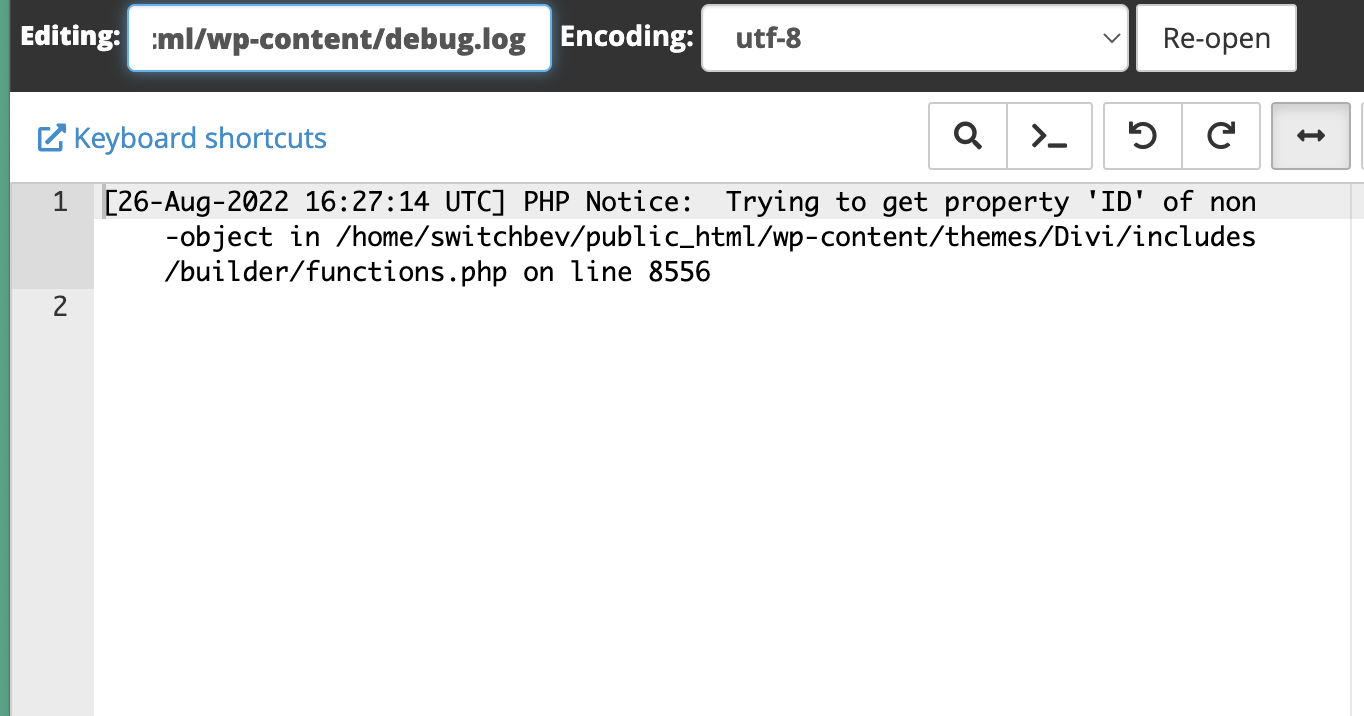
Thanks Nigel! I updated the debug.log (note that section was originally commented out) and tried editing the product page and products but when I look in the log file, there's nothing since August last year (screenshot attached).
Screenshot of the new code in wp-config.php file also attached. Do I have something wrong?
Confirmed we use Divi editor. Have you discovered a conflict with that?
Thank you for the information. The screenshot shows a PHP notice and not a fatal error and that is not causing any issues as it is not a breaking one.
What I suggest is that you have a complete backup of the website and update DIvi theme to the latest version. I see that there is an old version used on your website.
Right - the screenshot is a notice from 2022—when I updated the wp-config.php file I did not get an updated debug log, so did not see current relevant bug info. I'll make a backup tomorrow and update Divi and let you know. Thanks!
Just for posterity, I did make a backup of the site and updated Divi. It was the issue—when I updated and re-enabled the 3 plugins that were causing issues with editing, all worked again. Note that there were two customizations that were not preserved, so I'll have a web developer correct those issues, but the 500 HTTP and fatal errors are resolved.
Thanks for your help!
I'm not sure if I'm going to make the 12 hour cutoff, but I'm having some issues now after the DIVI update after all. There are multiple images and a "Buy Now" URL that aren't being passed into DIVI correctly any more. If you look at the Wayback Machine archive, you can see the product image that is set as a custom field in Toolset, it animates in to the right of the screen: hidden link
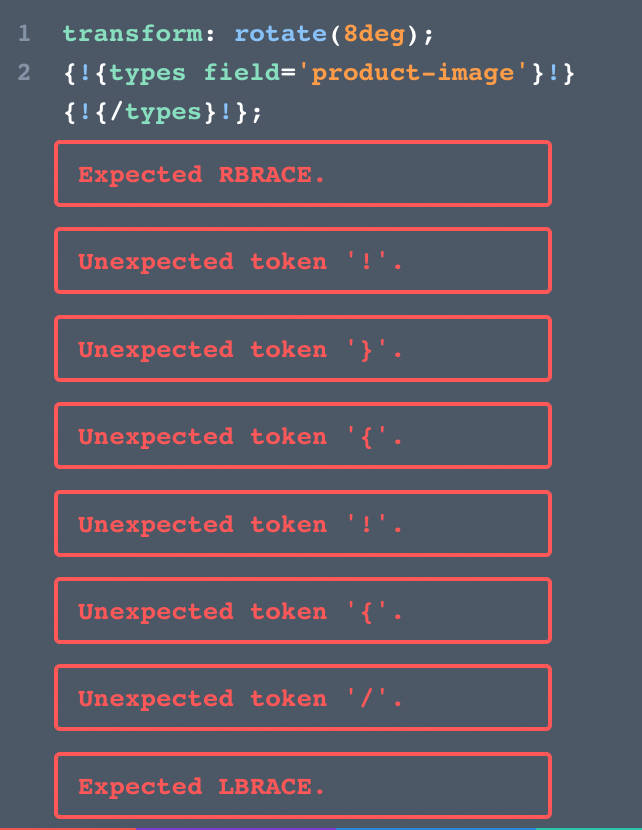
But on the live site this is missing: hidden link When you go to where that's set in the Divi template builder, there are multiple errors in the CSS, see attached image. It looks like DIVI doesn't accept those field names from Toolset anymore? Please advise if this is something you've seen.