Skip Navigation

[Resolved] Can't access custom fields (or create new ones)

This support ticket is created 3 years, 9 months ago. There's a good chance that you are reading advice that it now obsolete.

This is the technical support forum for Toolset - a suite of plugins for developing WordPress sites without writing PHP.

Everyone can read this forum, but only Toolset clients can post in it. Toolset support works 6 days per week, 19 hours per day.

Sun Mon Tue Wed Thu Fri Sat
- 7:00 – 14:00 7:00 – 14:00 7:00 – 14:00 7:00 – 14:00 7:00 – 14:00 -
- 15:00 – 16:00 15:00 – 16:00 15:00 – 16:00 15:00 – 16:00 15:00 – 16:00 -

Supporter timezone: Europe/London (GMT+00:00)

This topic contains 7 replies, has 3 voices.

Last updated by UP Entertainment 3 years, 9 months ago.

Assisted by: Nigel.

Author
Posts
#2359323
progress-bar.jpg

I am trying to: access the custom fields groups (post fields tab / user fields tab / terms field tab) -OR- add a new custom fields group. The page itself loads, but it never accesses any of the existing data.

Link to a page where the issue can be seen: hidden link

I expected to see: My fields and associations -- or the ability to create new ones

Instead, I got: a progress indicator bar that just spins forever

VIDEO WALKTHROUGH / EXPLAINER HERE VIA YOUTUBE UNLISTED VIDEO: hidden link

#2359477

Minesh
Supporter

Languages: English (English )

Timezone: Asia/Kolkata (GMT+05:30)

Hello. Thank you for contacting the Toolset support.

In order to first check there is no conflict between the third-party plugins or theme you are using.

*** Please make a FULL BACKUP of your database and website.***
Could you please try to resolve your issue by deactivating all third-party plugins as well as with the default theme to check for any possible conflicts with any of the plugins or themes?
- Do you see any difference?

#2359853

Hi Minesh, the only change we made was the Toolset Types plugin. It worked BEFORE The upgrade. It doesn't work AFTER the upgrade.

Also, is it possible for Nigel to handle this ticket? He worked with me on a recent one and he's more familiar with our website and situation.

Thanks!

#2359869

Nigel
Supporter

Languages: English (English ) Spanish (Español )

Timezone: Europe/London (GMT+00:00)

Hi there

Minesh has passed the ticket to me.

Looking at the video, the details of the field groups are retrieved via an ajax request, and that is clearly not working for some reason.

I expect there to be errors in the browser console that would give some indication of what the problem may be.

Can I get site credentials to be able to log in and check?

I may need FTP access to be able to check the debug logs, too.

Let me mark your next reply as private. You may want to create a temporary admin user for me to use that you can later delete. And be sure to have a current backup of your site.

#2359905

Nigel
Supporter

Languages: English (English ) Spanish (Español )

Timezone: Europe/London (GMT+00:00)

Screenshot 2022-05-10 at 15.10.37.png

Thanks for the credentials.

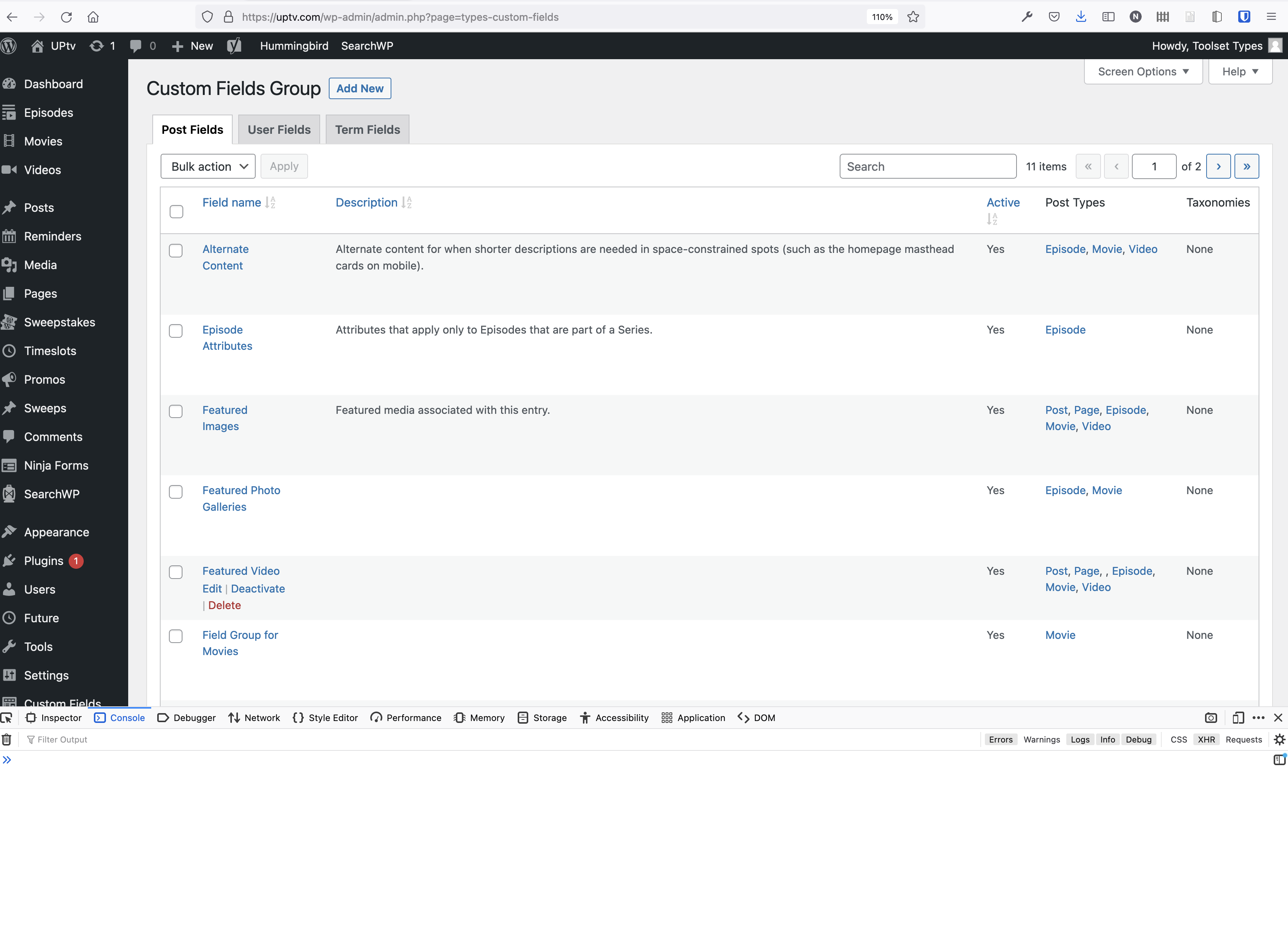
I just logged in and had no problem accessing the custom field groups (screenshot).

That suggests a browser-caching issue. Can you clear your browser cache and try again? (Or try with a different browser than you would have used before to verify that is the problem.)

If you still have problems can you check the browser console for errors?

#2359983

Well now I feel like a dumb dumb. LOL.

It wasn't working on multiple browsers or multiple machines, but I never thought to try incognito or clear my cache.

This might be the lamest ticket you'll get all week... and perhaps the easiest resolution.

This is all great news, though. I was nervous I'd have to roll things back again. Disaster avoided.

Thanks again for saving my bacon, Nigel. Can I buy you a coffee? LOL.

#2359991

Nigel
Supporter

Languages: English (English ) Spanish (Español )

Timezone: Europe/London (GMT+00:00)

Phew, that's a relief.

I'm glad it didn't turn out to be anything more serious.

#2359993

My issue is resolved now. Thank you!