Skip Navigation

[Resolved] Cannot display parent's post content body at front end

This thread is resolved. Here is a description of the problem and solution.

Problem:

I have a post type 'project' with is a child of post type 'customer' (parent).

parent post content body does not show

Solution:

Would you please use the fields and text block instead for the content of the parent body and add the code below there?

[wpv-post-body view_template="None" item="@thecontent.parent"]

Replace "thecontent" with the slug of the relationship

This is the technical support forum for Toolset - a suite of plugins for developing WordPress sites without writing PHP.

Everyone can read this forum, but only Toolset clients can post in it. Toolset support works 6 days per week, 19 hours per day.

This topic contains 2 replies, has 2 voices.

Last updated by dorotheeD 1 year, 9 months ago.

Assisted by: Christopher Amirian.

Author
Posts
#2693244
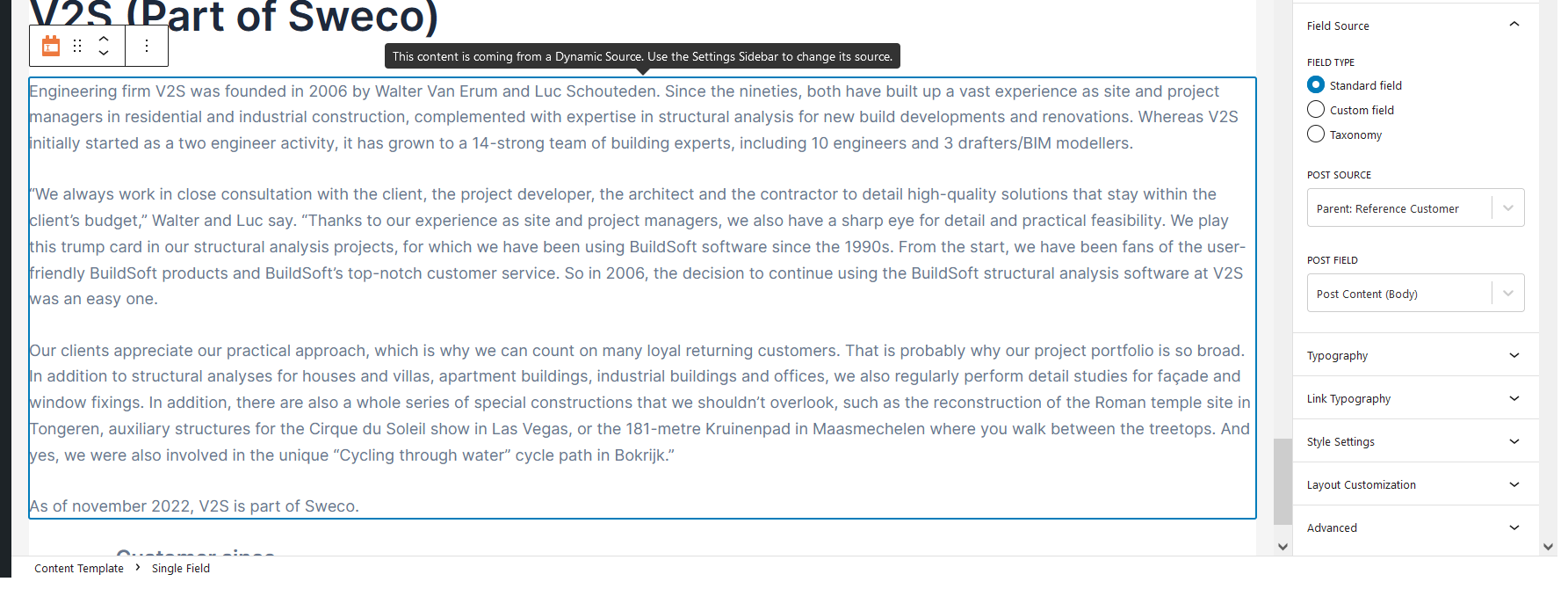
parent-child body content.png

Hi,

I have a post type 'project' with is a child of post type 'customer' (parent).

At front end, i want to show
- child post content body (using 'single field') > OK
- parent post title > OK
- parent post content body (another single field) > problem

In the Toolset content template, it's showing up as expected (see image). However, on front end: no parent post content body.

Example: hidden link

Am I missing something?

Thanks in advance

#2693402

Christopher Amirian
Supporter

Languages: English (English )

Hi there,

Would you please use the fields and text block instead for the content pf the parent body and add the code below there?

[wpv-post-body view_template="None" item="@thecontent.parent"]

replace "thecontent" with the slug of your parent field in the code.

Thanks.

#2693564

Hi Christopher,

Using the parent's slug did not work, but using the relationship slug did. So, i'm happy, it works now.

Thanks,