We have recently fixed issues with Toolset Dynamic Sources and WordPress 6.5, in Blocks version 1.6.15.
If you have already updated to that version and are still having problems, it looks like the issue is related but different.
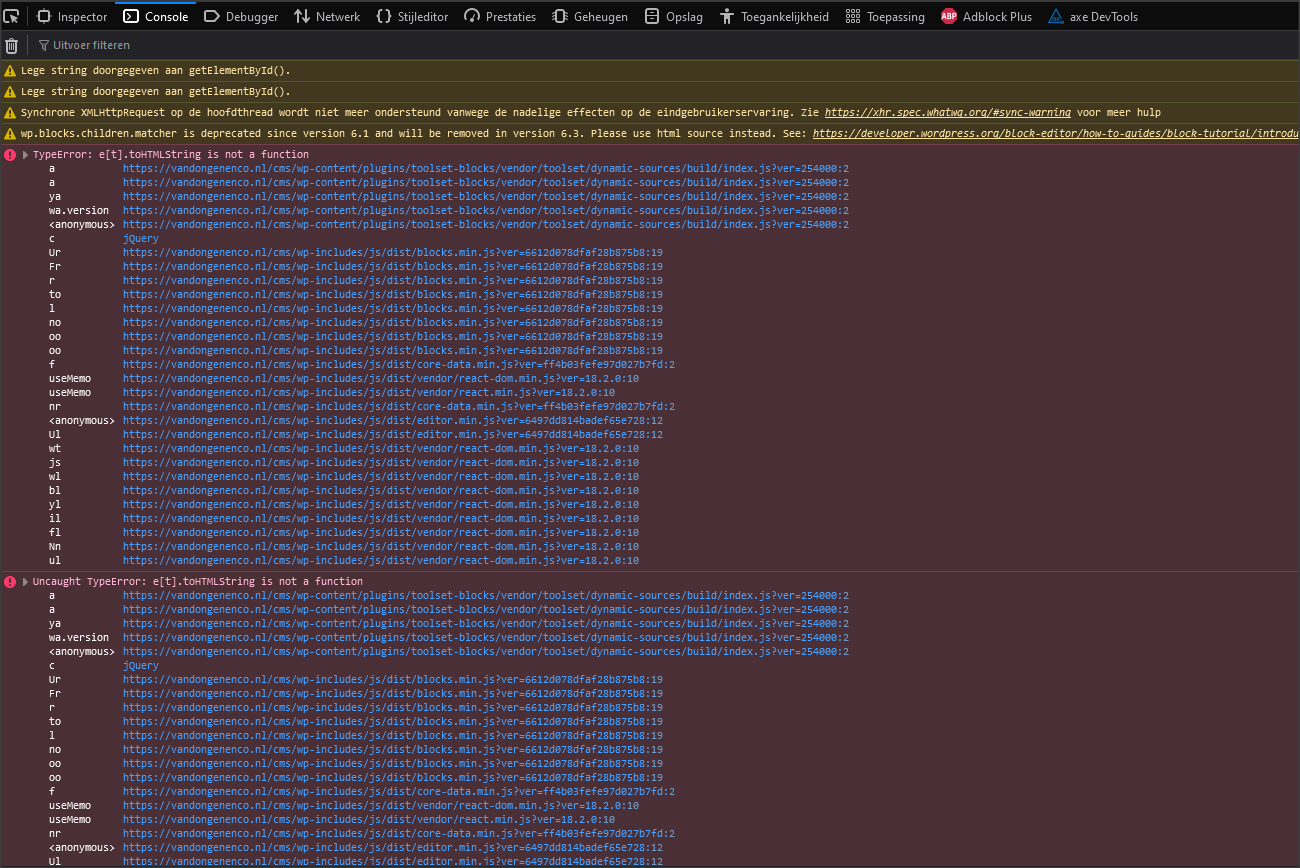
There will likely be errors in the console that should give more clues as to the cause.
Could I get access to your site to check? If I can't spot what the probable source of the problem is, we may need a copy of your site to investigate further. Would that be okay?
Let me mark your next reply as private so that we can get log-in credentials from you—you may want to create a temporary admin user for us to use that you can later delete. And be sure to have a current backup of your site.
Can you point to some pages and templates where I can see the problem?
Thanks for that. I spent some time on your site looking at the set up of the problem pages. It wasn't something I could readily reproduce on my own test site, so I took a copy of your site to pass on to our developers to investigate further.
I'll update you when I have some news from them about the issue.
In the meantime, if you need to edit those pages, the only workaround would be to use a plugin like WP Downgrade to revert WordPress to version 6.4.4 (the last version before version 6.5).
I downgraded the site to 6.4.3 using WP Downgrade.
Content templates are editable now again, which is great.
However, the problem has not been solved completely.
Pages like "Teams" (hidden link) or
"Persoonlijk" (hidden link) are still blank.
The FireFox Debugger gives an error "TypeError: e[t].toHTMLString is not a function"
Can you advise how to (temporalily) solve this issue?
Should I/can I rollback to a previous version of Toolset which works well in combination with WordPress 6.4.3?
Please ignore my latest mail. I was tricked by the automatic WordPress update. I was back on WordPress 6.5 without realizing it.
I am able to edit the pages again.
Regards,
Ron
I wanted to let you know that we published plugin updates today that include a fix for this issue.
If the updates do not show up on your plugin installer page (click the registered link beneath the plugin name to go to the custom installer page) click the the Check for Updates button to update the list.