Skip Navigation

[Resolved] access for non-admin users

This support ticket is created 3 years, 6 months ago. There's a good chance that you are reading advice that it now obsolete.

This is the technical support forum for Toolset - a suite of plugins for developing WordPress sites without writing PHP.

Everyone can read this forum, but only Toolset clients can post in it. Toolset support works 6 days per week, 19 hours per day.

Sun Mon Tue Wed Thu Fri Sat
- 9:00 – 12:00 9:00 – 12:00 9:00 – 12:00 9:00 – 12:00 9:00 – 12:00 -
- 13:00 – 18:00 13:00 – 18:00 13:00 – 18:00 14:00 – 18:00 13:00 – 18:00 -

Supporter timezone: America/Jamaica (GMT-05:00)

This topic contains 1 reply, has 2 voices.

Last updated by Shane 3 years, 6 months ago.

Assisted by: Shane.

Author
Posts
#2435911
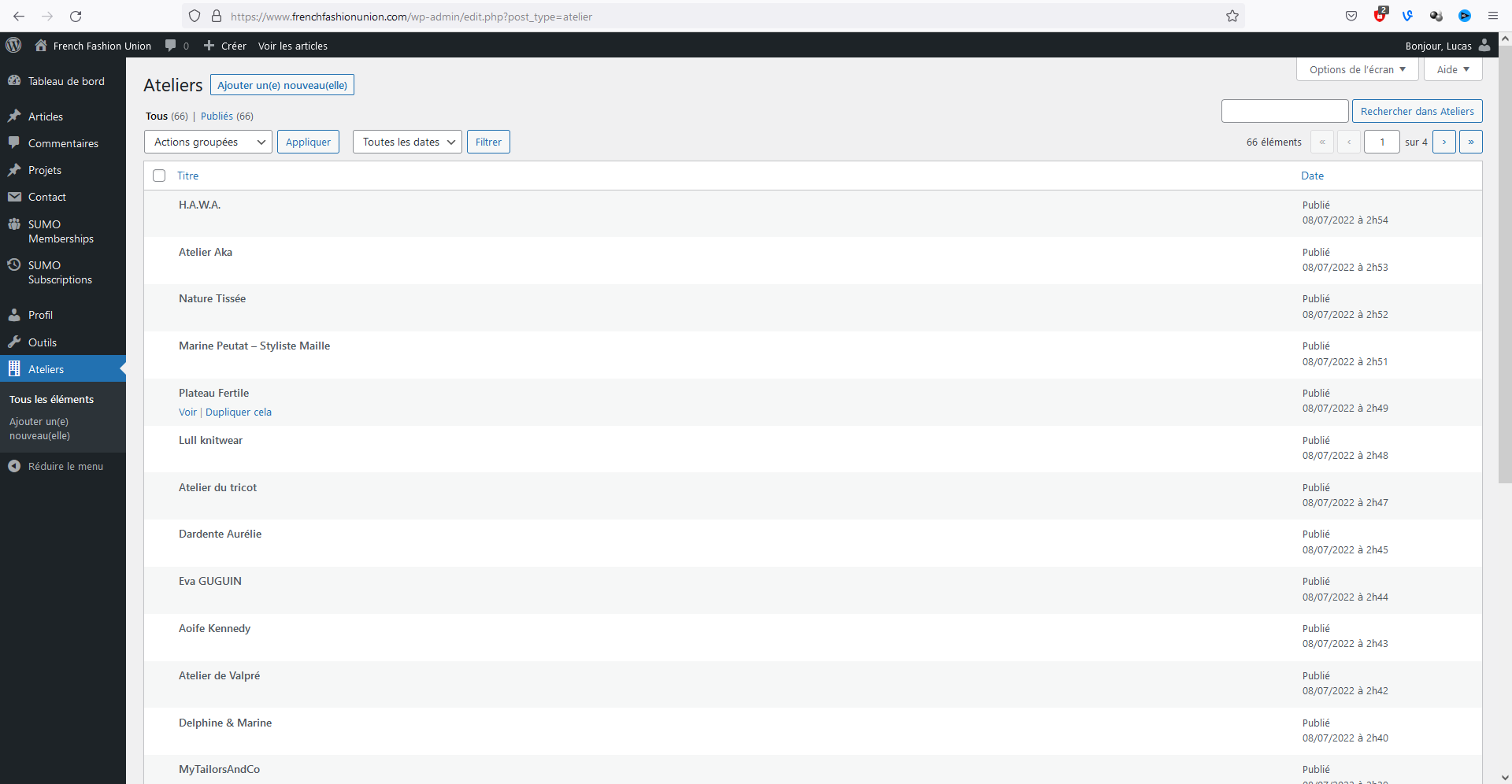
visibility and access toolset.png

Hello,

I am trying to: hide the "Ateliers" listing I made thanks to Toolset from the contributors of my website.

Link to a page where the issue can be seen: see image

I expected to see: I don't want it to appear in the admin menu when a contributor is connected to the back-office of the website

Instead, I got: see image

How can I hide it from them ?
If all it needs is a little piece of code like a filter to put in functions.php or in a stand-alone plugin, I can do that, I just don't know the code to put.

Thank you in advance,
Lucas

#2436065

Shane
Supporter

Languages: English (English )

Timezone: America/Jamaica (GMT-05:00)

Hi Lucas,

Thank you for getting in touch.

If you're using our Access plugin you can simply just disable the read access for the contributor user role at Toolset -> Access Control -> Post Type.

Once you've done this the user should no longer be able to see the post type on the menu item.

Thanks,
Shane