Passer la navigation

[Résolu] creating a gallery of additional images with repeating fields

This support ticket is created Il y a 1 month. There's a good chance that you are reading advice that it now obsolete.

This is the technical support forum for Toolset - a suite of plugins for developing WordPress sites without writing PHP.

Everyone can read this forum, but only Toolset clients can post in it. Toolset support works 6 days per week, 19 hours per day.

Sun Mon Tue Wed Thu Fri Sat
- 10:00 – 13:00 10:00 – 13:00 10:00 – 13:00 10:00 – 13:00 10:00 – 13:00 -
- 14:00 – 18:00 14:00 – 18:00 14:00 – 18:00 14:00 – 18:00 14:00 – 18:00 -

Fuseau horaire du supporter : Asia/Kolkata (GMT+05:30)

Ce sujet contient 1 reply, a 1 voix.

Dernière mise à jour par vickiW-2 Il y a 4 weeks, 1 day.

Assisté par: Minesh.

Auteur
Publications
#2859563
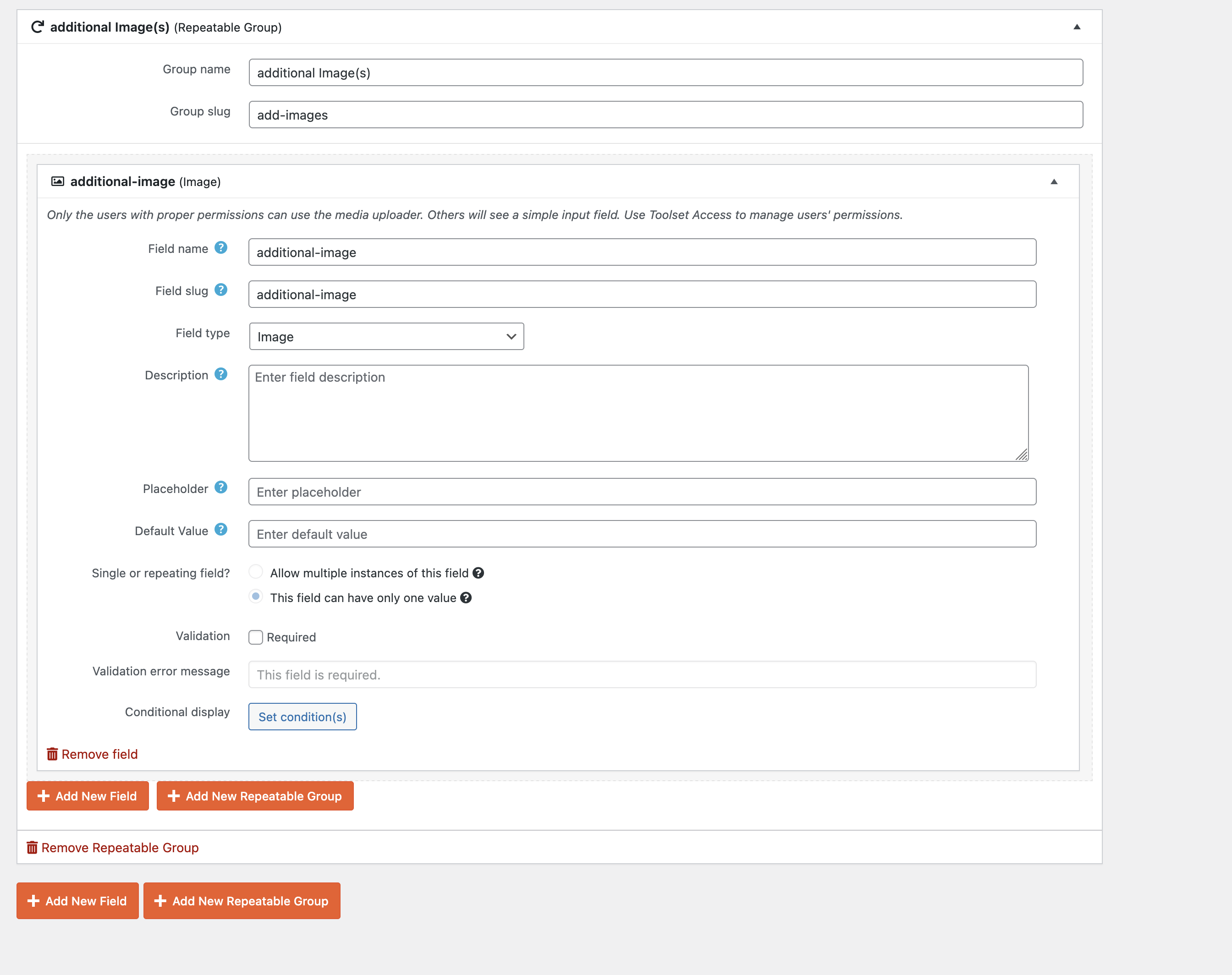
Screen Shot 2026-05-04 at 1.38.17 PM.png

I am trying to create a searchable art collection.
I have created a content type "Collection Item" with Post Field for Item Image and a Post Field Group for Item Metadata. Under Item Metadata I have some number and single line text custom fields, which display perfectly in the Content Template I created for the Collection Items content type.

I would like to have the ability to create and display a variable number of "Additional Images" for each Collection Item. This do not necessarily need to be displayed as a gallery, it could simply output the image tags which I then can style with CSS. But a gallery would be OK too.

In the Post Field Group Item Metadata, I set up a repeatable group "additional Images" with an image field - see attached.

How do I display the additional images? I have tried using this code:
[wpv-for-each field="wpcf-additional-image"]

[types field='additional-image' alt='%%ALT%%' size='large][/types][tb-caption url="[types field='additional-image' output='raw']"]

[/wpv-for-each]

It works for one item in the collection, the first item to which I added additonal images: lien caché

For other items in the collection, the additional images do not display, for example: lien caché (2 additional images have been uploaded for this item, but they do not appear.)

How can I get additional images to display for all Collection Items that have additional images?

#2859599

Minesh
Supporter

Les langues: Anglais (English )

Fuseau horaire: Asia/Kolkata (GMT+05:30)

Hello. Thank you for contacting the Toolset support.

What you have actully setup is the repeatin field group not the repeatin field.

What you are quoting with your description is repeating filed. Please check the following Doc:
- https://toolset.com/documentation/legacy-features/views-plugin/create-image-galleries-using-repeating-custom-fields/

But what you have setup is repeating field group. Here is the Doc that shows information how you can display the repeating field group items:
- https://toolset.com/course-lesson/creating-and-displaying-repeatable-field-groups/#displaying-repeatable-field-groups

If you are using legacy views - you may also want to check with - this will work with your repeating field group. What you will have to do is as a source of your view, you should select your repeating field group.
- https://toolset.com/documentation/legacy-features/views-plugin/how-to-create-a-wordpress-thumbnail-slider-in-minutes/

#2859667

Thank you so much for pointing me in the right direction! I was able to set this up correctly.