Passer la navigation

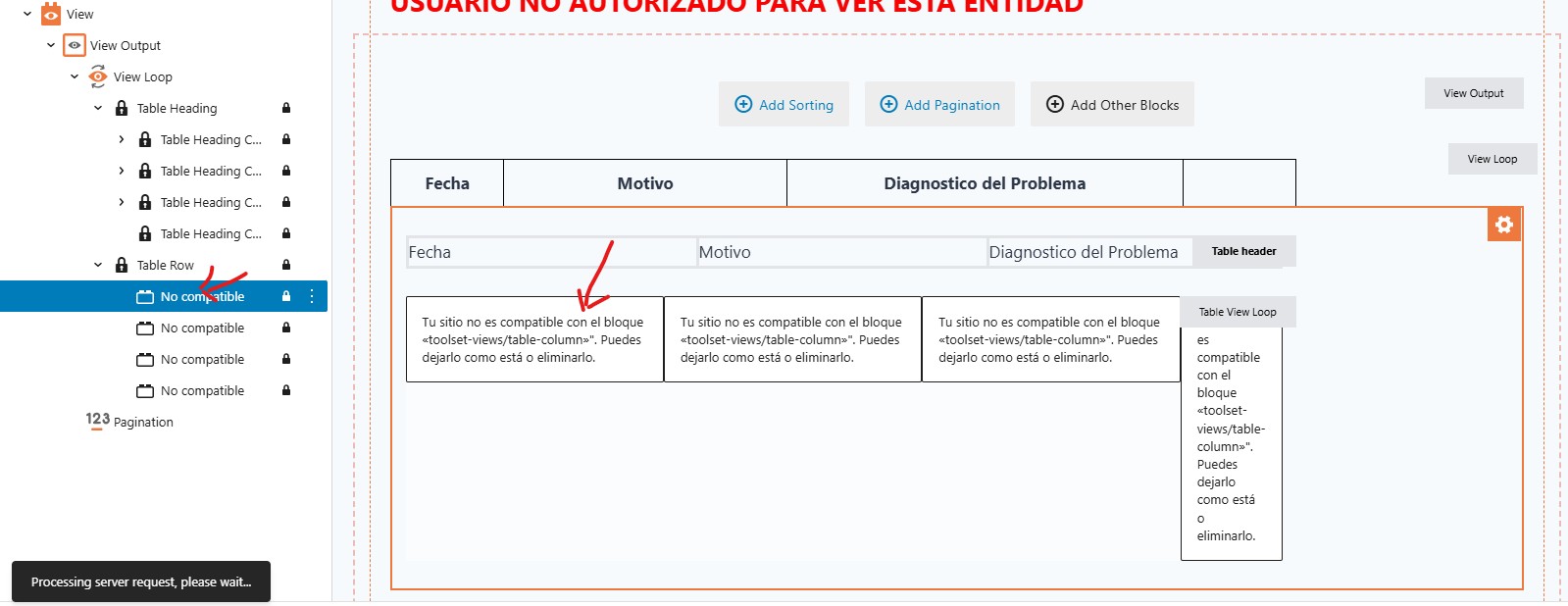
[Résolu] Your site is not compatible with the block “toolset-views/table-column.”

This support ticket is created Il y a 1 year. There's a good chance that you are reading advice that it now obsolete.

This is the technical support forum for Toolset - a suite of plugins for developing WordPress sites without writing PHP.

Everyone can read this forum, but only Toolset clients can post in it. Toolset support works 6 days per week, 19 hours per day.

Sun Mon Tue Wed Thu Fri Sat
- 10:00 – 13:00 10:00 – 13:00 10:00 – 13:00 10:00 – 13:00 10:00 – 13:00 -
- 14:00 – 18:00 14:00 – 18:00 14:00 – 18:00 14:00 – 18:00 14:00 – 18:00 -

Fuseau horaire du supporter : Asia/Kolkata (GMT+05:30)

Ce sujet contient 2 réponses, a 1 voix.

Dernière mise à jour par Minesh Il y a 11 months.

Assisté par: Minesh.

Auteur
Publications
#2811553
imagenes toolset2.jpg
soporte toolset.jpg

The views that were working suddenly stopped functioning after updating WordPress and the Kadence theme to the latest version.
I'm not sure if this is related, but the Toolset Views plugin is currently deactivated, and when I try to activate it, nothing happens—it just remains deactivated even after I click the "Activate" option.
Please Help!!

#2811700

Minesh
Supporter

Les langues: Anglais (English )

Fuseau horaire: Asia/Kolkata (GMT+05:30)

Hello. Thank you for contacting the Toolset support.

This is a known issue to us and here is the errata page for the more details:
- https://toolset.com/errata/wordpress-6-8-introduces-problem-with-support-for-table-output-format-of-views-block/

You should try to follow the workaround shared with the above errata page.

#2816159

Minesh
Supporter

Les langues: Anglais (English )

Fuseau horaire: Asia/Kolkata (GMT+05:30)

I would like to inform you that we publish the hotfix release that contains the fix for this issue.

Here is the official blog post for more information.
- https://toolset.com/2025/07/toolset-1-6-20-improved-performance-compatibility-and-bug-fixes/?utm_source=at&utm_medium=emails&utm_campaign=toolset-1-6-20

*** Please make a FULL BACKUP of your database and website.***
Please update ALL Toolset plugins to latest release version. You can download the latest Toolset plugins from your account's download page:
- https://toolset.com/account/downloads/


Alternatively, if you have registered Toolset site, you can use the installer to update Toolset the plugins by manually check for updates and update Toolset plugins.
- https://toolset.com/faq/why-arent-toolset-updates-visible-on-my-wordpress-plugins-list/#can-i-manually-check-for-toolset-updates