Environment
WordPress 7.1, PHP [version], local development site
Toolset Access 2.9.6 (the only Toolset plugin installed)
WPML Multilingual CMS 5.1.0 + WPML String Translation 5.1.0, setup completed, 14 active languages
Other active plugins: Elementor 4.3.4 + Pro 4.3.1, ACF 6.8.10 + ACFML 5.1.0, W3 Total Cache, PublishPress Capabilities, BackWPup
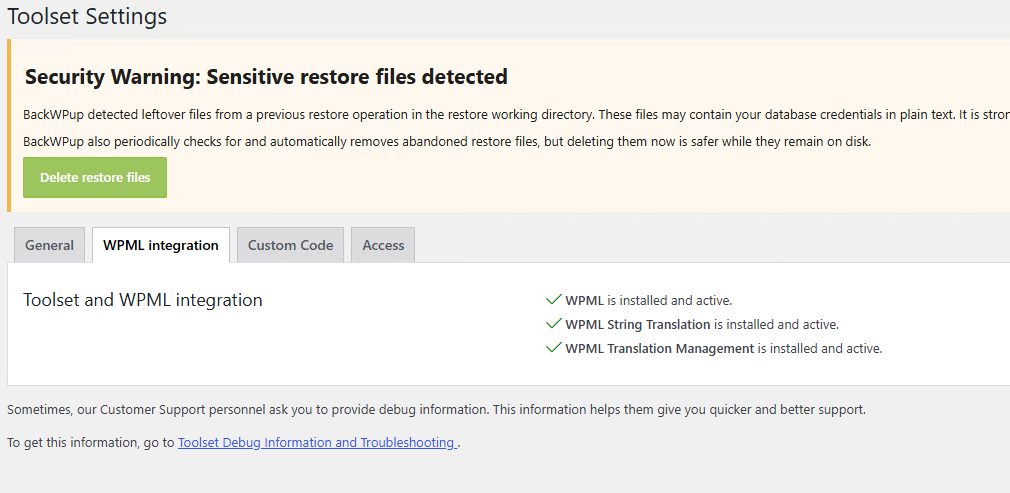
Toolset > Settings > WPML integration: all options active
Problem
In Toolset > Access Control the tabs are only "Post Types", "Taxonomies", "Posts Groups" and "Custom Roles". The "WPML Groups" tab is missing, so permissions per language cannot be configured. [Screenshot attached]
Expected result
The "WPML Groups" tab is shown, as WPML is active and configured.
What I found (without modifying any plugin file)
Permissions_GUI::get_access_tabs() shows the wpml-group tab only if apply_filters( 'toolset_access_filter_is_wpml_installed', false ) returns true.
That filter returns $wpcf_access->wpml_installed_groups. The flag is set to true only in WPMLSettings::toolset_access_wpml_loaded().
toolset_access_wpml_loaded() is hooked to wpml_loaded inside Settings::load_settings(), together with toolset_load_wpml_groups_caps on plugins_loaded 999.
On this site WPML 5.1.0 fires wpml_loaded during plugins_loaded at priority 0. At that point the global $wpcf_access does not exist yet, so Access has not registered its callbacks. The action never fires again.
I logged the flag on the real admin request for page=types_access:
at wpml_loaded: $wpcf_access not set;
from init@0 onwards: $wpcf_access exists with wpml_installed_groups = false;
the toolset_access_filter_is_wpml_installed filter returns false.
load_settings( true ) also resets wpml_installed_groups to false each time it recreates $wpcf_access.
If I call WPMLSettings::get_instance()->toolset_access_wpml_loaded() manually on init, the flag becomes true and the "WPML Groups" tab appears.
Temporary workaround (DEV only, mu-plugin)
add_action( 'init', function () {
global $wpcf_access;
if ( empty( $wpcf_access ) || ! class_exists( '\OTGS\Toolset\Access\Models\WPMLSettings' ) ) {
return;
}
$wpml = \OTGS\Toolset\Access\Models\WPMLSettings::get_instance();
$wpml->toolset_access_wpml_loaded();
$wpml->toolset_load_wpml_groups_caps();
}, 1 );
With this the tab appears. I have not yet verified that the permissions are actually enforced.
Questions
Is this a known incompatibility between Access 2.9.6 and WPML 5.1.0? Is there a fixed version?
Is the workaround safe to use on a production site, or is there an officially supported fix?
Is WPML 5.1.0 officially supported by Access 2.9.6?
Goal
Editors are assigned a set of WPML languages (for example user A: en-us only; user B: en-us and it). They can edit content only in their languages, and in the other languages they can at most view it. I need to confirm that "WPML Groups" is the supported way to do this, including for Elementor-built pages and media.
[Attach: screenshot of the Access tabs, Toolset > Settings > WPML integration]