Ce fil est résolu. Voici une description du problème et la solution proposée.
Problem:
The issue here is that the user wanted to restrict their relationship forms relationship fields to only the posts that the user created.
Solution:
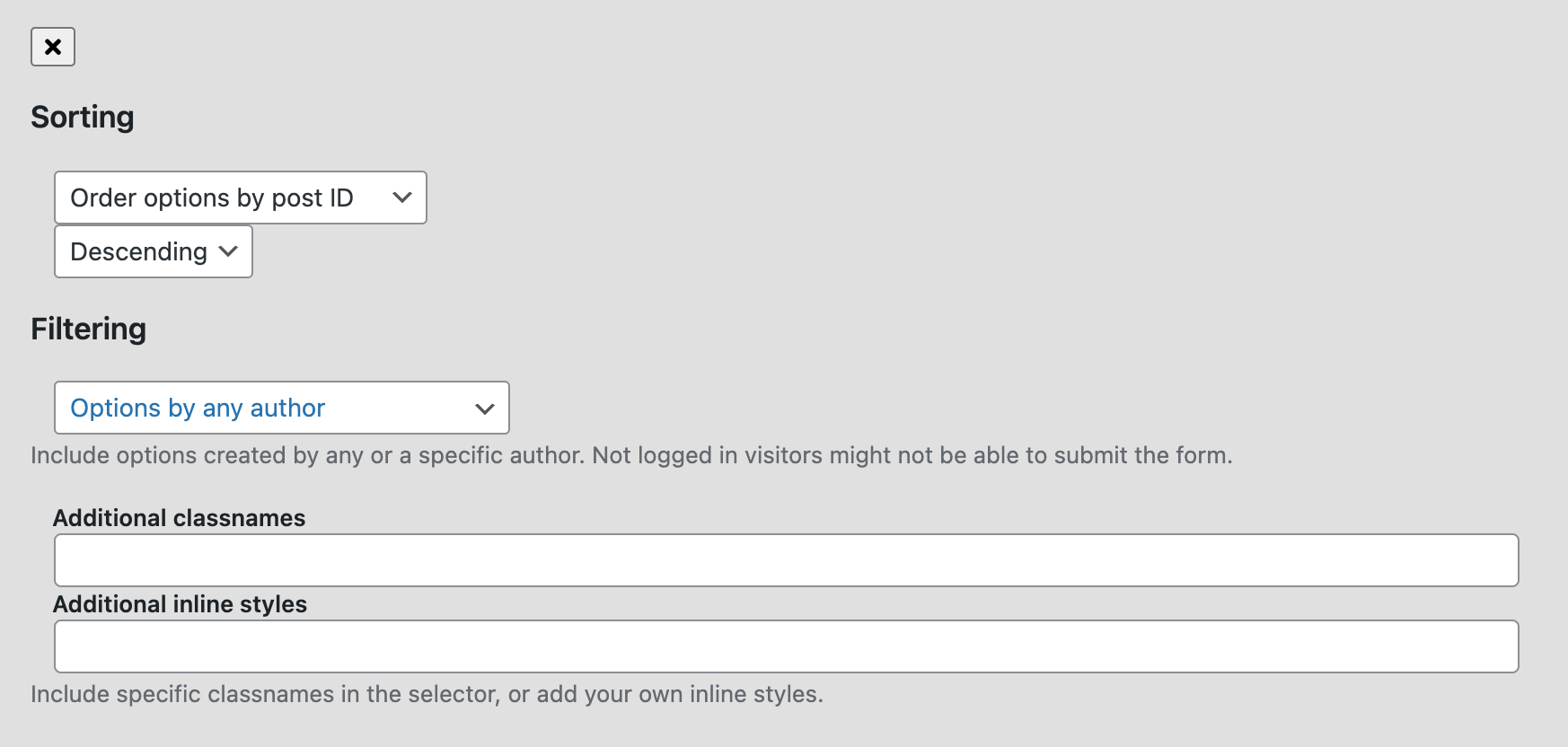
There is an option on the relationship form fields that allows you to only pull the options for the current user. What this means is that they will only see a list of options that they are the authors for.
Under the filtering option you should be able to set it to get only the current user's posts.
This is the technical support forum for Toolset - a suite of plugins for developing WordPress sites without writing PHP.
Everyone can read this forum, but only Toolset clients can post in it. Toolset support works 6 days per week, 19 hours per day.
| Sun | Mon | Tue | Wed | Thu | Fri | Sat |
|---|---|---|---|---|---|---|
| - | 9:00 – 12:00 | 9:00 – 12:00 | 9:00 – 12:00 | 9:00 – 12:00 | 9:00 – 12:00 | - |
| - | 13:00 – 18:00 | 13:00 – 18:00 | 13:00 – 18:00 | 14:00 – 18:00 | 13:00 – 18:00 | - |
Fuseau horaire du supporter : America/Jamaica (GMT-05:00)
Ce sujet contient 5 réponses, a 2 voix.
Dernière mise à jour par - Il y a 4 years, 9 months.
Assisté par: Shane.