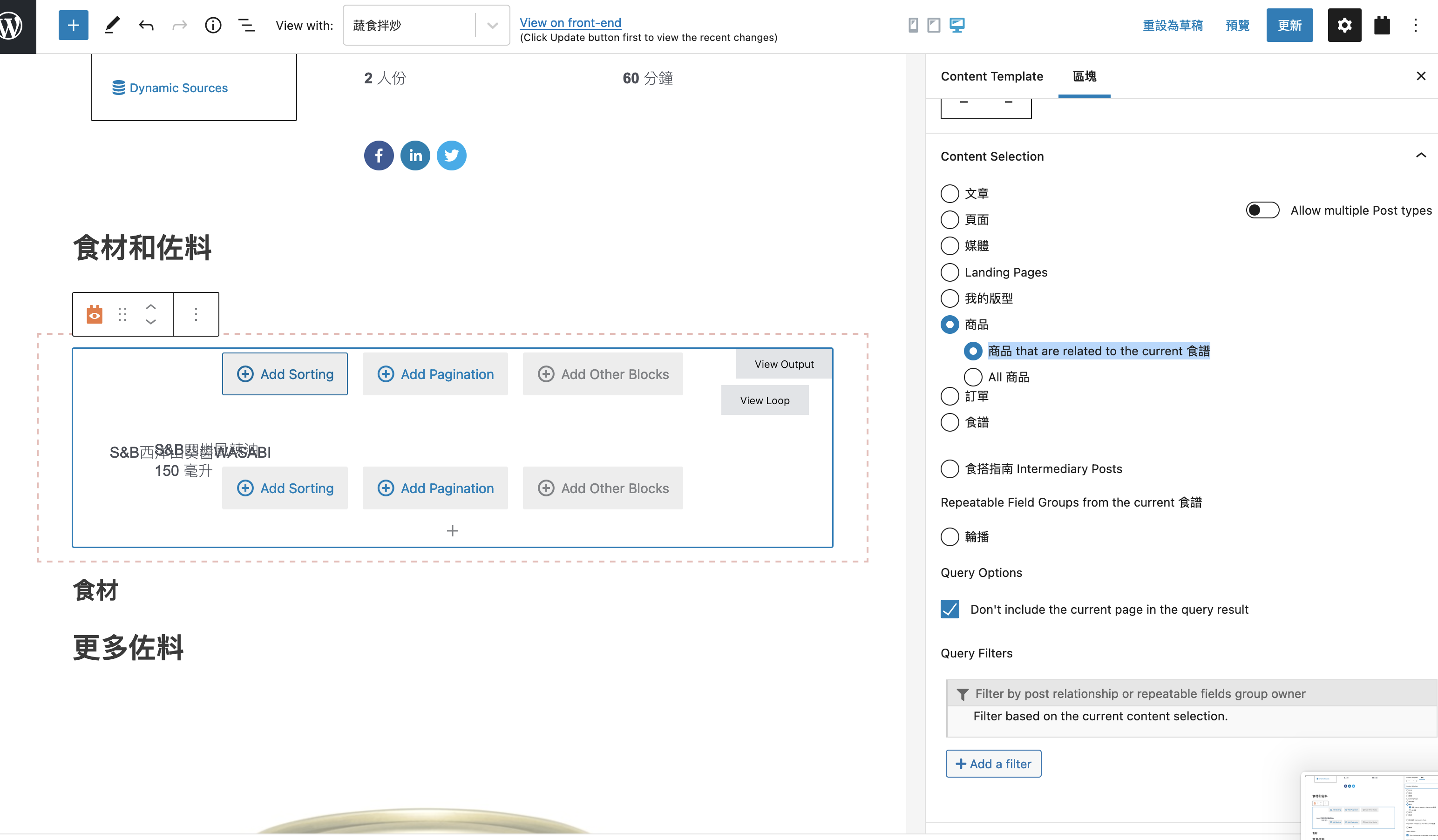
I am trying to: I have linked a CPT (recipe) to WooCommerce product (multiple to multiple). In single view for recipe, I add a view for related product. In content selection, I set it to be product > recipe related to product. Added post title & custom field. Backend looks ok, but when I go to front end, custom field's value does not show up. You can watch my video explanation here and my screenshot: lien caché
Link to a page where the issue can be seen: lien caché
I expected to see: related post types' custom field show in front end
Instead, I got: custom field does not show in front end
Hello and thank you for contacting Toolset support.
Do you want to display custom fields from the intermediary post type, or from the Recipe post type?
Can you try with a view that queries the intermediary post types, and then you can choose the Recipe post type fields from the dynamic source.
If this does not help, please allow me temporary access to your website. Your next reply will be private to let you share credentials safely. ** Make a database backup before sharing credentials. **
Because you want to display the fields from the intermediary posts, the view MUST query the intermediary post type. And it also needs a query filter to get the intermediary posts related to the post where the view is shown. Check this screenshot lien caché
Then, you can add a Single Field block(or a different block) and choose the custom field from the intermediary post lien caché
I hope this answers your question. If I missed something, please give me an example of a Recipe post to test with it, and what are the values that it should return. This way, I can compare it with the existing and maybe use Ctrf+f to get the desired elements.
Thanks! You answered my question. I got it working. Still trying to get familiar with new block view.
I got another question. I will put it here but if you need me to create a new thread, I can do so.
I've read this article: https://toolset.com/forums/topic/direct-search-results-to-another-page/#post-1296277
I chose only to display search form but I could not get the second dropdown option to show up. I want to show the result on another page (I plan to use Elmemtor to create a search result page).
My recipe archive page (elementor archive template): lien caché
Search result page (elementor page): lien caché
Awesome, I am glad I could help. Please mark this ticket as resolved.
I have created a new ticket to answer your last question. I'll be posting my reply there.