Tell us what you are trying to do?
I would like to build a search feature allowing users to specify a range (square footage as number), which can pull from several custom fields (space 1, space 2, space 3).
I have done 2 things, but can't seem to figure out the next step, so they duplicate each other:
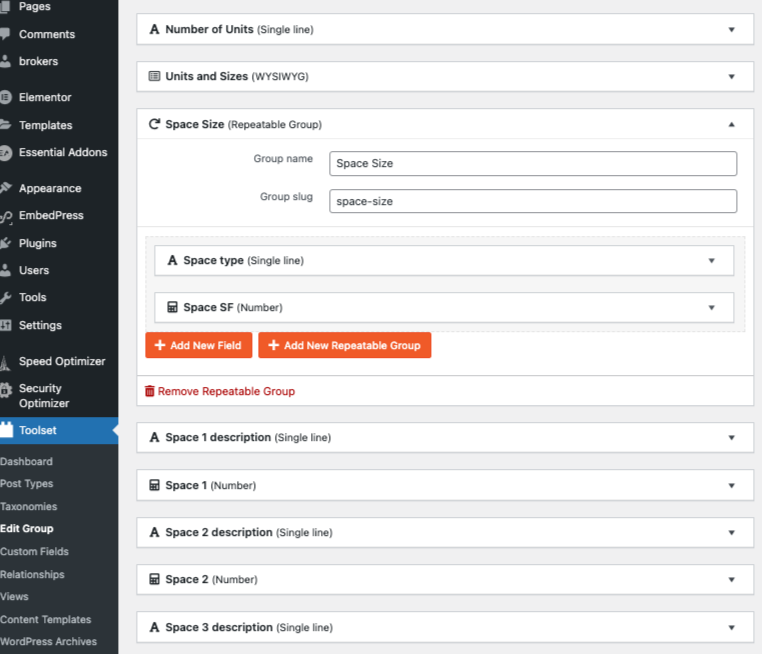
1. the first is to attempt a 'repeatable field' called Space size, and one of the repeating fields is 'Size SF' (then all square footage values have the same name) but I am stumped when I realized they are post-types with a relation. (In the search I cannot just set a 'between' value range to narrow down search parameters, like I can with non-repeatable fields.)
-- If I go this route it seems I would set up a second 'view', and feed it into the first view?
2. The second is to set up multiple fields, named 'space 1', 'space 2', ... to 'space 8'. Each can have a numeric square footage, but search queries tend to focus on just one custom field ('space 1' OR 'space 2') instead of a cluster of vlaues ('space 1' 'space 2' 'space 3') since each space may fit the search criteria.
Is there any documentation that you are following?
I have looked at 4 or 5 support tickets on toolset. Mostly they seem to deal with text fields having multiple queries.
Is there a similar example that we can see?
Major Commercial real estate sites like "loopnet" have a range filter (price and size) for a property. lien caché
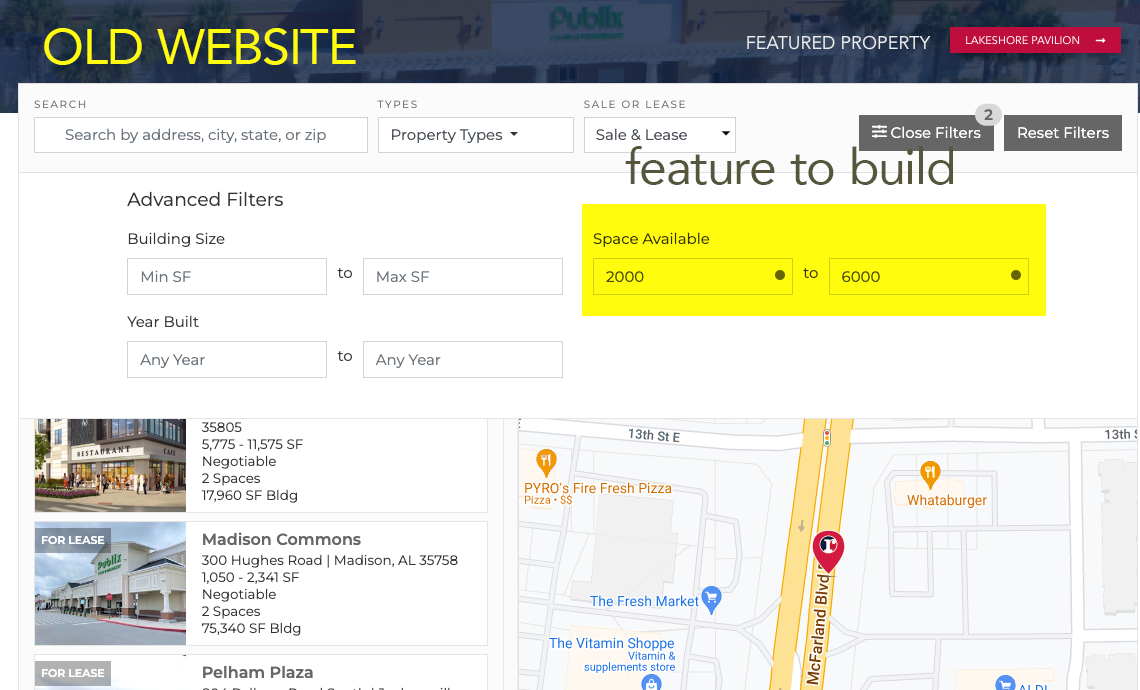
Our old website has this feature as well: (go to 'more filters,' and it can search by 'min or max space.') lien caché
I am currently trying to rebuild site, but I am having trouble with search refinement. lien caché
(scroll down to see my tests)
- There should be only one field "Space SF" that should hold the number value for every post and then you should add the custom field filter to your view as shown with the above doc.
- Once you add the custom search field for "Space SF" on right sidebar you should select "Field Settings" and chose comparison "Between" that will offer you the min and max input range.
Do you able to configure that - is that the thing you were looking for?
Minesh, Than you for your response.
I can do what you suggested very easily for the other custom field number values, such as "lot size" or "available size". That is no problem.
My problem is I have to have multiple Square Ft (Space SF) for many of the posts: If a property has 3 vacancies, each one will have different square footage. (example: lien caché has 7 spaces, each with different square feet.) So, I cannot have just one Space SF value.
Does that make sense? If you see in my previous screenshot, I am trying to create *either* a repeatable field or several fields, but I am having trouble integrating the multiple values (from multiple fields) into the custom search.
My problem is I have to have multiple Square Ft (Space SF) for many of the posts: If a property has 3 vacancies, each one will have different square footage. (example: lien caché has 7 spaces, each with different square feet.) So, I cannot have just one Space SF value.
====>
In that case what if you create a custom field "Spaces" and make it repeating field.
- https://toolset.com/course-lesson/creating-custom-fields/#making-individual-fields-repeatable
Will that help? or you require repeating field group?
Minesh,
yes, the first question (and you can see in the screenshot), I have repeatable fields called spaces, with a field called "space sf" that is a value (number).
My problem is how to search those repeatable fields INSIDE the larger property custom search.
Repeatable fields creates a post-relation, so it will create a type of post called "Spaces" and the repeating field will be "space sf" and "space type".
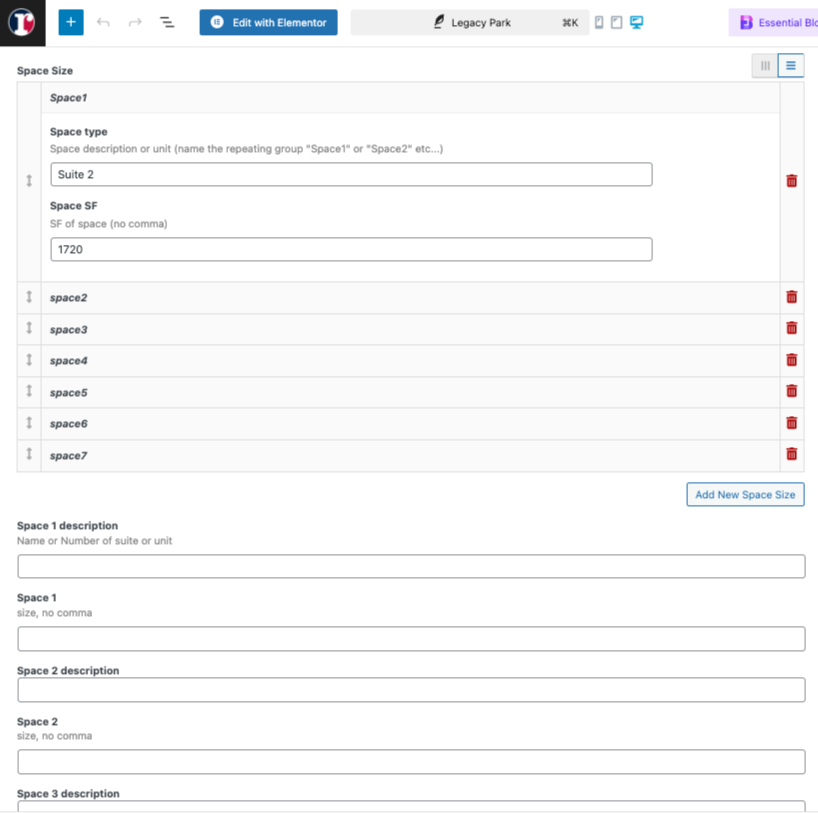
*Example:* Legacy Park (the property) has 7 spaces. Each space has a different square footage (space 1 is 1200, space 2 is 1400, space 3 is 1600, etc... ) _ I built a view that can search for this: type in 2,000 to 4,000 sf and if will show the correct properties. (it is on the homepage at the bottom: lien caché )
What I cannot figure out is how to get the "Repeatable Field search" and View into the larger, map based, custom field view at the top. Perhaps a view that combines both?
I was suggesting repeating (multiple instance) field (not repeating field group) - but with that you can only store the sq. ft as number not the type, if you want to deal with multiple fields like space type and "space sf" - you need to go with repeating field group.
So, do you want to keep "Space Type" and "Space SF" fields - then you will have to go with repeating field group.
If you want only "Space SF" that holds the number - then we can go with repeating field.
Please clarify this and send me admin access details and problem URL.
*** Please make a FULL BACKUP of your database and website.***
I would also eventually need to request temporary access (WP-Admin and FTP) to your site. Preferably to a test site where the problem has been replicated if possible in order to be of better help and check if some configurations might need to be changed.
I have set the next reply to private which means only you and I have access to it.