Passer la navigation

[Résolu] breadcrumbs and field linking

This support ticket is created Il y a 3 years, 7 months. There's a good chance that you are reading advice that it now obsolete.

This is the technical support forum for Toolset - a suite of plugins for developing WordPress sites without writing PHP.

Everyone can read this forum, but only Toolset clients can post in it. Toolset support works 6 days per week, 19 hours per day.

Sun Mon Tue Wed Thu Fri Sat
- 9:00 – 13:00 9:00 – 13:00 9:00 – 13:00 9:00 – 13:00 9:00 – 13:00 -
- 14:00 – 18:00 14:00 – 18:00 14:00 – 18:00 14:00 – 18:00 14:00 – 18:00 -

Fuseau horaire du supporter : Asia/Hong_Kong (GMT+08:00)

Ce sujet contient 3 réponses, a 2 voix.

Dernière mise à jour par Luo Yang Il y a 3 years, 7 months.

Assisté par: Luo Yang.

Auteur
Publications
#2477751
2022-10-17_14-14-35.jpg

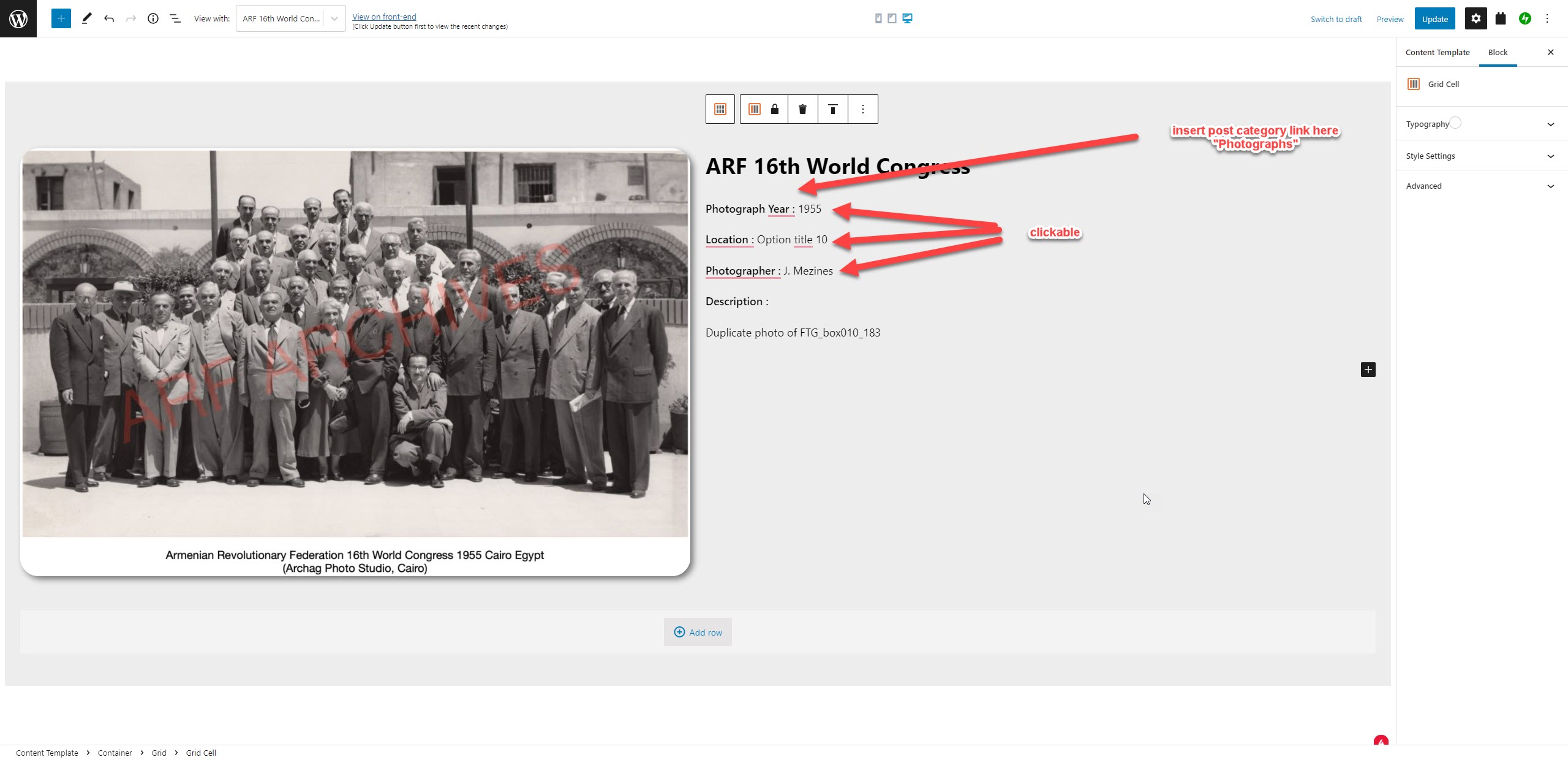
I would like to have linking features on a blog post
1- link each custom "select" fields. Example, if the field shows years (1995), user should be able to click on it to go to an archive page which shows the 1995 results.
2- Display custom post type with link

see image

#2477997
wpv-date.jpg

Hello,

I assume we are talking about a custom number field "date".

See it is possible within Toolset plugins, see below test site:
Login URL:
lien caché

Detail steps:
1) Create a Toolset WordPress Archive:
lien caché
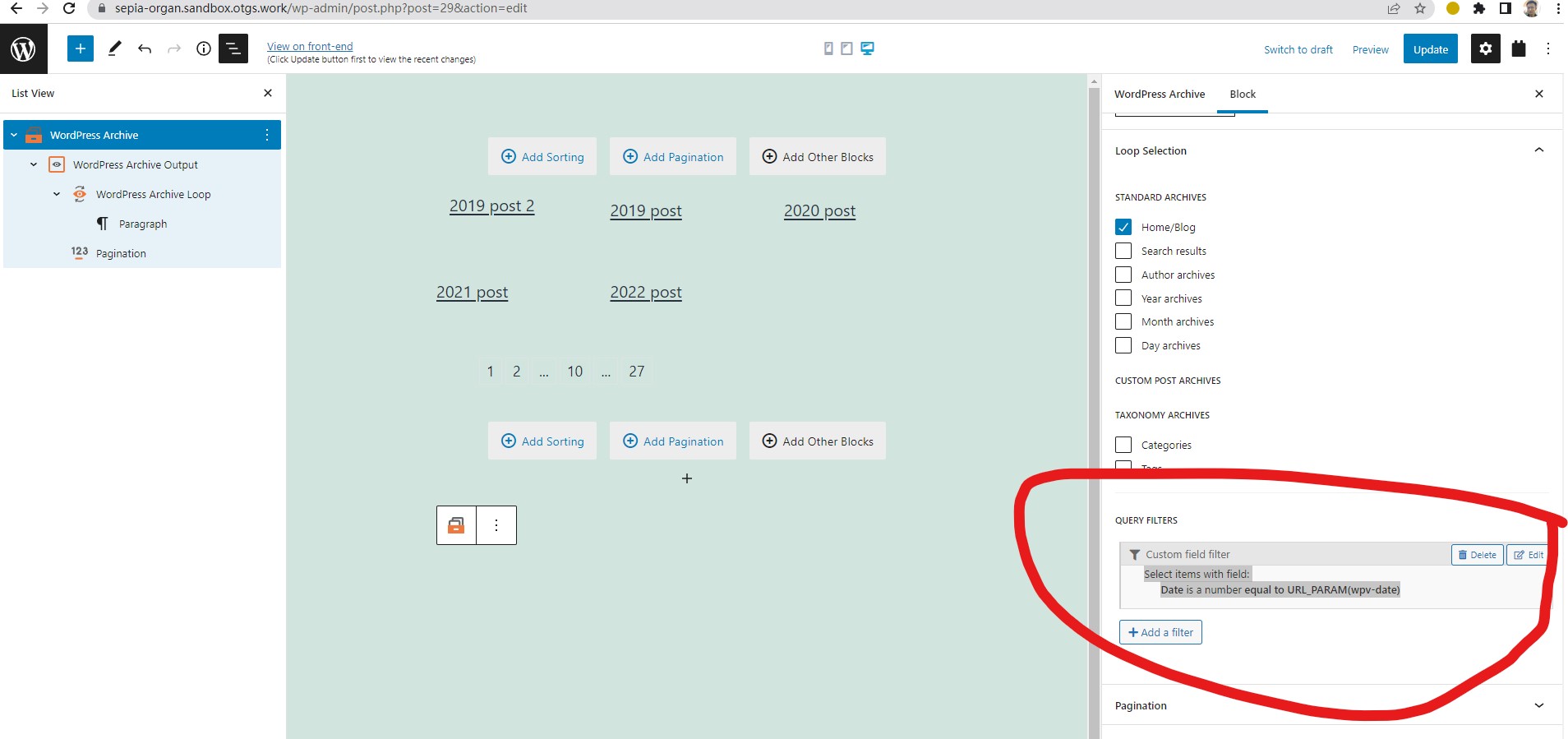
filter by the custom number field "date":
Select items with field:
Date is a number equal to URL_PARAM(wpv-date)
See my screenshot wpv-date.jpg

2) In the single post:
lien caché
display the link with to archive page URL, and pass URL parameter "wpv-date":

<em><u>lien caché</u></em>

3) Test it in frontend:
lien caché
Click link "2019", it redirect you to the archive page:
lien caché

For your reference.

#2478019

Does this mean, instead of using the dynamic contentfeature, I have to do each field with HTML in the template?

Thanks

#2478039

Yes, you will need to setup the link for each field manually in the template.

You can follow our document to setup the content template for single post(custom post type):
https://toolset.com/glossary/template/