Passer la navigation

[Résolu] Archive wizard with blocks editor

Ce fil est résolu. Voici une description du problème et la solution proposée.

Problem:

The problem here is that the user's archive is not displaying with the Block editor even though it is enabled in the Toolset Settings.

Solution:

In this user's case they didn't have any additional plugins such as the classic editor plugin that would disable the block builder. The problem was being caused by the theme.

If you're having a similar issue I would recommend checking your theme's settings to see if it's disabling the gutenburg editor.

This support ticket is created Il y a 4 years, 9 months. There's a good chance that you are reading advice that it now obsolete.

This is the technical support forum for Toolset - a suite of plugins for developing WordPress sites without writing PHP.

Everyone can read this forum, but only Toolset clients can post in it. Toolset support works 6 days per week, 19 hours per day.

Sun Mon Tue Wed Thu Fri Sat
- 9:00 – 12:00 9:00 – 12:00 9:00 – 12:00 9:00 – 12:00 9:00 – 12:00 -
- 13:00 – 18:00 13:00 – 18:00 13:00 – 18:00 14:00 – 18:00 13:00 – 18:00 -

Fuseau horaire du supporter : America/Jamaica (GMT-05:00)

Ce sujet contient 4 réponses, a 2 voix.

Dernière mise à jour par Simone Tacconi Il y a 4 years, 9 months.

Assisté par: Shane.

Auteur
Publications
#2163041
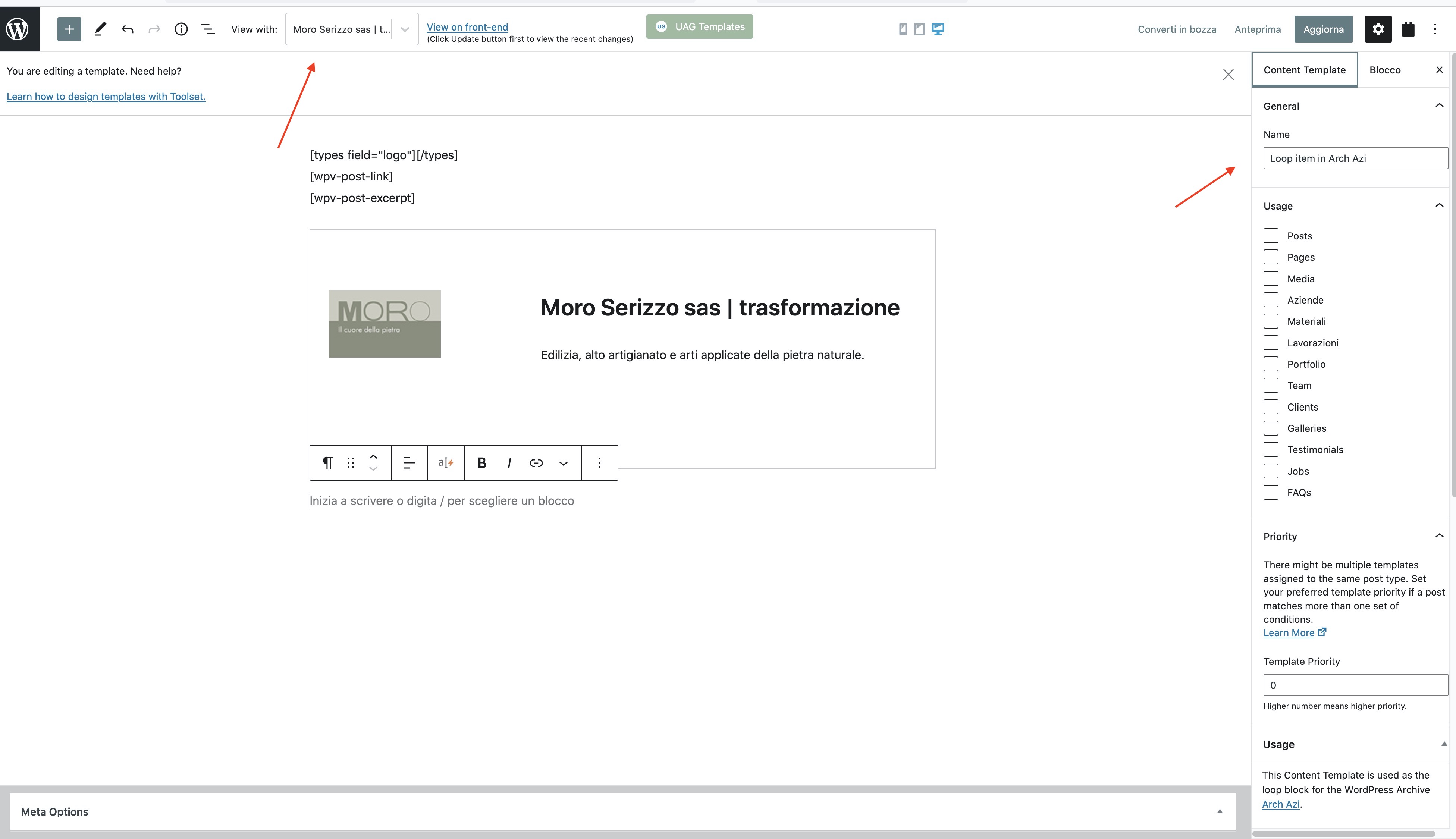
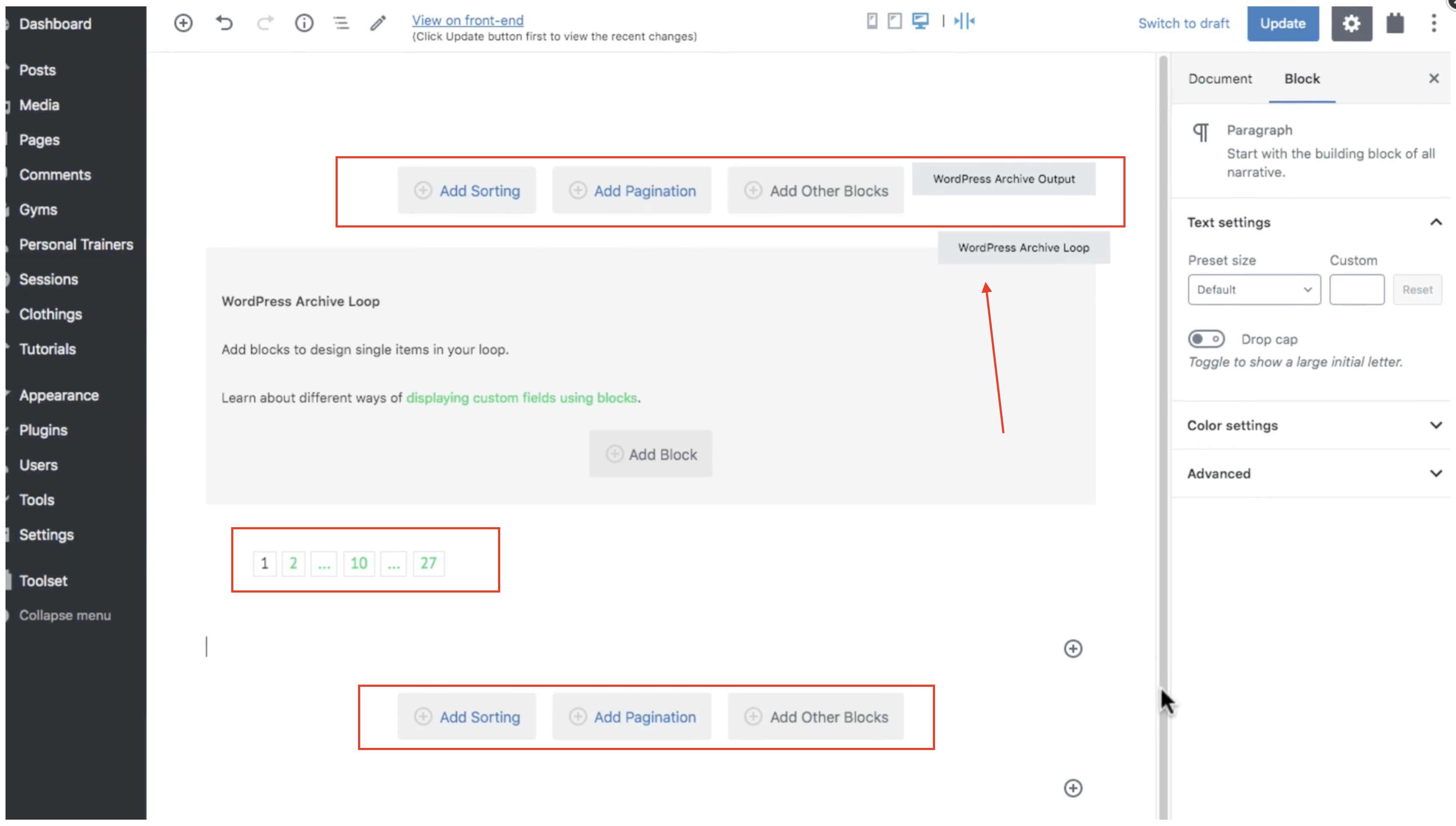
screenshot_ 2021-09-07 alle 19.45.38.jpg
screenshot_ 2021-09-07 alle 19.38.05.jpg

Tell us what you are trying to do?
I'm trying to create a Custom Archive Page

Is there any documentation that you are following?
Yes, this one: https://toolset.com/course-lesson/creating-a-custom-archive-page/

In the video I can see a wizard/editor for the whole archive page, please see first attached screenshot.
In my website I can't reach that wizard/editor, just one for the inside loop single item (second screenshot).

Tried some options in Toolset -> settings "editor Archive" whithout results.

How can I reach the main wizard?
And the Archive URL?

Thanks in advance for your support,
Simone

#2163087

Shane
Supporter

Les langues: Anglais (English )

Fuseau horaire: America/Jamaica (GMT-05:00)

Hi Simone,

Thank you for getting in touch.

I logged in and checked on your site and the issue was that you've selected your archives to be edited with the classic editor.

If you go to Toolset -> Settings and scroll to "Editor to use for WordPress Archives" ensure that you've selected the Block Editor.

This should give you the archive wizard.

Thanks,
Shane

#2163105
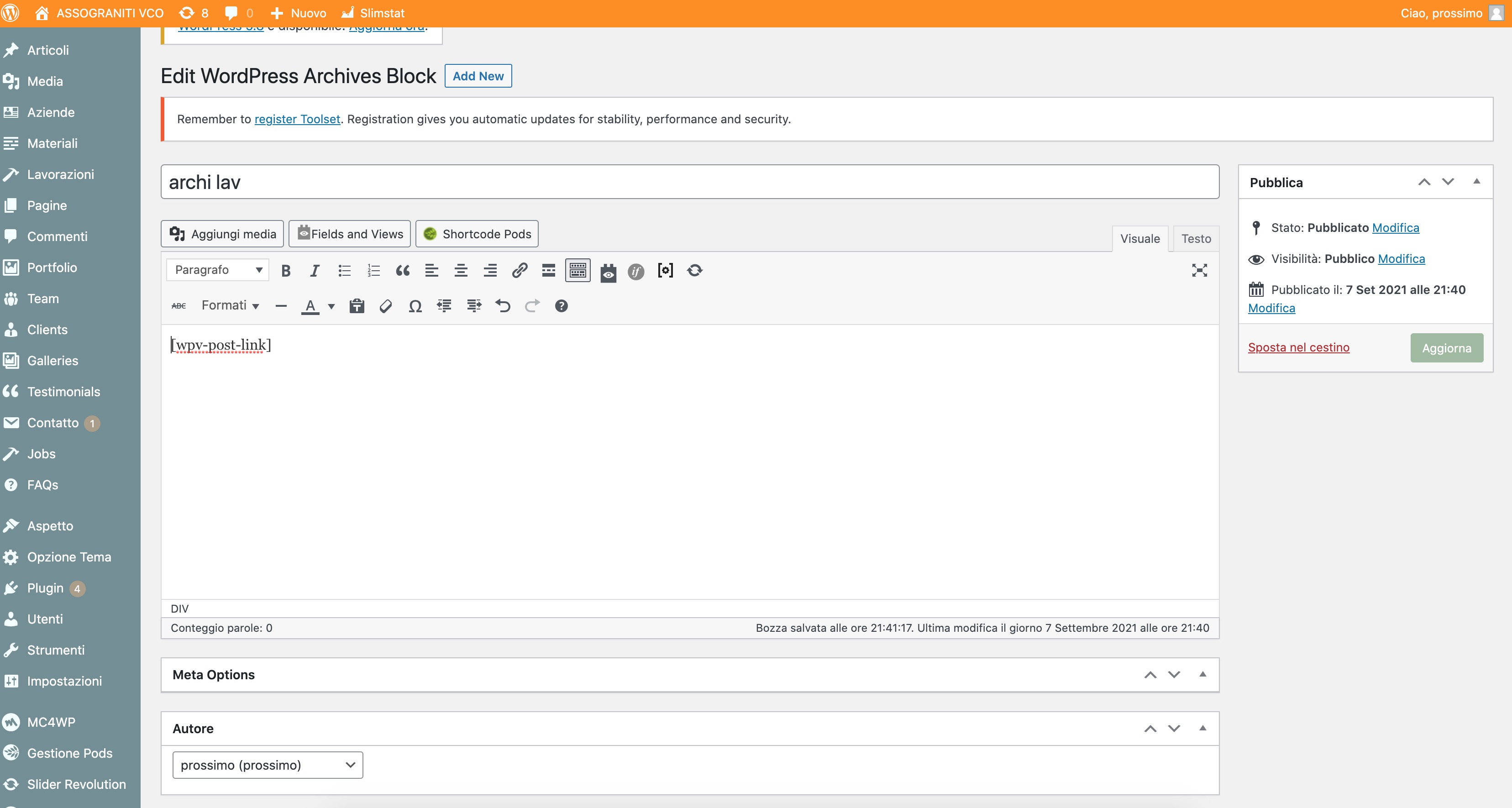
screenshot_ 2021-09-07 alle 21.52.31.jpg

Hi Shane,
thank you very much for your quick reply.

Set the "Block Editor" in "Editor to use for WordPress Archives", then created a new Archive from Toolset Dashboard, assigned a name in the popup, after this the page I see is the one you can see attached. I expected to see a new popup/page with the block editor interface like in your video documentation.
Maybe a wrong combination of other setting options?
Thank again,
Simone

#2163125

Shane
Supporter

Les langues: Anglais (English )

Fuseau horaire: America/Jamaica (GMT-05:00)

Hi Simone,

Are you using any plugins or custom code to enable the classic editor for wordpress?

The problem is that something is enabling the classic editor and the Gutenburg editor is required to make this work. If so then I would recommend disabling said plugin and then trying again.

Once the Tool that is being used to disable the gutenburg editor is disabled/removed then it should start working as intended.

Thanks,
Shane

#2163127

Thank you Shane, you addressed me to solving the problem!
The theme require to disabling Gutenberg for using the native page builder.
I'll switch again to theme builder as needed.
Regards,
Simone