Passer la navigation

[Résolu] Adding filters

Ce fil est résolu. Voici une description du problème et la solution proposée.

Problem:

I wanted to add category (taxonomy) filters to a WordPress Archive built with the block editor; I could add a search, but wasn’t sure if taxonomy filters were possible in Toolset Blocks.

Solution:

In the Archive editor (Toolset → WordPress Archives), select the Archive block, click “Add Search Field,” choose “Post Taxonomy,” pick the taxonomy (e.g., Categories), select the input type (checkboxes/select/radio), and configure options and AJAX update in Custom Search settings.

Relevant Documentation:

https://toolset.com/course-lesson/creating-a-custom-archive-page/

https://toolset.com/course-lesson/creating-a-custom-search/

https://toolset.com/course-lesson/creating-a-custom-list-of-woocommerce-products-for-a-taxonomy/

This support ticket is created Il y a 7 months, 1 week. There's a good chance that you are reading advice that it now obsolete.

This is the technical support forum for Toolset - a suite of plugins for developing WordPress sites without writing PHP.

Everyone can read this forum, but only Toolset clients can post in it. Toolset support works 6 days per week, 19 hours per day.

Ce sujet contient 1 reply, a 1 voix.

Dernière mise à jour par Christopher Amirian Il y a 7 months, 1 week.

Assisté par: Christopher Amirian.

Auteur
Publications
#2831030

Ian
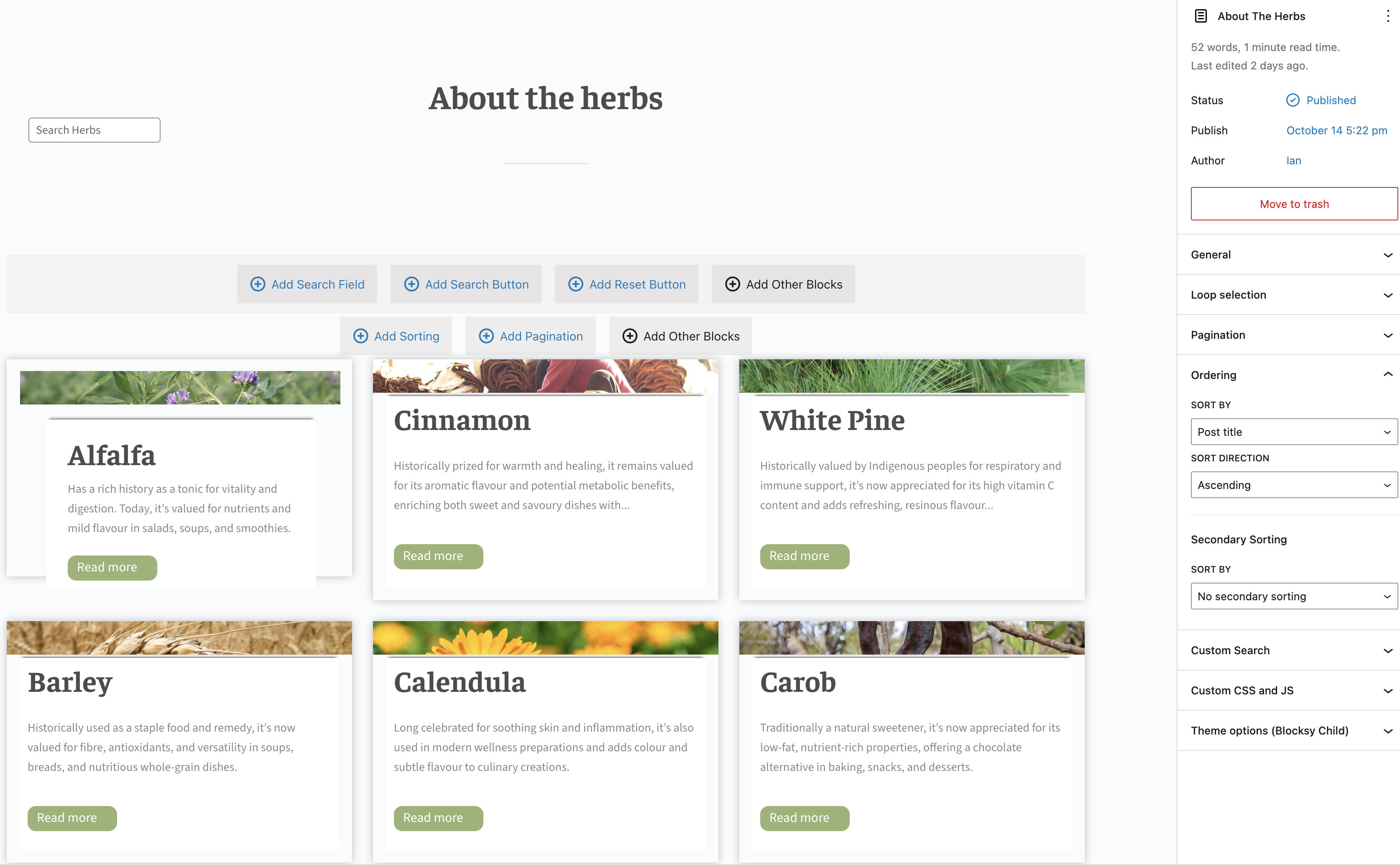
Screenshot 2025-10-27 at 11.19.48 AM.jpg

I was able to add a search to the archive shown in the attached image.

Is it possible to add category filters when using the block editor?

#2831142

Christopher Amirian
Supporter

Les langues: Anglais (English )

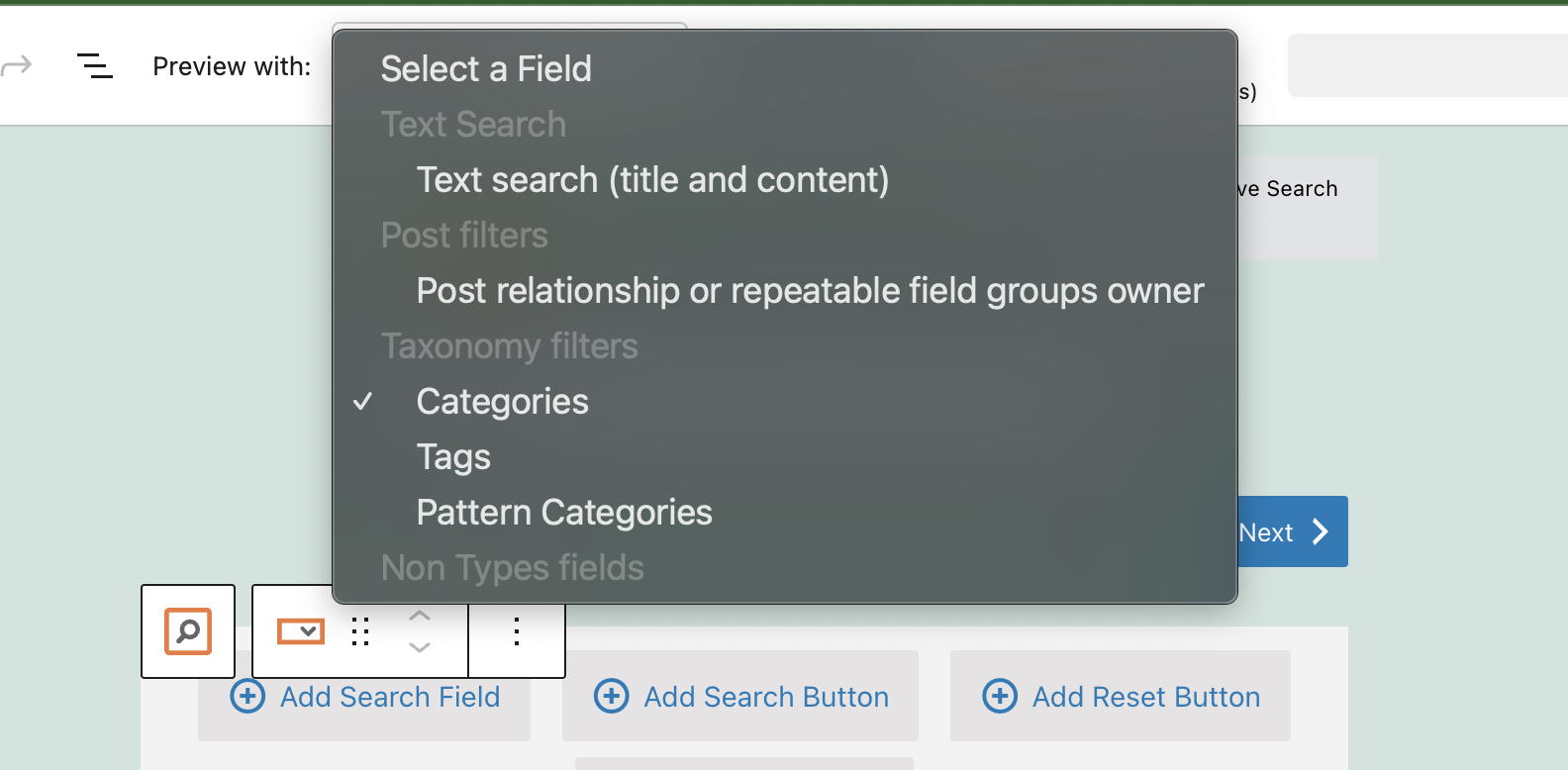
Screenshot 2025-10-28 at 1.54.25 PM.png

Hi,

Welcome to Toolset support. Yes—category (taxonomy) filters work in the block editor. Here’s the quick path in Toolset Blocks when you’re editing an archive:

Open the archive in the editor
Toolset → WordPress Archives → edit the archive used on that page (or click “Edit WordPress Archive” from the front end admin bar).

Select the Archive (outer) block
Click the gray toolbar that shows Add Search Field / Add Search Button / Add Reset Button above your grid.

1. Add a taxonomy filter

- Click Add Search Field → choose Post Taxonomy.

- Pick your taxonomy (Categories or your custom taxonomy).

- Choose the input type: Checkboxes (multi-select), Select (single or multi), or Radio (single).

2. Useful options:

- Show only available options (hides terms with zero results)

- Hierarchical display (for parent/child terms)

- Turn off the Any/All option if you don’t want a blank/“All” entry.

3. Decide how results update

- In the sidebar under Custom Search:

- Update results instantly (AJAX) or require a Search button.

- If you don’t want results until a filter is chosen, set Show only items that match the search on page load.

- Save and test

- Clear Toolset cache (Toolset → Settings → Front-end content → Clear cache) and reload.

For further detailed information and videos:

https://toolset.com/course-lesson/creating-a-custom-archive-page/
https://toolset.com/course-lesson/creating-a-custom-search/
https://toolset.com/course-lesson/creating-a-custom-list-of-woocommerce-products-for-a-taxonomy/

Thanks.