Passer la navigation

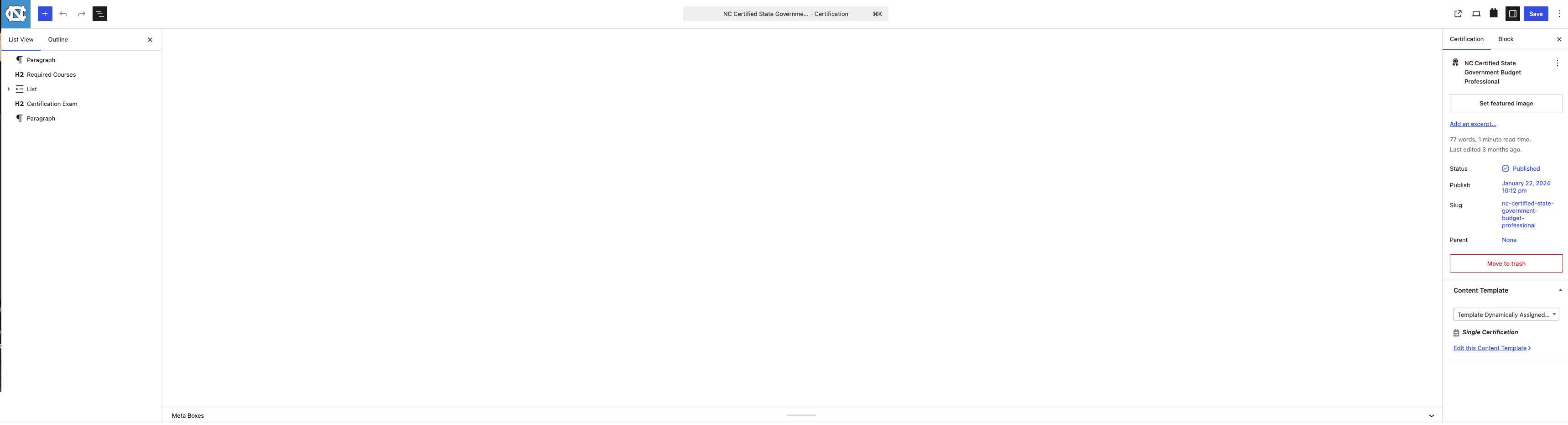
[Attente de la confirmation de l'utilisateur] Visual Editor White text on white background.

This support ticket is created Il y a 6 days, 12 hours. There's a good chance that you are reading advice that it now obsolete.

This is the technical support forum for Toolset - a suite of plugins for developing WordPress sites without writing PHP.

Everyone can read this forum, but only Toolset clients can post in it. Toolset support works 6 days per week, 19 hours per day.

Sun Mon Tue Wed Thu Fri Sat
- 10:00 – 13:00 10:00 – 13:00 10:00 – 13:00 10:00 – 13:00 10:00 – 13:00 -
- 14:00 – 18:00 14:00 – 18:00 14:00 – 18:00 14:00 – 18:00 14:00 – 18:00 -

Fuseau horaire du supporter : Asia/Kolkata (GMT+05:30)

Ce sujet contient 1 reply, a 1 voix.

Dernière mise à jour par Minesh Il y a 6 days, 4 hours.

Assisté par: Minesh.

Auteur
Publications
#2869999
Screenshot 2026-07-23 at 5.09.25 PM.png

I am trying to:
We are trying to edit the content in the custom content type in the main body content area. I am seeing this in all of the my websites environments. DDEV, Dev, Test and Prod. Please the attached image.

Link to a page where the issue can be seen:
lien caché

I expected to see:
What background with black text color.

Instead, I got:
When the page loads in the backend editor I do see the normal interface for a split second. What background with white text color.

Clearing my sites caches don't have any affect, I checked the pages and posts content types and there is no issue. Only with the custom toolset content types. I turned off all other plugins besides the toolset types and blocks plugins.

#2870052

Minesh
Supporter

Les langues: Anglais (English )

Fuseau horaire: Asia/Kolkata (GMT+05:30)

Hello. Thank you for contacting the Toolset support.

It seems that the issue is from your theme. I switched the theme to default twentytwentyfive and when I checked the problem URL you shared I can see the text in black and background white.
- lien caché