Passer la navigation

[Résolu] User forms: how to substitute the fancy tinyMCE editor with a plain text box?

Ce fil est résolu. Voici une description du problème et la solution proposée.

Problem:
The user, wanted to replace the default WYSIWYG TinyMCE editor in the 'user form' toolset with a simple "textarea" to prevent users from inserting formatted text. They were unable to find a way to make this change using the existing WordPress default "description" field.
Solution:
We suggested that instead of trying to modify the TinyMCE editor, cantonB should create a new custom field that supports multiline text. This approach allows the form to display a basic textarea field, aligning with the user's requirements for plain text input.

This support ticket is created Il y a 2 years. There's a good chance that you are reading advice that it now obsolete.

This is the technical support forum for Toolset - a suite of plugins for developing WordPress sites without writing PHP.

Everyone can read this forum, but only Toolset clients can post in it. Toolset support works 6 days per week, 19 hours per day.

Sun Mon Tue Wed Thu Fri Sat
- 9:00 – 12:00 9:00 – 12:00 9:00 – 12:00 9:00 – 12:00 9:00 – 12:00 -
- 13:00 – 18:00 13:00 – 18:00 13:00 – 18:00 13:00 – 18:00 13:00 – 18:00 -

Fuseau horaire du supporter : America/Sao_Paulo (GMT-03:00)

Marqué : 

Ce sujet contient 2 réponses, a 2 voix.

Dernière mise à jour par cantonB Il y a 2 years.

Assisté par: Mateus Getulio.

Auteur
Publications
#2696569
fancyform.jpg

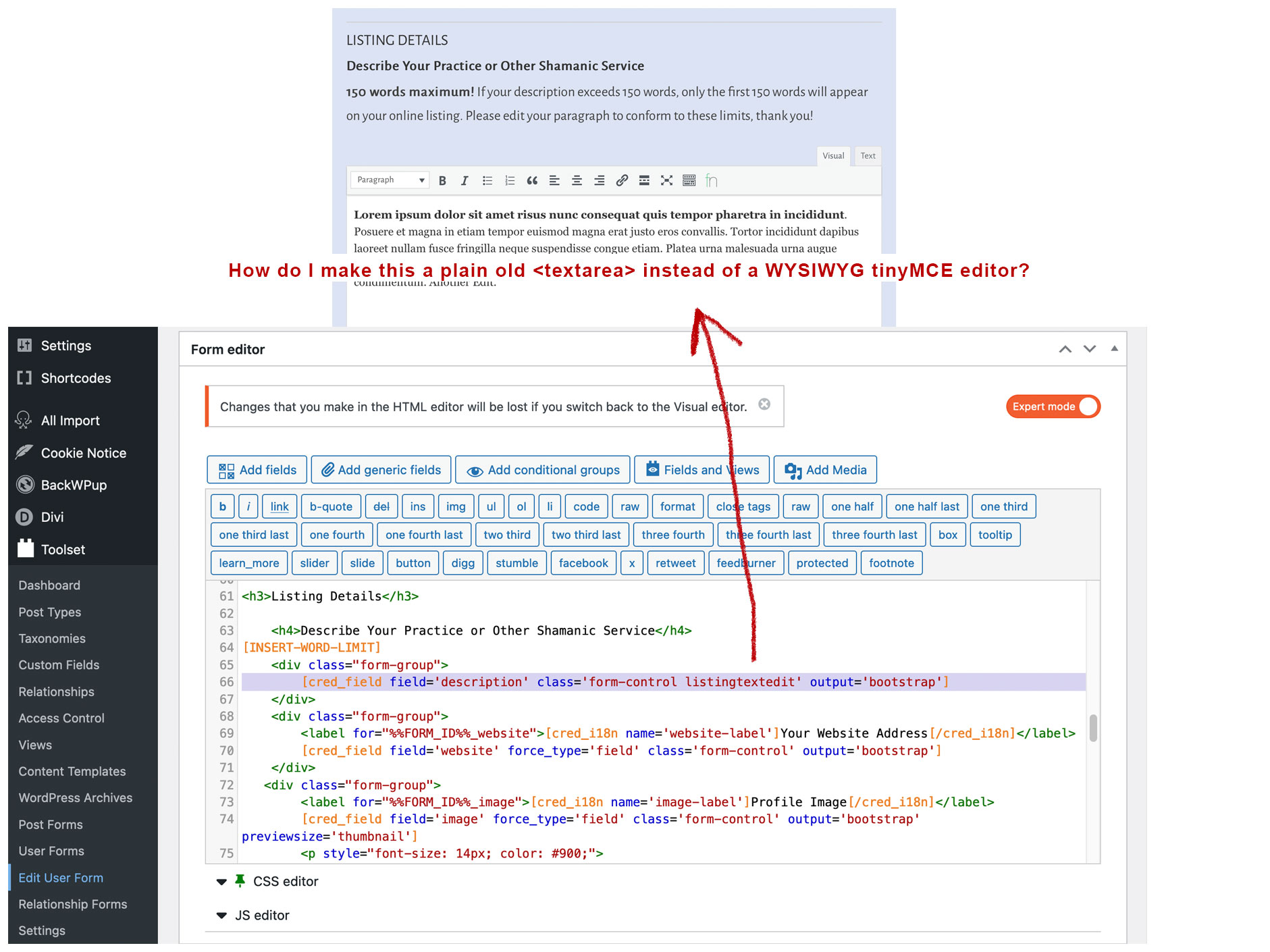
I'm using the toolset 'user form' so users can edit their own description field. By default, the editor renders a WYSIWYG TinyMCE type editor. But I don't want them to be able to insert formatted text, I just want a plain old "textarea" form field.

How do I do this? In my form editor (expert mode) I currently have this:

[cred_field field='description' class='form-control listingtextedit' output='bootstrap']

The attached illustration hopefully explains where I am and what I'm trying to do. Thanks!

#2696771

Mateus Getulio
Supporter

Les langues: Anglais (English )

Fuseau horaire: America/Sao_Paulo (GMT-03:00)

Hello there,

I'm afraid that it is no possible to switch from one editor to other as this configuration comes from the type of field you're editing.

If you want users to submit content that is simple text rather than rich text, you should probably edit that custom field and use a multiline text field instead of WYSIWYG TinyMCE rich text field.

By doing so, Toolset will automatically exhibit the text area in the front end rather than the TinyMCE editor.

Thank you,
Mateus

#2696866

>If you want users to submit content that is simple text rather than rich text, you should probably edit that custom field and use a multiline text field instead of WYSIWYG TinyMCE rich text field.

Thanks for the idea! This wasn't possible with the current field (because it was the built-in wordpress "description" field all users have, but you gave me the notion of adding a multi-line field of our own which works exactly as I'd hoped.