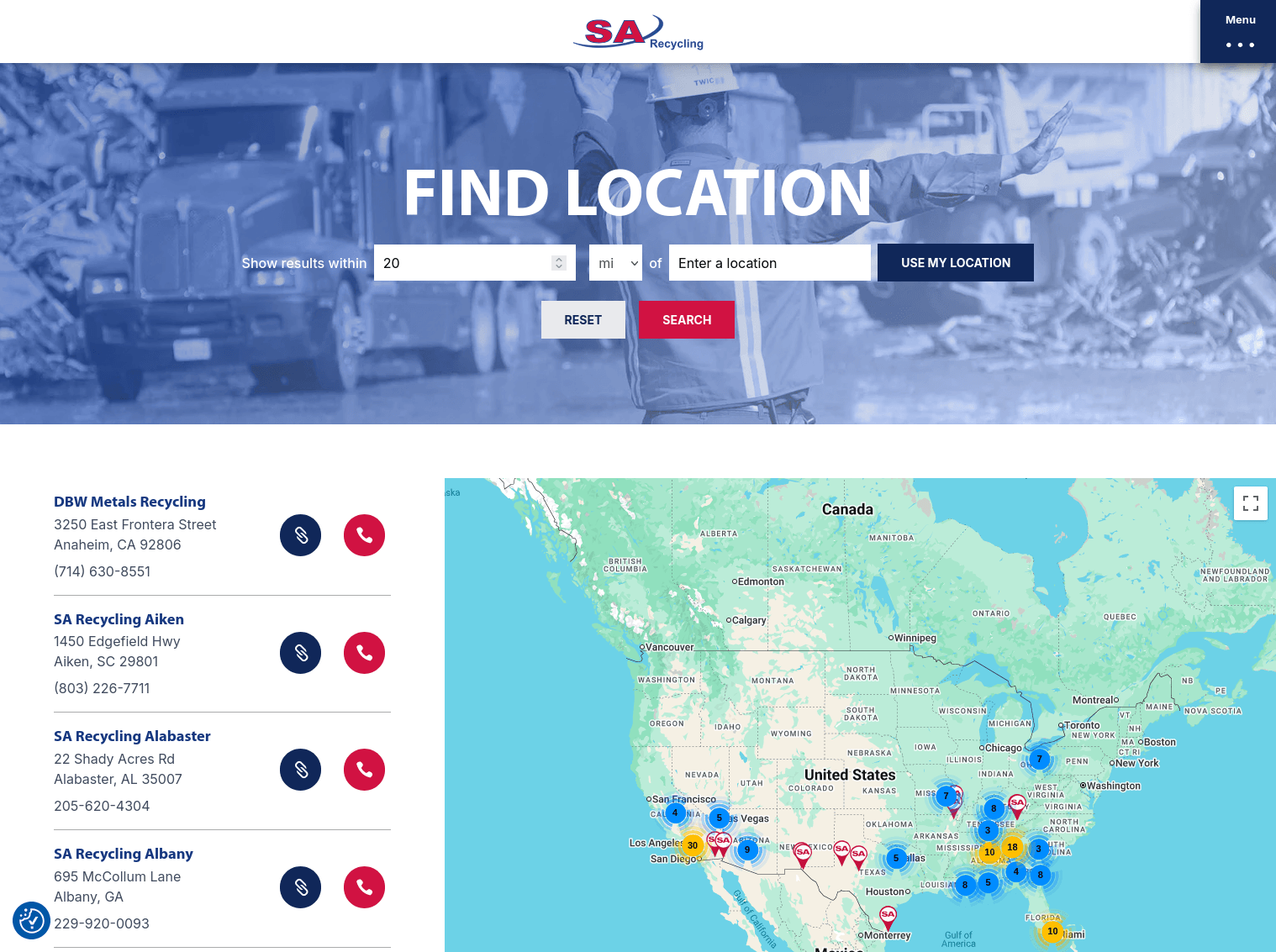
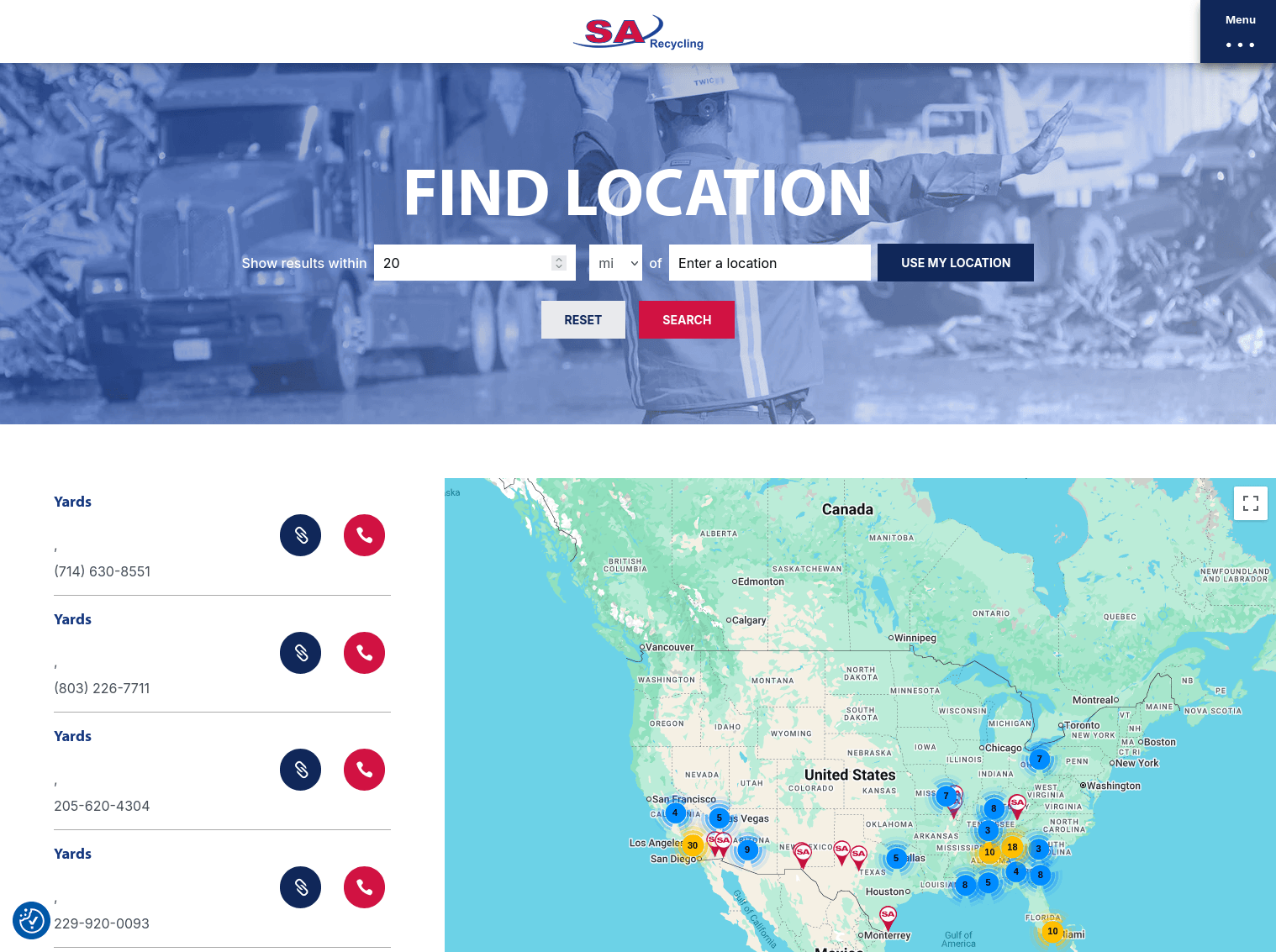
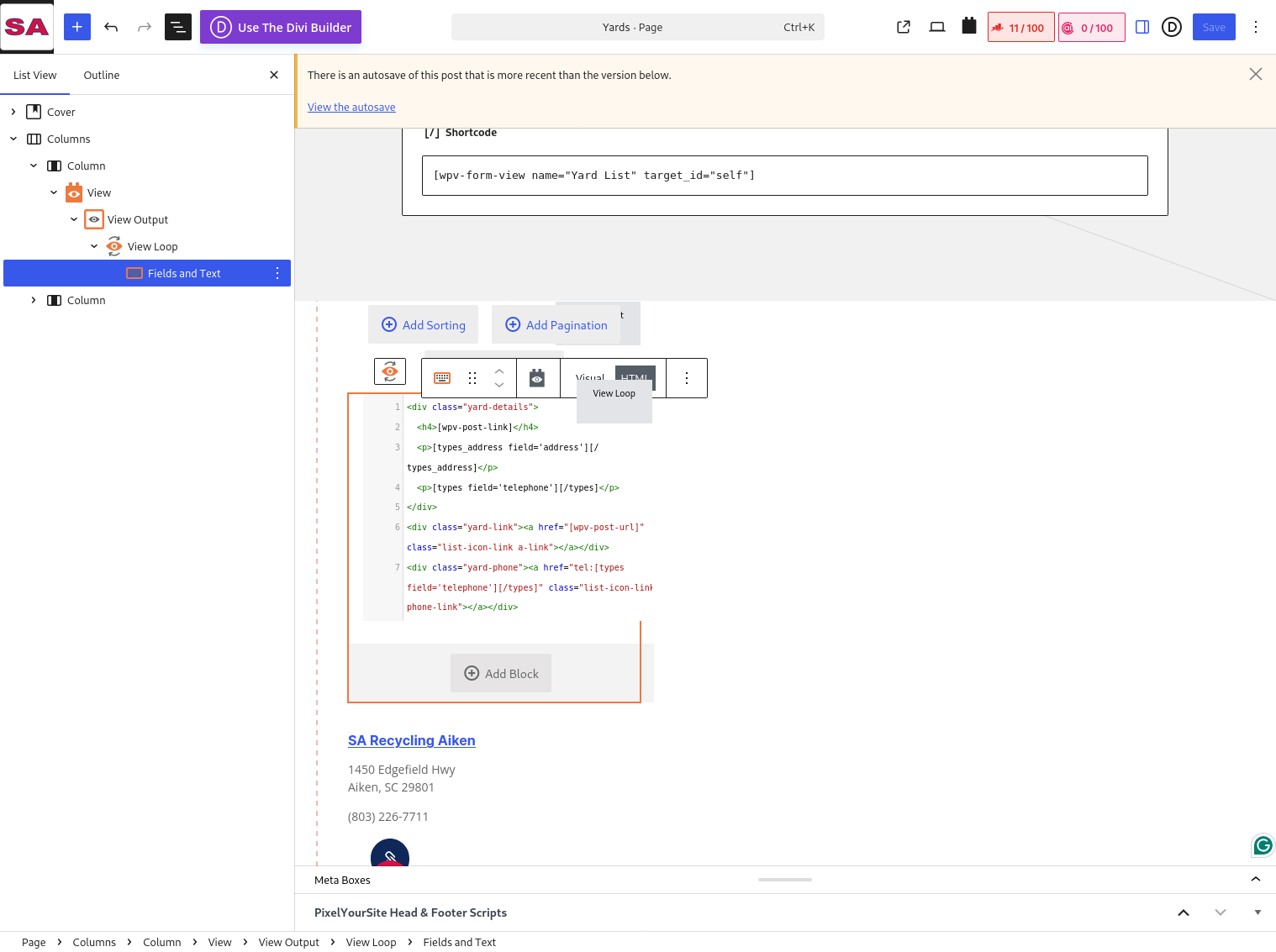
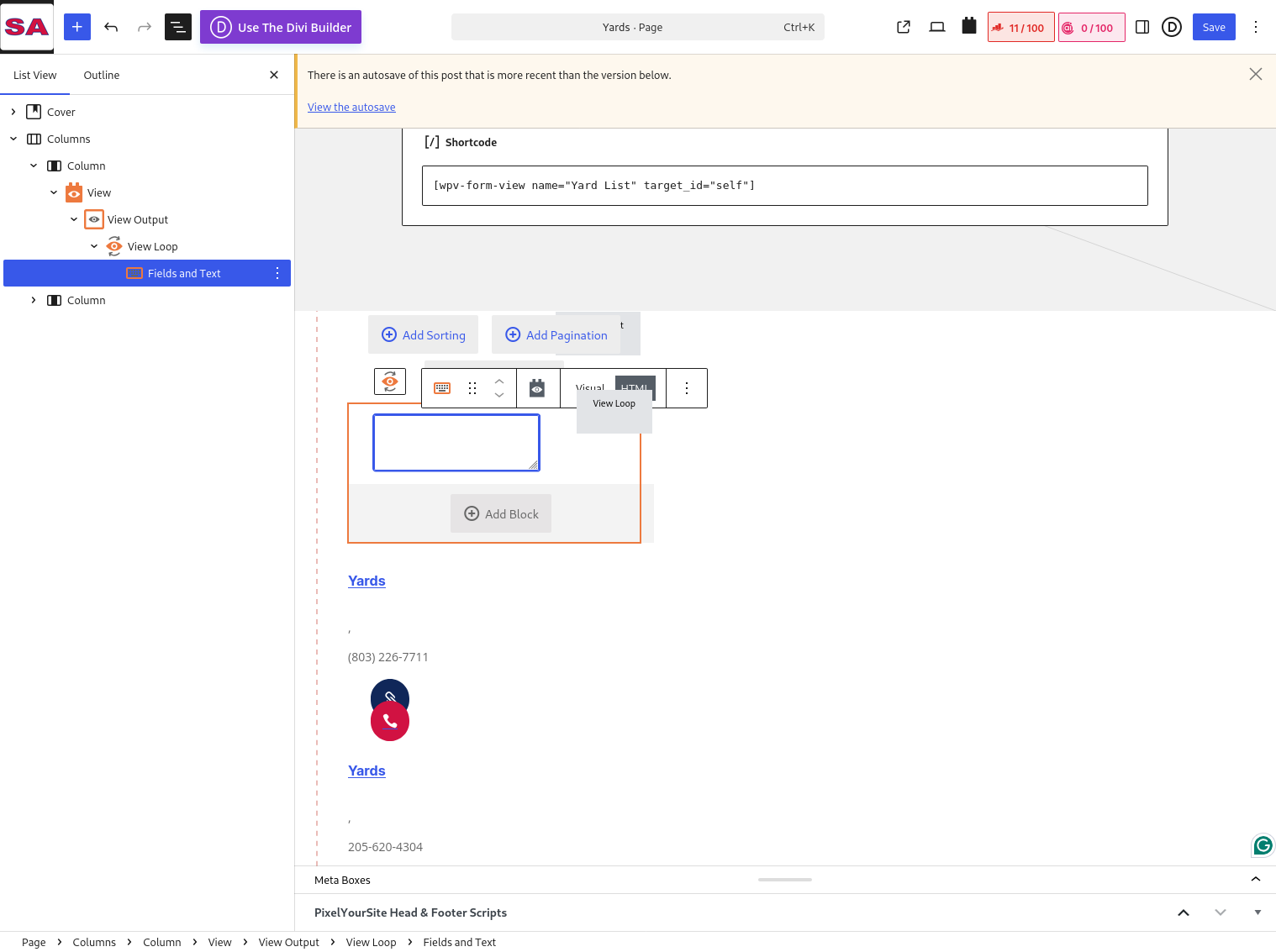
When upgrading Blocks to 1.6.22 or 1.6.23, a view that's been working and stable for years suddenly breaks. It looks like the shortcodes inside the view loop no longer have the current iteration as the context, and instead are looking at the whole set. For example, the `[wpv-post-link]` shortcode starts returning the name of the custom type, and a link to that type, not the current entry's title. Interestingly, the `[types field='telephone'][/types]` shortcode seems to still work in this situation, but `[wpv-post-url]`, `[wpv-post-link]`, and a custom shortcode that uses the `types_render_field()` method do not.
I've attached 4 screenshots: two each of before and after, frontend and admin panel. On the latest versions of the plugin, the content of the "Fields and Text" field isn't even visible in the editor. Manually putting in new content results in the exact same behavior (including no visible content in the editor after reloading the page).
The frontend uses Divi, but this page was built using only the WP block editor. I have rolled back the installed version of the Block plugin to 1.6.21 to restore the site's function.
Jun 24 19:57:10 PHP Warning: include_once(/site/www/public_html/wp-content/plugins/toolset-blocks/inc/api/hooks-api.php): Failed to open stream: No such file or directory in /site/www/public_html/wp-content/plugins/toolset-blocks/vendor/toolset/toolset-common/utility/autoloader.php on line 127
Jun 24 19:57:10 PHP Warning: include_once(): Failed opening '/site/www/public_html/wp-content/plugins/toolset-blocks/application/../inc/api/hooks-api.php' for inclusion (include_path='.:/opt/remi/php83/root/usr/share/pear:/opt/remi/php83/root/usr/share/php:/usr/share/pear:/usr/share/php') in /site/www/public_html/wp-content/plugins/toolset-blocks/vendor/toolset/toolset-common/utility/autoloader.php on line 127
Jun 24 19:57:10 PHP Fatal error: Uncaught Error: Class "WPV_API_Legacy" not found in /site/www/public_html/wp-content/plugins/toolset-blocks/application/controllers/api.php:158#012Stack trace:#012#0 /site/www/public_html/wp-content/plugins/toolset-blocks/application/controllers/api.php(40): WPV_Api->register_callbacks()#012#1 /site/www/public_html/wp-content/plugins/toolset-blocks/application/controllers/main.php(152): WPV_Api::initialize()#012#2 /site/www/public_html/wp-includes/class-wp-hook.php(341): WPV_Main->init_api()#012#3 /site/www/public_html/wp-includes/class-wp-hook.php(365): WP_Hook->apply_filters()#012#4 /site/www/public_html/wp-includes/plugin.php(522): WP_Hook->do_action()#012#5 /site/www/public_html/wp-settings.php(749): do_action()#012#6 /site/www/public_html/wp-config.php(90): require_once('...')#012#7 /site/www/public_html/wp-load.php(50): require_once('...')#012#8 /site/www/public_html/wp-blog-header.php(13): require_once('...')#012#9 /site/www/public_html/index.php(17): require('...')#012#10 {main}#012 thrown in /site/www/public_html/wp-content/plugins/toolset-blocks/application/controllers/api.php on line 158
With the following link I've uploaded the hotfix version that contains the fix for this issue. It has Toolset Blocks and Toolset Views plugins zip.
=> lien caché
You can download whatever plugin you are using and replace with your existing plugins by removing the current Toolset Blocks/Views plugin from your plugins page.
I hope the above hotfix version will help you to fix your issue.
Once we release the hotfix version official, it will available with your account's Download page and you can later update to that once its available later on.