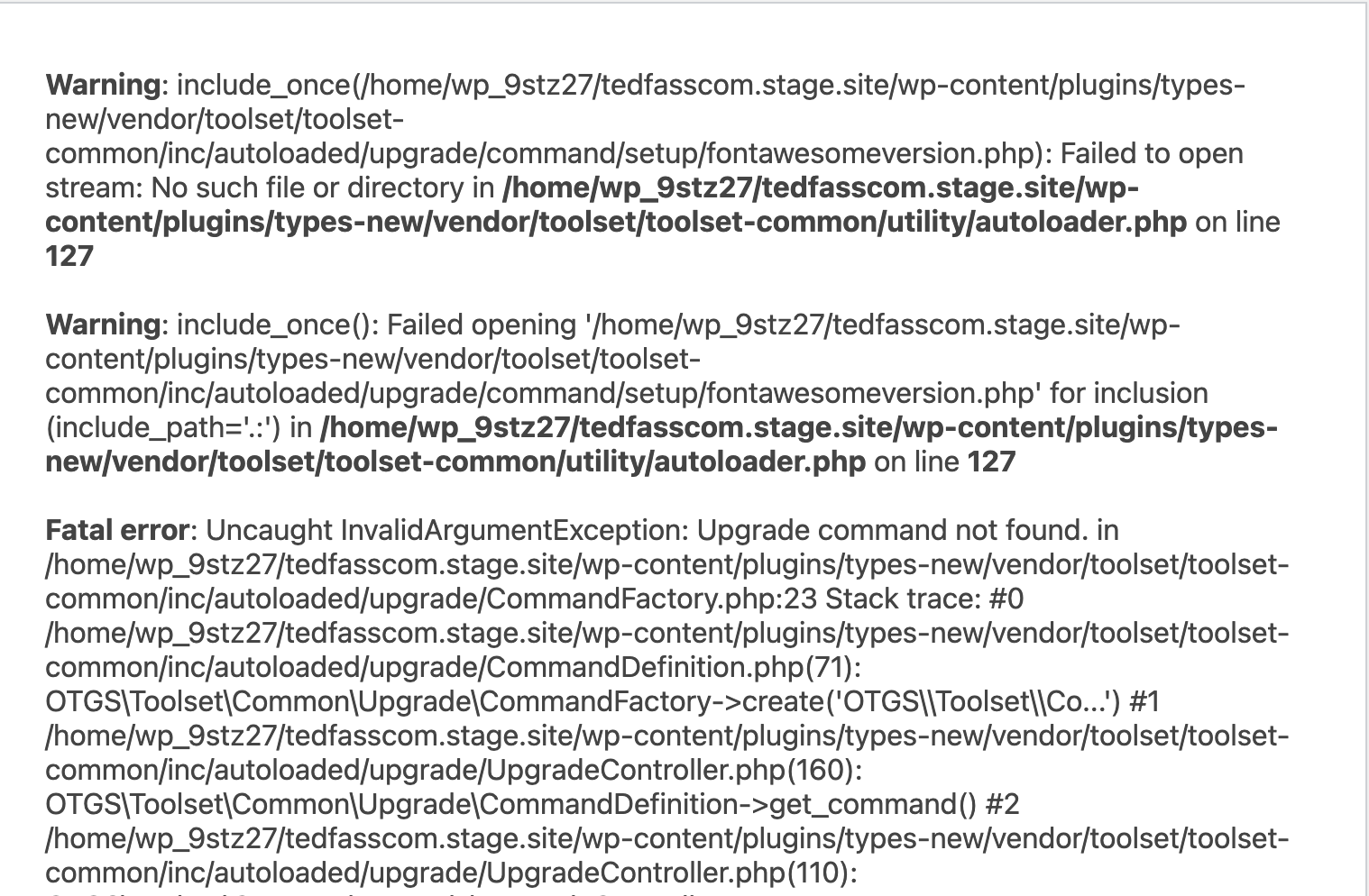
I am trying to:
Activate Toolset Types, v3.4.20
Link to a page where the issue can be seen:
lien caché
I expected to see:
Plugin activated
Instead, I got:
Fatal error: Uncaught InvalidArgumentException: Upgrade command not found. in
/wp-content/plugins/types/vendor/toolset/toolset-common/inc/autoloaded/upgrade/CommandFactory.php:23
This needs to be fixed ASAP - I have SSH/SFTP access and programming skills, just let me know what needs to be done.
Full Error:
Fatal error: Uncaught InvalidArgumentException: Upgrade command not found. in /home/wp_9stz27/tedfasscom.stage.site/wp-content/plugins/types/vendor/toolset/toolset-common/inc/autoloaded/upgrade/CommandFactory.php:23 Stack trace: #0 /home/wp_9stz27/tedfasscom.stage.site/wp-content/plugins/types/vendor/toolset/toolset-common/inc/autoloaded/upgrade/CommandDefinition.php(71): OTGS\Toolset\Common\Upgrade\CommandFactory->create('OTGS\\Toolset\\Co...') #1 /home/wp_9stz27/tedfasscom.stage.site/wp-content/plugins/types/vendor/toolset/toolset-common/inc/autoloaded/upgrade/UpgradeController.php(160): OTGS\Toolset\Common\Upgrade\CommandDefinition->get_command() #2 /home/wp_9stz27/tedfasscom.stage.site/wp-content/plugins/types/vendor/toolset/toolset-common/inc/autoloaded/upgrade/UpgradeController.php(110): OTGS\Toolset\Common\Upgrade\UpgradeController->process_command(Object(OTGS\Toolset\Common\Upgrade\CommandDefinition), Object(OTGS\Toolset\Common\Result\ResultSet)) #3 /home/wp_9stz27/tedfasscom.stage.site/wp-content/plugins/types/vendor/toolset/toolset-common/inc/autoloaded/upgrade/UpgradeController.php(87): OTGS\Toolset\Common\Upgrade\UpgradeController->do_setup() #4 /home/wp_9stz27/tedfasscom.stage.site/wp-includes/class-wp-hook.php(308): OTGS\Toolset\Common\Upgrade\UpgradeController->check_upgrade(Object(Toolset_Common_Bootstrap)) #5 /home/wp_9stz27/tedfasscom.stage.site/wp-includes/class-wp-hook.php(332): WP_Hook->apply_filters('', Array) #6 /home/wp_9stz27/tedfasscom.stage.site/wp-includes/plugin.php(517): WP_Hook->do_action(Array) #7 /home/wp_9stz27/tedfasscom.stage.site/wp-content/plugins/types/vendor/toolset/toolset-common/bootstrap.php(107): do_action('toolset_common_...', Object(Toolset_Common_Bootstrap)) #8 /home/wp_9stz27/tedfasscom.stage.site/wp-content/plugins/types/vendor/toolset/toolset-common/bootstrap.php(126): Toolset_Common_Bootstrap->__construct() #9 /home/wp_9stz27/tedfasscom.stage.site/wp-content/plugins/types/application/controllers/main.php(171): Toolset_Common_Bootstrap::get_instance() #10 /home/wp_9stz27/tedfasscom.stage.site/wp-includes/class-wp-hook.php(308): Types_Main->after_setup_theme('') #11 /home/wp_9stz27/tedfasscom.stage.site/wp-includes/class-wp-hook.php(332): WP_Hook->apply_filters(NULL, Array) #12 /home/wp_9stz27/tedfasscom.stage.site/wp-includes/plugin.php(517): WP_Hook->do_action(Array) #13 /home/wp_9stz27/tedfasscom.stage.site/wp-settings.php(601): do_action('after_setup_the...') #14 /home/wp_9stz27/tedfasscom.stage.site/wp-config.php(88): require_once('/home/wp_9stz27...') #15 /home/wp_9stz27/tedfasscom.stage.site/wp-load.php(50): require_once('/home/wp_9stz27...') #16 /home/wp_9stz27/tedfasscom.stage.site/wp-blog-header.php(13): require_once('/home/wp_9stz27...') #17 /home/wp_9stz27/tedfasscom.stage.site/index.php(17): require('/home/wp_9stz27...') #18 {main} thrown in /home/wp_9stz27/tedfasscom.stage.site/wp-content/plugins/types/vendor/toolset/toolset-common/inc/autoloaded/upgrade/CommandFactory.php on line 23
Hi there,
An error message like this can be shown if some of the files from the Toolset Types plugin folder are either missing or corrupt.
Can you please deactivate the delete the Toolset Types plugin and then install and activate it again, by downloading a fresh copy?
( ref: https://toolset.com/account/downloads/ )
In case the issue still persists, please see if changing the PHP version from PHP 8+ to PHP 7+ has any effect.
I hope this helps and let me know how it goes.
Also I'd appreciate it if you could provide the debug information:
https://toolset.com/faq/provide-debug-information-faster-support/
Thanks
The issue seems to be resolved - I used the installer instead of the manual download for the plugin.
Thank you!
Perfect! I'm glad that the issue is fixed.