Hi. I use WP Remote to keep websites updated. I have Toolset installed on nearly 20 websites and since Monday March 6 I started getting notices of vulnerability via WP Remote due to Toolset Types (3.4.17).
In all my Plugins WP Admin section, Toolset Types 3.4.17 is live and Toolset does not state that there is an update available. It looks like the most recent version.
However, I just found on the Toolset site that 3.4.18 is available for download as of March 6:
https://toolset.com/download/toolset-types/#changelog
My questions are:
1. Why does the WP Admin plugin section not show that 3.4.18 is available for download?
2. Should I wait for the Plugin library to let me download it, or should I download this directly from Toolset and install it manually? (Also, if I do, do I delete 3.4.17 first and then install 3.4.18?)
Thank you.
Hey there,
Thanks for your contact.
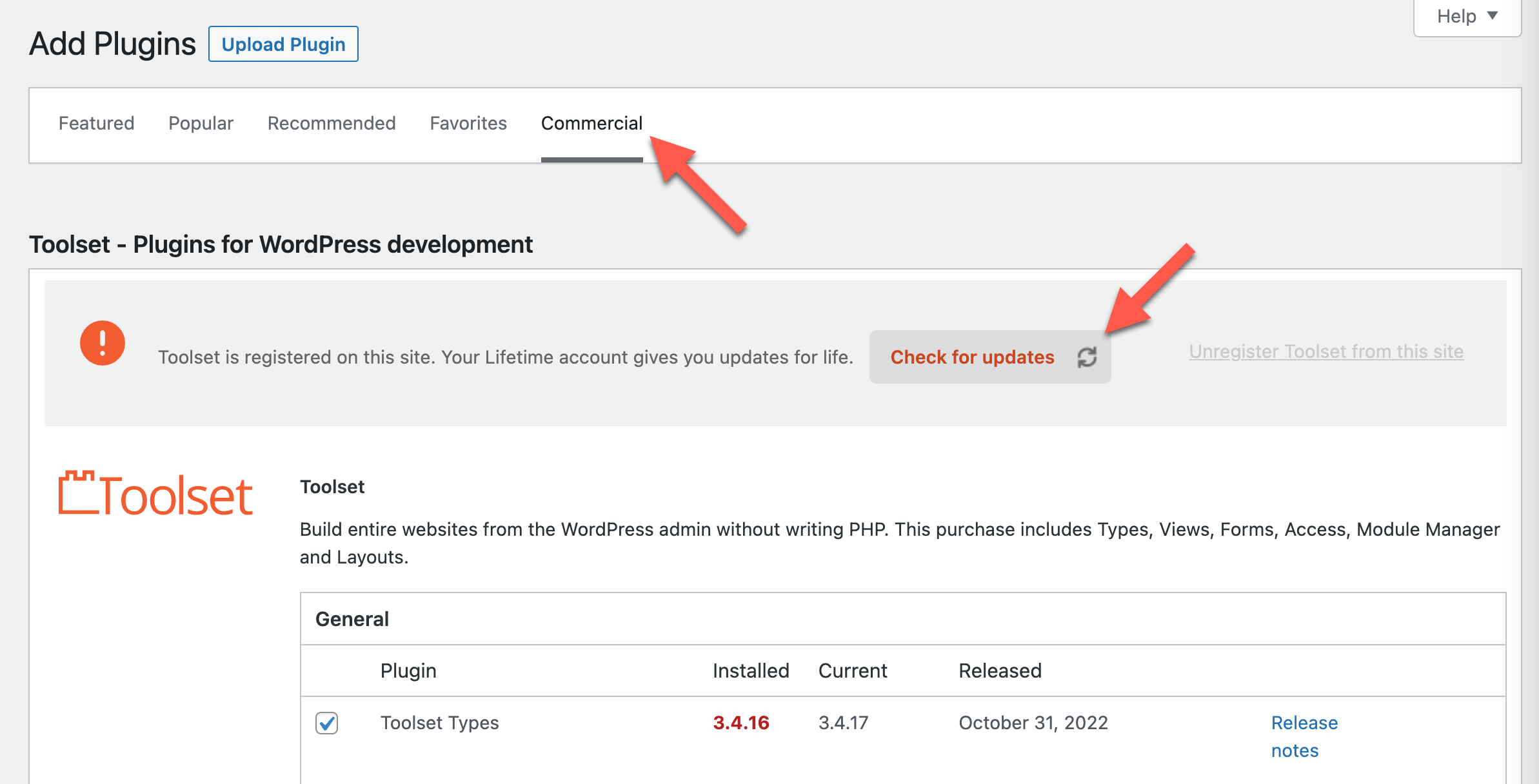
To see the available update you need to follow these steps:
- Go to Plugins -> Add New -> Commercial tab
- Then, click on the 'Check for updates' button, to see the update
- Here's a screenshot showing this step-by-step: https://toolset.com/wp-content/uploads/2022/11/check-for-updates-toolset.png
You can also get this version from your downloads page, as you mentioned: https://toolset.com/account/downloads/, and upload directly in the Plugins -> Add New section.
Please try out these solutions and let us know if it is solved now. Thank you!
Regards,
Mateus.
Hi there,
Thanks for your reply.
Were you able to update the Types plugin? Please keep us posted about it.
Regards,
Mateus.