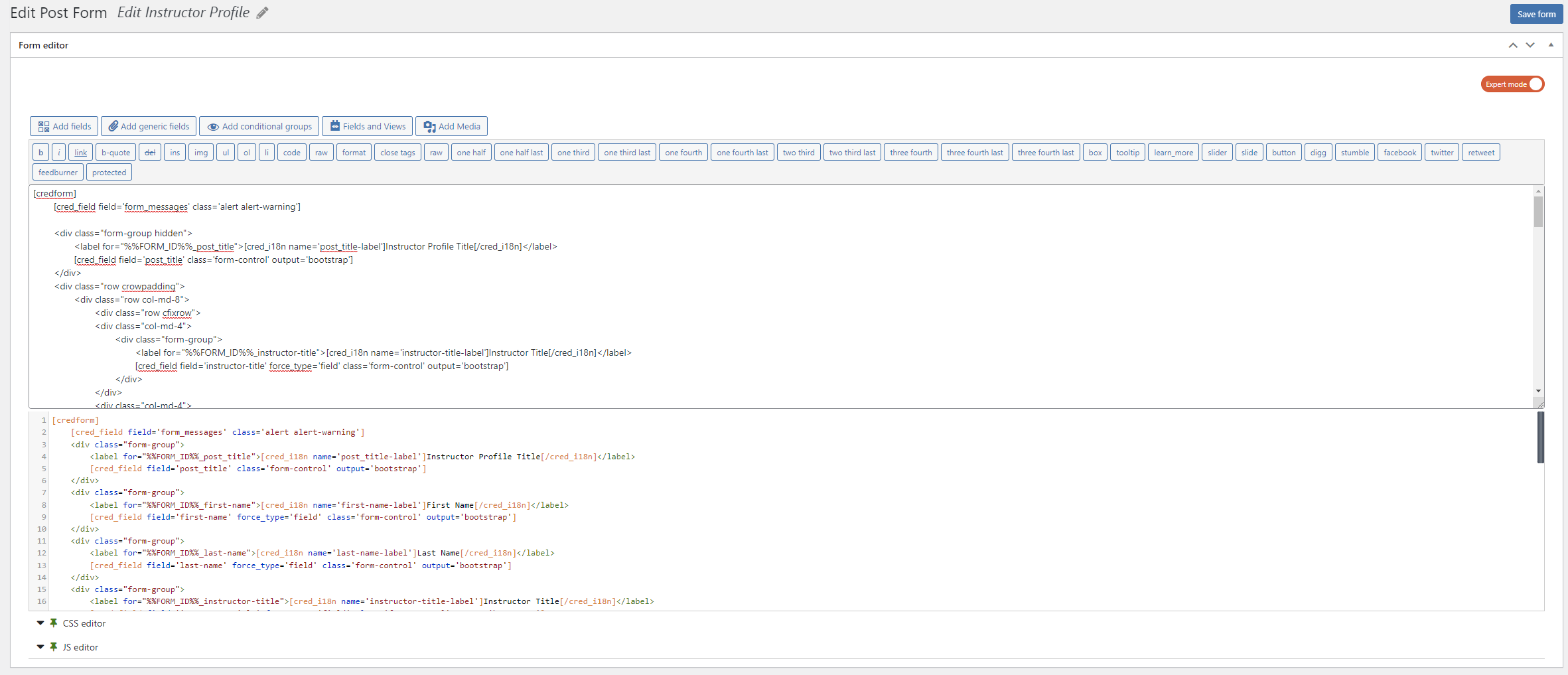
I am trying to: Create a custom form structure
Link to a page where the issue can be seen: lien caché
I expected to see/Instead, I got: If I edit the structure in expert mode and save it, it will be applied on front end, but the form editor will not save anything and will display the default structure.
Seems like the right structure is saved somewhere, but it loads the default one on page load.
Hi there,
I checked on my local installation and could not replicate the same issue.
Would you please follow the steps below to make sure we have an isolated scenario?
- IMPORTANT STEP! Create a backup of your website.
- Switch to the default theme such as "TwentyTwenty" by going to "WordPress Dashboard > Appearance > themes".
- Go to "WordPress Dashboard > Plugins" and deactivate all plugins except WPML and its add-ons.
- Check if you can still recreate the issue.
- If not, re-activate your plugins one by one and check the issue each time to find out the plugin that causes the problem.
Thank you.
I followed all the steps like you mentioned. The bug is still there.
I disabled the toolset types and that fixed the problem.
I created a new clean wp instance and imported my types, and I created a new post form. Got the same problem.
Also seems like changing the "Post type to create/edit:" for each form a couple of type (like 10-15) fixes the problem.
Here is a link with my types export, lien caché
Maybe you could tell me what's wrong with it.
Hi there,
That is strange! I have created a clean WP installation with Toolset installed (other toolset plugins are deactivated and you can activate them if needed).
Would you please import the types that you mentioned there and see if the same issue happens?
I can investigate more then:
lien caché
Thanks.
Hi,
I've imported the types and the forms in the sandbox, the bug is still occurring.
lien caché
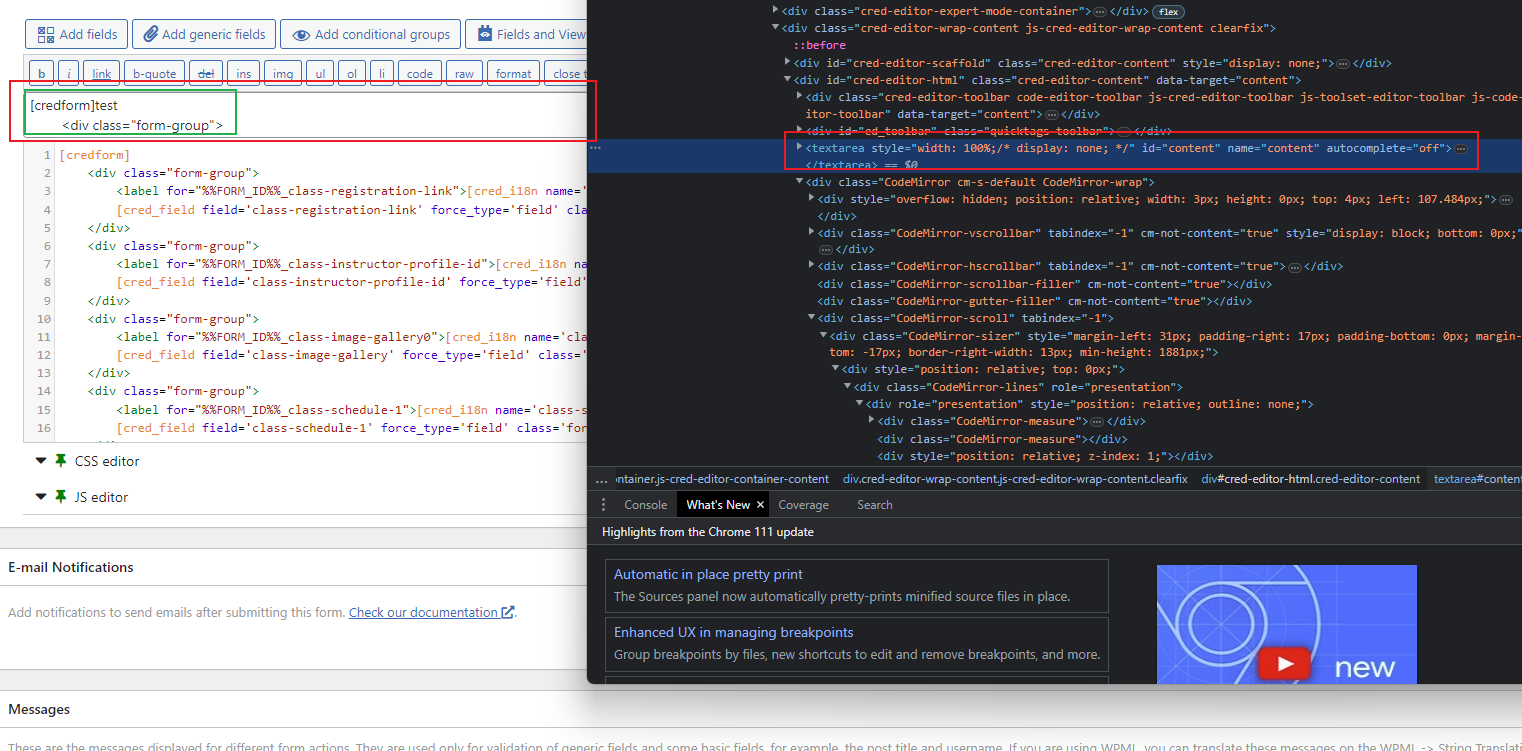
Try to change/add something in the structure and save it, after the page is refreshed the changes are not there. They do appear on the front end, but the backend form won't show the saved structure, it will just load the default one.
There is a hidden textarea above the form with the saved content, I've attached a screenshot lien caché
Hi there,
Thank you, I reported this to the second tier support and will get back to you as soon as I have an update.
thanks.
Hi there,
The issue is replicated by our development team and it is happening even on other installations. So this is identified as a bug and reported to the development team.
There will be a fixed in upcoming releases of Toolset.
Thanks.
Hi there,
I wanted to let you know that we published plugin updates today that include a fix for this issue.
If the update does not show up on your plugin installer page (click the registered link beneath the plugin name to go to the custom installer page) click the Check for Updates button to update the list.
Or you can download the latest versions from your accounts page: https://toolset.com/account/downloads
Forms 2.6.16
Thanks.
Hi there,
I wanted to let you know that we published plugin updates today that include a fix for this issue.
If the update does not show up on your plugin installer page (click the registered link beneath the plugin name to go to the custom installer page) click the Check for Updates button to update the list.
Or you can download the latest versions from your accounts page: https://toolset.com/account/downloads
Forms 2.6.16
Thanks.