Passer la navigation

[Résolu] Slider settings of a view

This support ticket is created Il y a 3 years. There's a good chance that you are reading advice that it now obsolete.

This is the technical support forum for Toolset - a suite of plugins for developing WordPress sites without writing PHP.

Everyone can read this forum, but only Toolset clients can post in it. Toolset support works 6 days per week, 19 hours per day.

Sun Mon Tue Wed Thu Fri Sat
- 10:00 – 13:00 10:00 – 13:00 10:00 – 13:00 10:00 – 13:00 10:00 – 13:00 -
- 14:00 – 18:00 14:00 – 18:00 14:00 – 18:00 14:00 – 18:00 14:00 – 18:00 -

Fuseau horaire du supporter : Asia/Kolkata (GMT+05:30)

Ce sujet contient 4 réponses, a 2 voix.

Dernière mise à jour par izalcoC Il y a 2 years, 12 months.

Assisté par: Minesh.

Auteur
Publications
#2611087
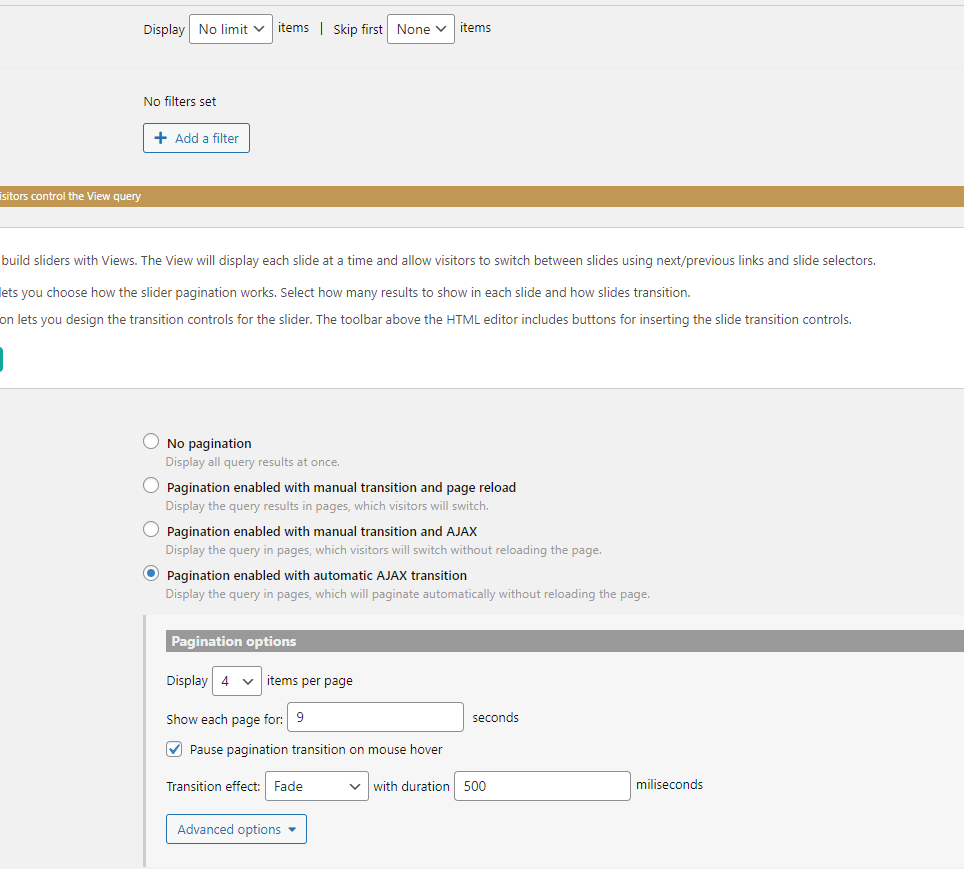
Captureslide.PNG

Hello, I'm trying to adjust my slider to show four products, but it is showing 2 or 3 per page, and I'm not sure what is causing that or if I'm not setting the slider correctly.

What is the link to your site?
lien caché

#2611203

Minesh
Supporter

Les langues: Anglais (English )

Fuseau horaire: Asia/Kolkata (GMT+05:30)

Hello. Thank you for contacting the Toolset support.

Just to ensure can you please tell me under what section you have added the slider view?

Can you please send me admin access details and let me check whats going wrong with your setup.

*** Please make a FULL BACKUP of your database and website.***
I would also eventually need to request temporary access (WP-Admin and FTP) to your site. Preferably to a test site where the problem has been replicated if possible in order to be of better help and check if some configurations might need to be changed.

I have set the next reply to private which means only you and I have access to it.

#2611675

Minesh
Supporter

Les langues: Anglais (English )

Fuseau horaire: Asia/Kolkata (GMT+05:30)

With the view that displays the slider:
- lien caché

I can see with the view's output you have added the conditional shortcode:

[wpv-conditional if="( '[types field='marcar-si-el-producto-esta-en-tendencia' output='raw'][/types]' eq '1' )"] 
<div class="lf_product"><em><u>lien caché</u></em>	 
          </a></div>

[/wpv-conditional]

You can remove that conditional shortcode and save your view.

I've added the following query filter to "Query filter" section:

 Custom field filter
Select items with field:
Marcar si el producto está en tendencia is a number equal to 1

This filter will only fetch the posts with Marcar si el producto está en tendencia field value equal to 1.

I can see on frontend it displays the correct result: lien caché

#2614061

My issue is resolved now. Thank you!