I would like to display the taxonomies of a custom post in rows (new line for each taxonomy item). I use the Toolbox "Single Field" block. As "Separator Between Terms" I would like to put "<br>", but unfortunately this works properly only in edit mode, not in "View on front-end". How can I achieve this?
Hi David,
Thank you for getting in touch.
It is possible to completely customize the output of the taxonomies without using the [wpv-post-taxonomy] shortcode.
However this would require the use of the classic editor for views.
Are you familiar with the classic editor ?
Please let me know.
Thanks,
Shane
I use the WordPress block editor if this is what you mean. Can you send me a documentation on how to do it?
Hi David,
The legacy documentation for this doesn't exist anymore however I can walk your through the steps.
If the classic view hasn't been enabled you can enable it by going to Toolset -> Settings and scrolling to Editing Experience. From there I recommend that you select " Show both the legacy and Blocks interface and let me choose which to use for each item I build".
This will allow you to have access to the classic editor as well as the block editor. From there refresh the page and go to Toolset -> Views.
Once you've gone to Toolset->view click add a new view and create the view. Under the option Content Selection, select Taxonomy and then the taxonomy you want your view to display.
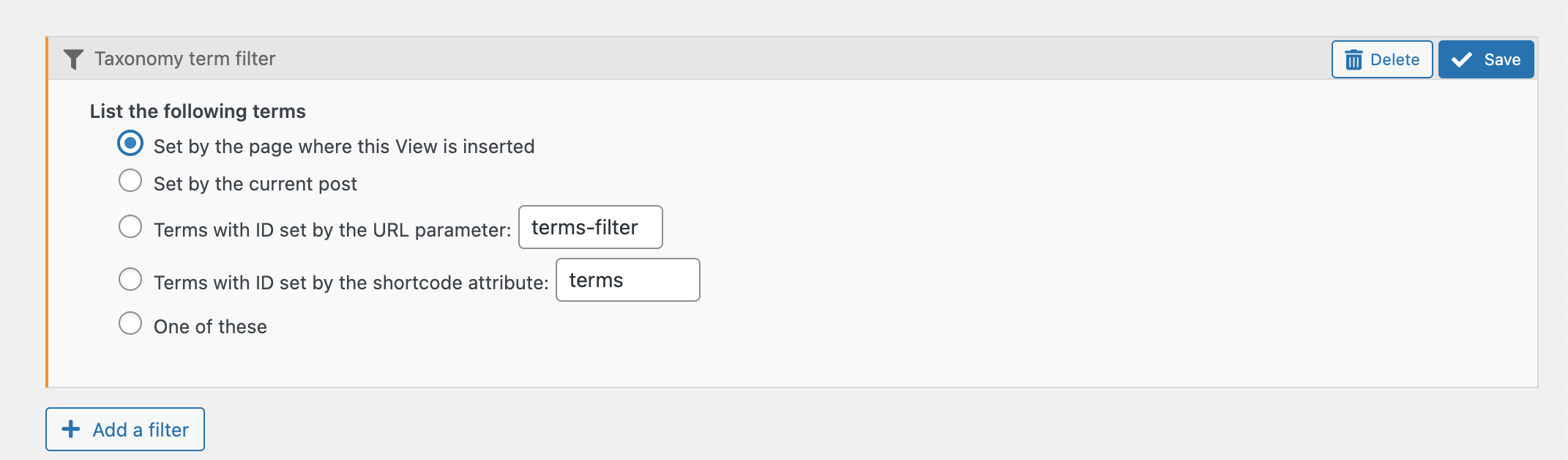
Now Under Query Filter click add a filter and add the filter for Taxonomy Term then select the option "Set by the page where this View is inserted" See Screenshot.
From there you can just scroll to the Loop Wizard and then use the loop wizard to add the elements of the taxonomy that you want to display.
Finally adding your view you can use either the View Block to add the view you've just created or you can manually add the view by using the shortcode.
[wpv-view name='my-view']
Where my-view is the slug of the view you created.
Thanks,
Shane
Wow, this is great. It worked out fine, thanks! I just need your additional help with the layout: How can I remove the indentation and the dots at the beginning of each line of the "unordered list"? Or how can I remove the borders and control the margins if I choose "table"?
Hi David,
To remove the bullets from the unordered list you can use this css below.
To remove table lines this css below can be used.
table, tr, td{
 border:none;
}
Please let me know if this helps.
Thanks,
Shane
Hi Shane, both worked fine, thanks!
I decided to use the table style and I managed to adjust the row height via CSS. So this is a good result already.
Last question for this matter: How can I add a border/frame with rounded corners around each taxonomy item?
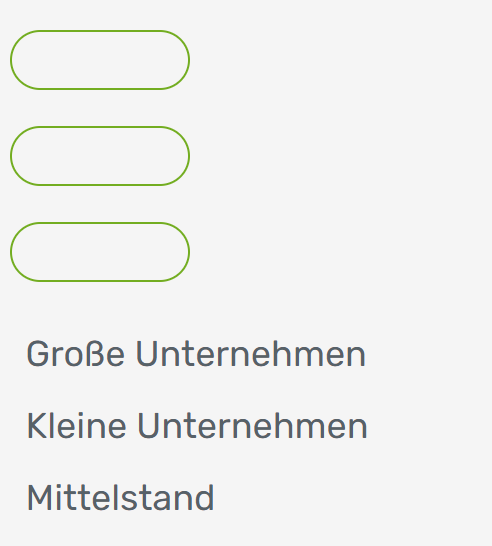
please find attached a sample of a border/frame with rounded corners around each taxonomy item. How can I achieve this?
Hi David,
Usually this requires that the shortcode is wrapped within some html tag.
Here is an example of this below.
lien caché
Please let me know if further clarification is needed.
Thanks,
Shane
Hi Shane, thanks for the hint. But it seems that I need further clarifications ...
I adjusted the html in the Loop Editor for my View "groessetabelle", but it does not give the expected result (pls. see attachment):
<style>
#rcorners {
border-radius: 25px;
border: 1px solid #73AD21;
padding: 10px;
width: 90px;
height: 30px;
}
</style>
[wpv-layout-start]
[wpv-items-found]
<!-- wpv-loop-start -->
<table width="100%">
<tbody class="wpv-loop js-wpv-loop">
<wpv-loop>
<tr>
<p id="rcorners">[wpv-post-body view_template="loop-item-in-groessetabelle"]</p>
</tr>
</wpv-loop>
</tbody>
</table>
<!-- wpv-loop-end -->
[/wpv-items-found]
[wpv-no-items-found]
[wpml-string context="wpv-views"]No items found[/wpml-string]
[/wpv-no-items-found]
[wpv-layout-end]
Hi David,
It seems you're adding the css around the content template code rather than the actual shortcode that generates the taxonomy titles.
There should be a shortcode called [wpv-taxonomy-title]. This should be located on the content template of your view.
You will need to add the <p id="rcorners">[wpv-taxonomy-title]</p>.
Once you've done this please let me know if the issue remains.
If it does then would you mind allowing me to have admin access to the website so that I can have a more detailed look at this for you ?
Please where applicable please provide me with a link to an example page where I can see the issue.
I've enabled the private fields for your next response.
Thanks,
Shane
Thanks for your assistance to show taxonomies of custom post in rows. It works great! I will drop the idea of displaying them with borders with rouned corners since it is too difficult for me as it seems.