Hi there,
For my website I got the pages:
lien caché
lien caché
lien caché
lien caché aan de kust
lien caché vakantie
For the page ‘Leuk voor de kinderen’ I want to show the sub attributes with a link. So this ones.
-- boomhut vakantie
-- huisje aan de kust
-- vakantie bij de boer
And for the sub attributes pages like boomhut vakantie I want to show the related articles. So this ones.
-- huisje aan de kust
-- vakantie bij de boer
Is this possible?
Hello,
You can try with a custom "hierarchical" post type, see below test site:
Login URL:
lien caché
Custom post type "inspiratie" settings:
lien caché
Enable options:
- Page Attributes
- hierarchical
See the result posts:
lien caché
lien caché
Hi Luo,
Thanks for your quick reply.
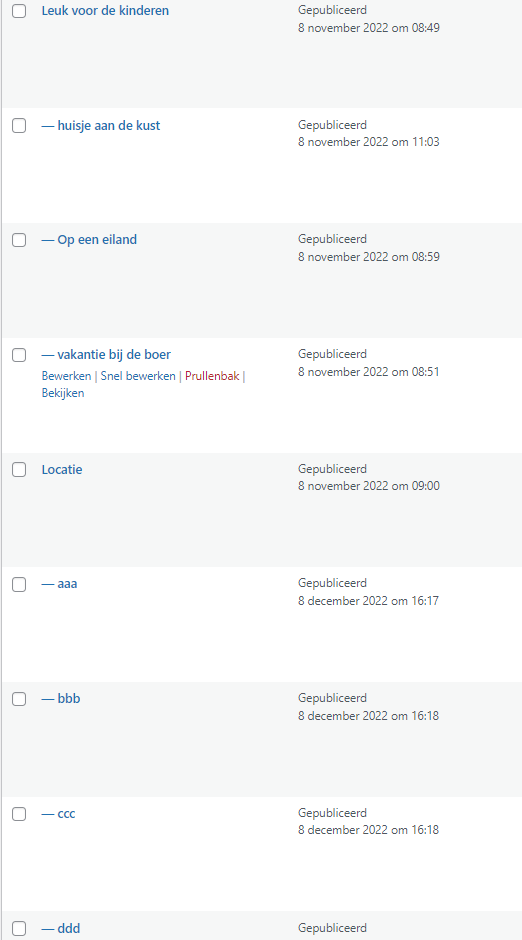
I have performed the above but I want to show the page name/link on the page.
See pic attached.
So when I open the page ''huisje aan de kust'' I want to show the links of ''op een eiland'' and ''vakantie bij de boer''.
And when I open the page ''aaa'' I want to show the links of ''bbb'', ''ccc'' and ''ddd''.
So related articles that fall under the group.
See the example
lien caché
The related articles called ''Artikelen in Marketingstrategie''
Hopefully this is clear.
1) In the parent page, you can display a post view:
lien caché
- Query "inspiratie" posts
- Filter by:
Select posts whose parent is the page where the View is shown.
- In view's loop, display "inspiratie" post information
2) Create a content template "Brother inspiratie posts":
lien caché
Display a post view:
- Query "inspiratie" posts
- Filter by:
Select posts whose parent is the current post in the loop.
- In view's loop, display "inspiratie" post information
3) In single child page:
lien caché
Display above content template shortcode with item attribute:
[wpv-post-body view_template="brother-inspiratie-posts" item="$parent"]
See the result here:
lien caché
lien caché
lien caché
Hi Luo,
Is this also possible in a Template I created?
I am not sure how do you setup the Template.
You can setup two different Toolset content templates:
- One for the parent pages
- The another for the child pages