Passer la navigation

[Résolu] Resizing of image no longer works

This support ticket is created Il y a 3 years, 7 months. There's a good chance that you are reading advice that it now obsolete.

This is the technical support forum for Toolset - a suite of plugins for developing WordPress sites without writing PHP.

Everyone can read this forum, but only Toolset clients can post in it. Toolset support works 6 days per week, 19 hours per day.

Sun Mon Tue Wed Thu Fri Sat
- 10:00 – 13:00 10:00 – 13:00 10:00 – 13:00 10:00 – 13:00 10:00 – 13:00 -
- 14:00 – 18:00 14:00 – 18:00 14:00 – 18:00 14:00 – 18:00 14:00 – 18:00 -

Fuseau horaire du supporter : Asia/Kolkata (GMT+05:30)

Ce sujet contient 2 réponses, a 2 voix.

Dernière mise à jour par rodneyM Il y a 3 years, 7 months.

Assisté par: Minesh.

Auteur
Publications
#2442131
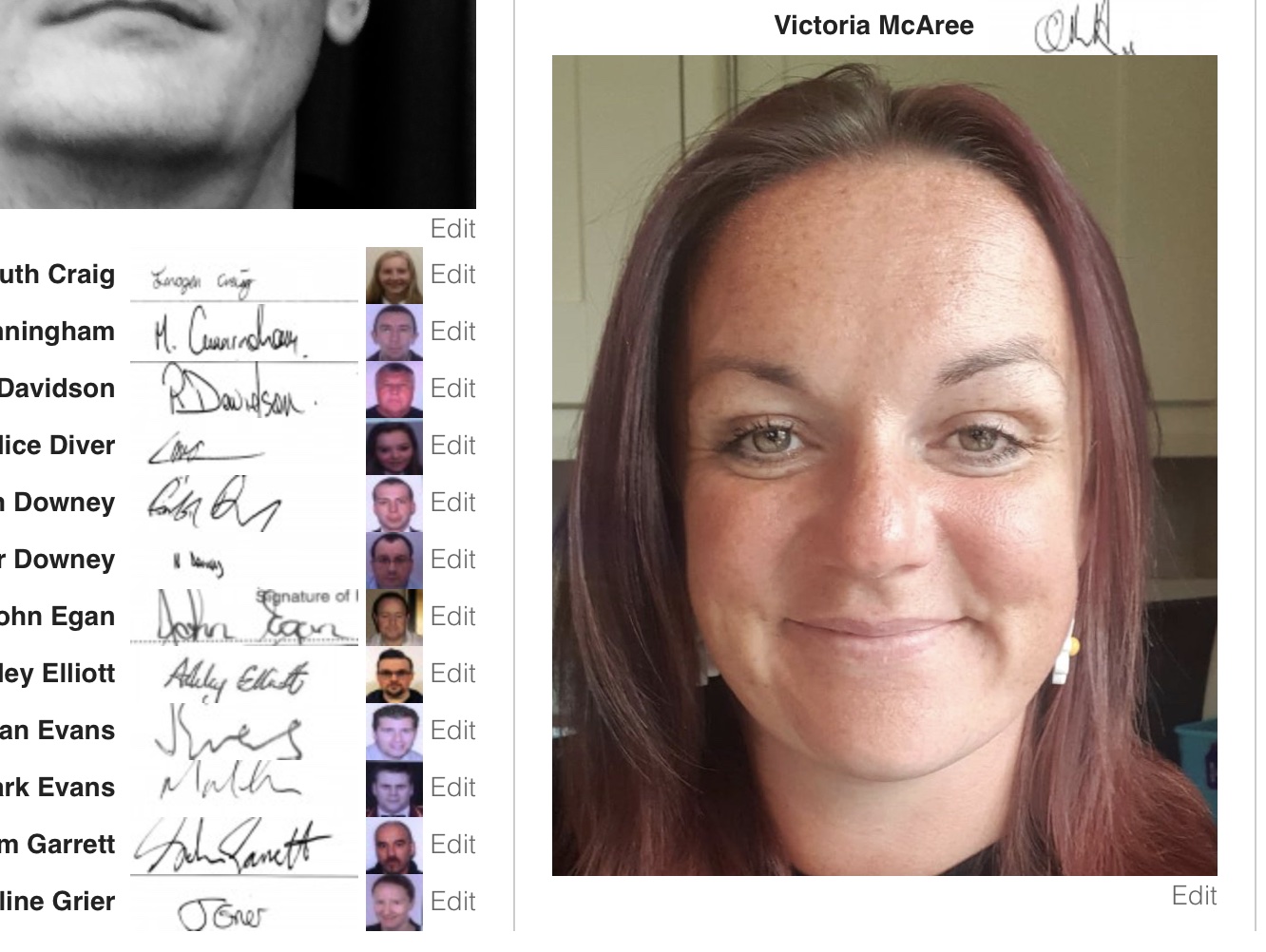
Image A.jpg

I am trying to: add images to player membership listings controlled by the View code [types field='signature' id ="$player" width="120" height="30" align="none" resize="stretch"][/types]
[types field='photograph' id ="$player" width="30" height="30" align="none" resize="stretch"][/types]

The only thing that I have done is to upgrade to latest WordPress

Link to a page where the issue can be seen:

I expected to see: the same size of images that are already displayed, see attached image

Instead, I got: an image about 10 times larger as shown by lady, Other views of player listing and printing now contain these oversized images

#2442319

Minesh
Supporter

Les langues: Anglais (English )

Fuseau horaire: Asia/Kolkata (GMT+05:30)

Hello. Thank you for contacting the Toolset support.

I review the debug information you shared with us and I found that you are using the PHP 8 version and it seems that this is a known issue to us.

Please check the following errata page and see if the workaround shared help you to resolve your issue for now.
- https://toolset.com/errata/custom-sized-images-not-working-when-output-via-types-shortcode/

#2442347

My issue is resolved now. Thank you!