Passer la navigation

[Closed] Query filters in block editor disappear after activation

This support ticket is created Il y a 3 years, 1 month. There's a good chance that you are reading advice that it now obsolete.

This is the technical support forum for Toolset - a suite of plugins for developing WordPress sites without writing PHP.

Everyone can read this forum, but only Toolset clients can post in it. Toolset support works 6 days per week, 19 hours per day.

Ce sujet contient 1 reply, a 2 voix.

Dernière mise à jour par Nigel Il y a 3 years, 1 month.

Auteur
Publications
#2602577
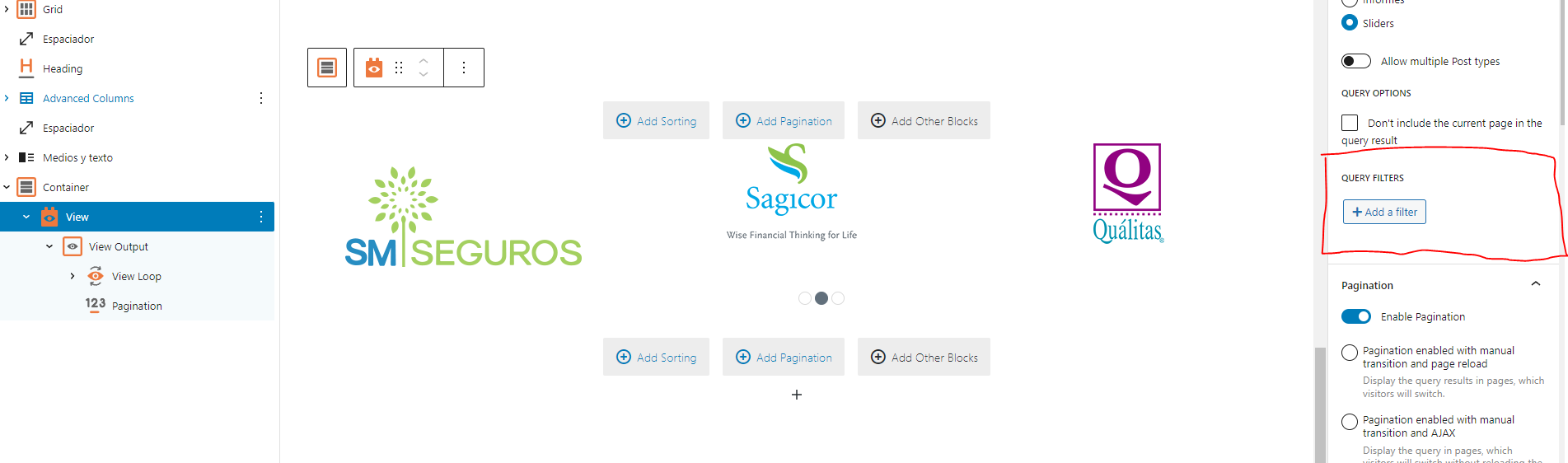
image.png

I am trying to: Edit activated query filters

Link to a page where the issue can be seen:

I expected to see: The query filters I have previously activated

Instead, I got: Cannot see query filters anymore in the right panel

#2602721

Nigel
Supporter

Les langues: Anglais (English ) Espagnol (Español )

Fuseau horaire: Europe/London (GMT+01:00)

Hi there

You had previously added Query Filters to this View block, and now when you return to edit them they are no longer there?

What happens if you click the Query Filter button, can you add the missing filters back, save the page, and reload it. Do the filters you just added still appear?

The topic ‘[Closed] Query filters in block editor disappear after activation’ is closed to new replies.