Passer la navigation

[Résolu] Preventing a slider from auto-advancing

This support ticket is created Il y a 4 years, 7 months. There's a good chance that you are reading advice that it now obsolete.

This is the technical support forum for Toolset - a suite of plugins for developing WordPress sites without writing PHP.

Everyone can read this forum, but only Toolset clients can post in it. Toolset support works 6 days per week, 19 hours per day.

Sun Mon Tue Wed Thu Fri Sat
- 9:00 – 12:00 9:00 – 12:00 9:00 – 12:00 9:00 – 12:00 9:00 – 12:00 -
- 13:00 – 18:00 13:00 – 18:00 13:00 – 18:00 14:00 – 18:00 13:00 – 18:00 -

Fuseau horaire du supporter : America/Jamaica (GMT-05:00)

Ce sujet contient 4 réponses, a 2 voix.

Dernière mise à jour par Saul Baizman Il y a 4 years, 7 months.

Assisté par: Shane.

Auteur
Publications
#2212929

Hi there,

Is there a way to prevent a slider from automatically advancing to the next page? I can set the "Show each page for" field to be an absurdly large number, but is there a way to completely disable it?

Thanks.

Saul

#2213123

Shane
Supporter

Les langues: Anglais (English )

Fuseau horaire: America/Jamaica (GMT-05:00)

Hi Saul,

Thank you for getting in touch.

Can you provide a bit more information on how the slider was created perhaps even providing a screenshot ?

Thanks,
Shane

#2213143
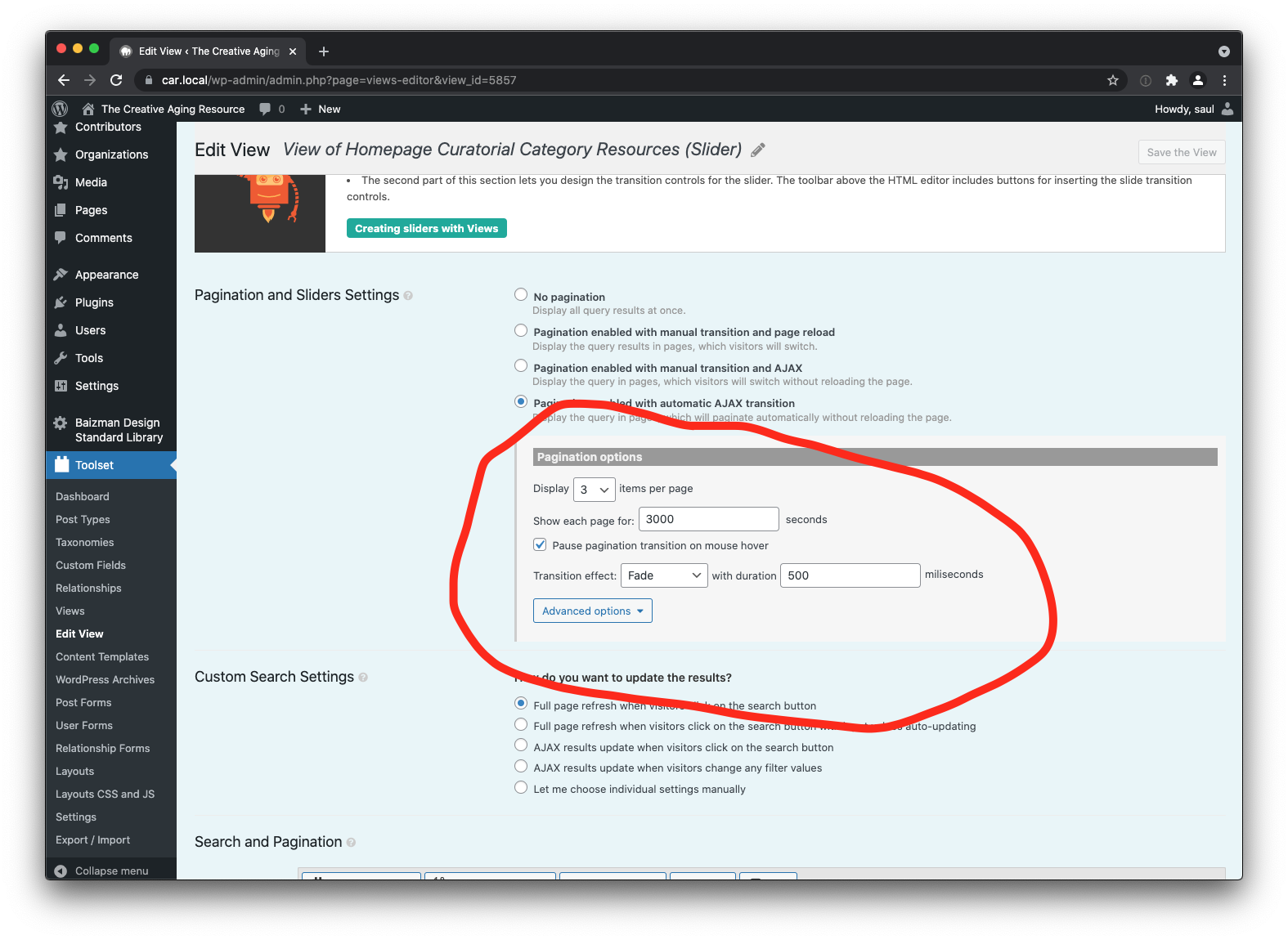
screenshot 2021-11-04 at 15.36.46.png

Shane,

Here's a screenshot. The default for sliders is to always advance to the next page after an interval of time. Maybe I could set that interval to 0 to prevent that behavior?

Saul

#2213175

Shane
Supporter

Les langues: Anglais (English )

Fuseau horaire: America/Jamaica (GMT-05:00)

Hi Saul,

If you don't want the slider to auto advance you can simply select the Manual Pagination with AJAX, where the user will need to click the next pagination option in order to see the next page.

This should resolve your issue.

Thanks,
Shane

#2213199

"Manual Pagination with AJAX" is exactly what I was looking for. Thank you, Shane!