Passer la navigation

[Résolu] permalink

This support ticket is created Il y a 3 years, 2 months. There's a good chance that you are reading advice that it now obsolete.

This is the technical support forum for Toolset - a suite of plugins for developing WordPress sites without writing PHP.

Everyone can read this forum, but only Toolset clients can post in it. Toolset support works 6 days per week, 19 hours per day.

Sun Mon Tue Wed Thu Fri Sat
- 10:00 – 13:00 10:00 – 13:00 10:00 – 13:00 10:00 – 13:00 10:00 – 13:00 -
- 14:00 – 18:00 14:00 – 18:00 14:00 – 18:00 14:00 – 18:00 14:00 – 18:00 -

Fuseau horaire du supporter : Asia/Kolkata (GMT+05:30)

Ce sujet contient 1 reply, a 2 voix.

Dernière mise à jour par Minesh Il y a 3 years, 2 months.

Assisté par: Minesh.

Auteur
Publications
#2583229
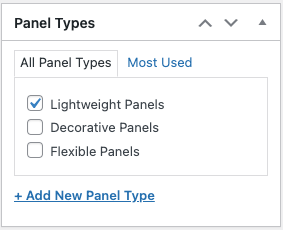
Screenshot 2023-03-29 at 2.00.45 PM.png
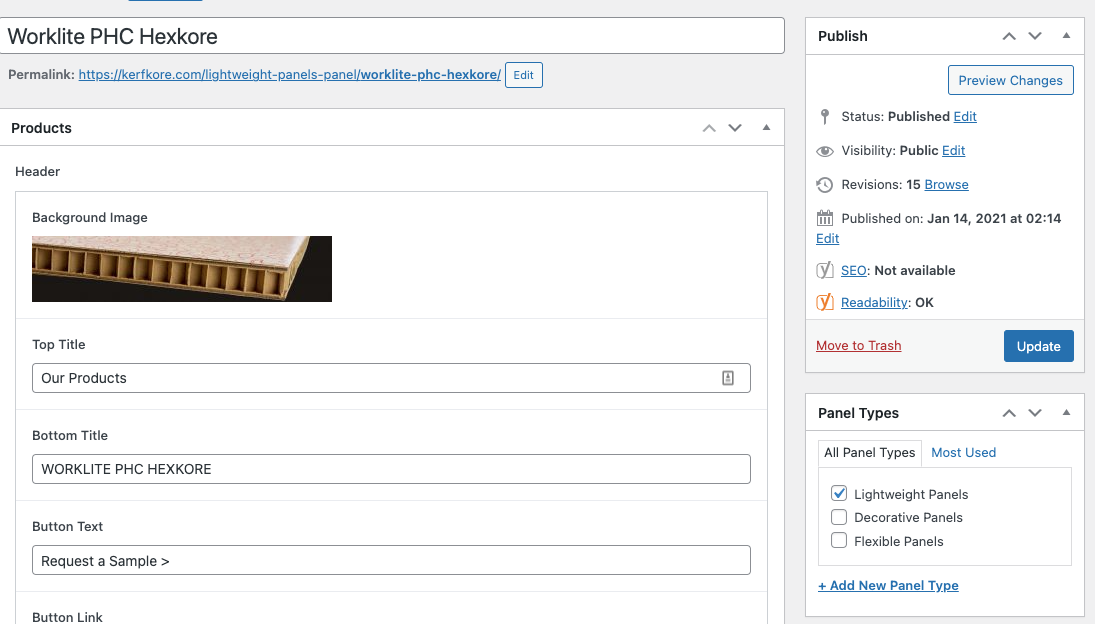
Screenshot 2023-03-29 at 1.56.02 PM.png

On the current live site, the product custom post type has a permalink that has a custom taxonomy appended to the front of the product name AND doesn't use /product/ in the permalink structure.

For example:
For a custom post product called "Worklite PHC Hexkore", having a Paneyl Type (custom taxonomy) of "Lightweight Panels", its permalink is: lien caché

However, on my staging site, it is lien caché

How do I set Toolset to make the permalink like it is on the live website - lien caché ?

thanks

#2583403

Minesh
Supporter

Les langues: Anglais (English )

Fuseau horaire: Asia/Kolkata (GMT+05:30)

Hello. Thank you for contacting the Toolset support.

Toolset do not offer any pretty URL management feature there is feature available to change the permalink for your post type from the edit post type screen but its limited and you can prepend the word you setup there.

I suggest you should use any of popular permalink plugin that should help you to resolve your issue.
=> https://wordpress.org/plugins/custom-permalinks/
=> https://wordpress.org/plugins/permalinks-customizer/