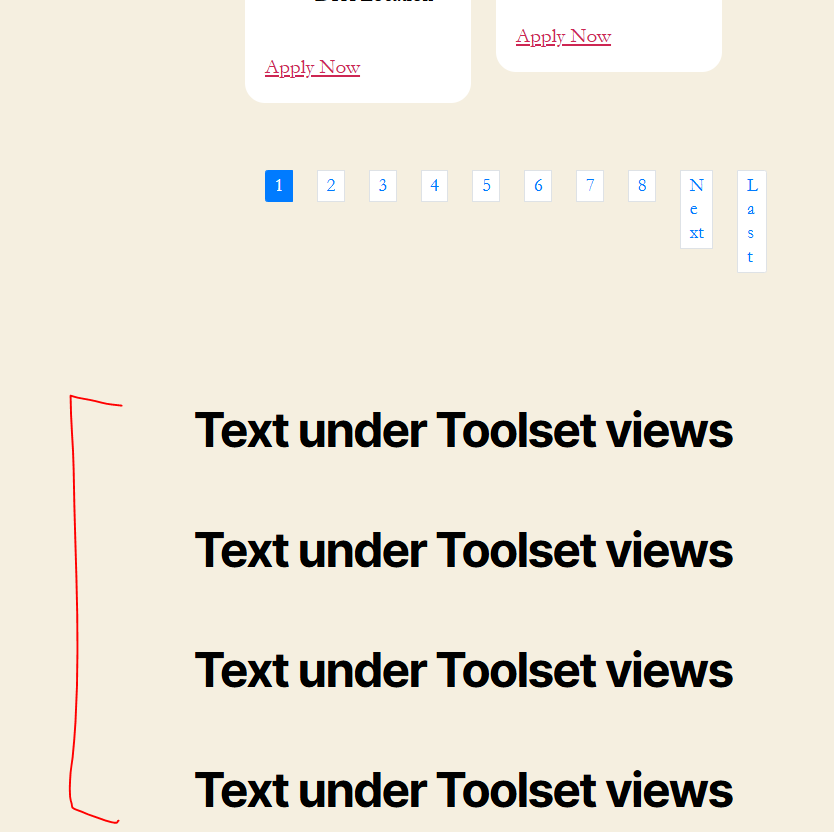
Yes, I already switch to twentytwentyone but issue still the same.
Check this page: lien caché
Check this new record video: lien caché
Same login as I shared previously.
Yes, you can disable plugins/themes if you want. Feel free to work.
Actually plugins already deactivated except toolset.

Minesh
Supporter
Les langues:
Anglais (English )
Fuseau horaire:
Asia/Kolkata (GMT+05:30)
Can you please check now: lien caché
There seems to be issue with one of the widgets added and now I removed all the widgets and I can see it does not jump much.
Maybe you want to try to use any of the recomonded theme from Toolset:
- https://toolset.com/documentation/recommended-themes/
It will work if there is no blocks/widget under the views. But if you try to add blocks under the views and click the pagination number, the issue still showing.
On this page, I added heading text. Check and click the pagination: lien caché
This is really strange.
I've created the following sandbox site and you can auto-login to it using the following link:
- lien caché
I've created the following page where I've added the custom search view with the pagination, almost all identical settings as per your site's view block and also added few heading blocks:
- lien caché
When I check on the frontend I do not see when I click on the pagination link it jumps or scroll:
- lien caché
The sandbox site is using latest WordPress version and PHP version 8.1.2.
Hi, I'm looking on your sandbox test website. Upon checking its still showing the issue on the pagination.
Pls watch this record video: lien caché
Any updates on this? Did you find out what caused the issue?
Hi Minesh, is this kind of issue not able to ressolve? Any your team can help and take a look on this pls? Very disappointed if you cannot able to ressolve this as this is on the toolset plugin itself. I'm waiting to your response
The issue seems to only happen when there is a image displyed within the view block loop.
If there is no image within the view block loop, there is no page scroll happend.
I've escalated the issue in front of our next level support. Please hold on for further updates.
Thank you for your response. Please update me once fix ASAP
Just changing the ticket status.
ok - please hold on for further update.