Passer la navigation

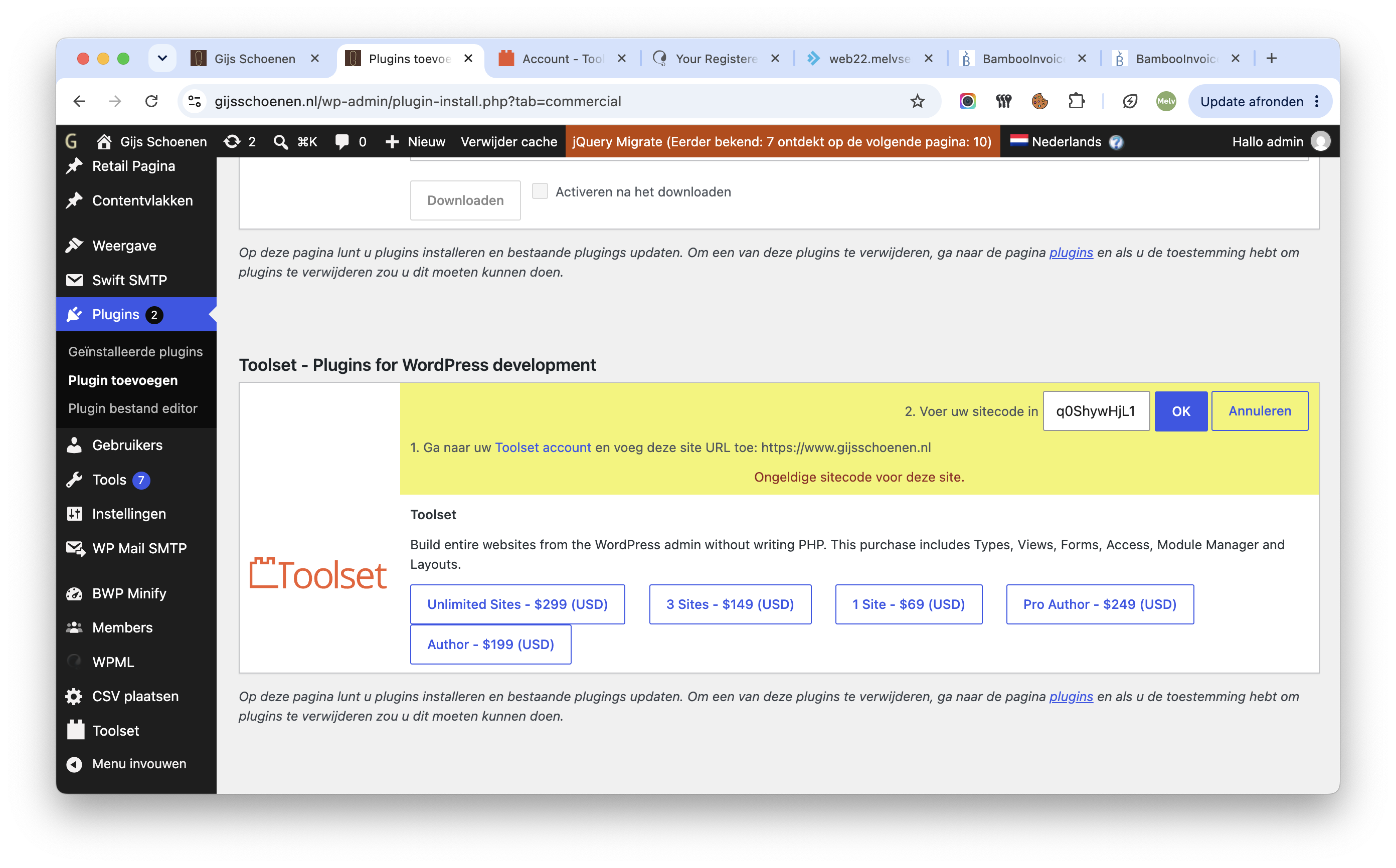
[Attente de la confirmation de l'utilisateur] not valid sitecode

This support ticket is created Il y a 4 days, 14 hours. There's a good chance that you are reading advice that it now obsolete.

This is the technical support forum for Toolset - a suite of plugins for developing WordPress sites without writing PHP.

Everyone can read this forum, but only Toolset clients can post in it. Toolset support works 6 days per week, 19 hours per day.

Sun Mon Tue Wed Thu Fri Sat
- 10:00 – 13:00 10:00 – 13:00 10:00 – 13:00 10:00 – 13:00 10:00 – 13:00 -
- 14:00 – 18:00 14:00 – 18:00 14:00 – 18:00 14:00 – 18:00 14:00 – 18:00 -

Fuseau horaire du supporter : Asia/Kolkata (GMT+05:30)

Ce sujet contient 2 réponses, a 1 voix.

Dernière mise à jour par stevenm-9 Il y a 4 days, 3 hours.

Assisté par: Minesh.

Auteur
Publications
#2879040
Scherm­afbeelding 2026-09-13 om 20.30.05.png

Tell us what you are trying to do? Trying to activate

Is there any documentation that you are following? yes, step by step, already succeeded with WPML

Is there a similar example that we can see? dont know

What is the link to your site? lien caché

#2879120

Minesh
Supporter

Les langues: Anglais (English )

Fuseau horaire: Asia/Kolkata (GMT+05:30)

Hello. Thank you for contacting the Toolset support.

Can you please try to follow the following steps:
- Make sure that you are logged in toolset.com.
- Go to https://toolset.com/account/sites and delete the row containing the existing Key from the table by clicking the trash icon.
- Go to "WordPress Dashboard > Plugins > Add New > Commercial (Tab)".
- Click the "Unregister Toolset" link. (If it shows as registered, if not ignore this step)
- Click the "Register Toolset" at the right section of the screen.
- Click the "Get a key for this site" link annotated in the screenshot below.
- A new page will open up and the auto-generated key will show in pop-up.
- Copy the key and paste it into the "Site Key" input box annotated in the screenshot below.
- Click the "OK" button.

More info:
- https://toolset.com/faq/how-to-install-and-register-toolset/#automatic-installation-once-you-have-otgs-installer-plugin-installed

#2879214

I'm having the exact same issue and have followed the steps in your reply and I just get an "Invalid site key for the current site." error.

I've tried to see how I can contact support directly on this but all of the support links go round in circles! If you can let me know an email address to contact I can send the details I'm used over so we can resolve it.

Les nouveaux fils créés par Minesh et associés à celui-ci sont repris ci-dessous :

https://toolset.com/fr/forums/topic/split-not-valid-sitecode-stevenm-9/