Passer la navigation

[En attente du retour de l'utilisateur] My registration key is not being accepted in WP

This support ticket is created Il y a 6 days, 16 hours. There's a good chance that you are reading advice that it now obsolete.

This is the technical support forum for Toolset - a suite of plugins for developing WordPress sites without writing PHP.

Everyone can read this forum, but only Toolset clients can post in it. Toolset support works 6 days per week, 19 hours per day.

Ce sujet contient 1 reply, a 1 voix.

Dernière mise à jour par - Il y a 6 days, 2 hours.

Assisté par: Christopher Amirian.

Auteur
Publications
#2883550
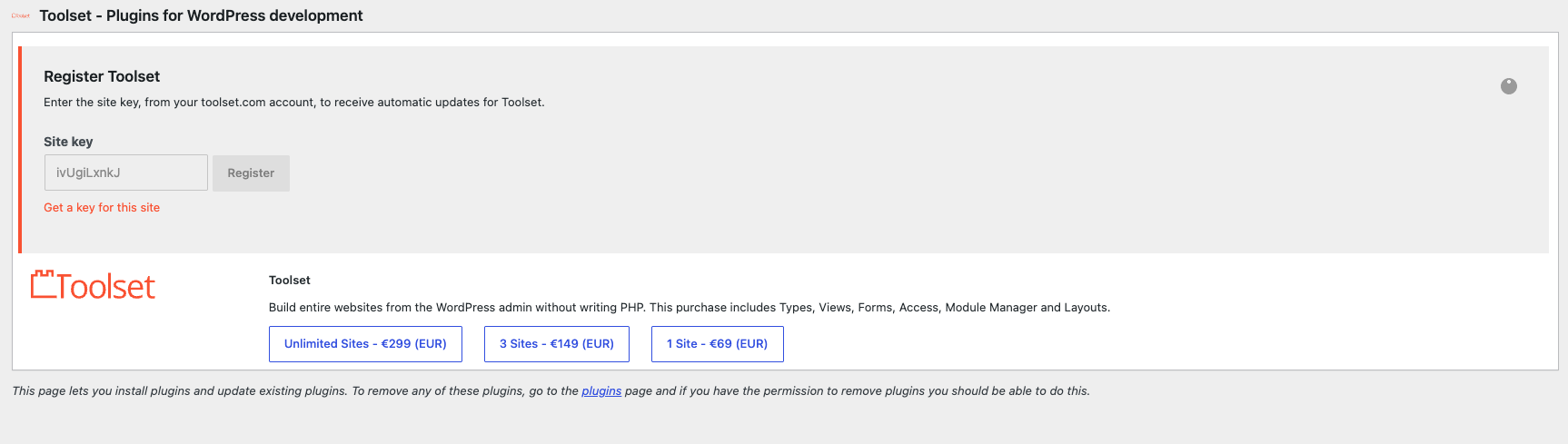
Screenshot 2026-09-28 at 8.08.50 AM.png

Tell us what you are trying to do?
I am trying to activate my Toolset plugin, but I only get an indefinite spinning wheel. I have tried to re-install the OTGS installer, but it has not helped.

Is there any documentation that you are following?

Is there a similar example that we can see?

What is the link to your site?
lien caché

#2883731

Christopher Amirian
Supporter

Les langues: Anglais (English )

Hi,

Welcome to Toolset support. Would you please do as follows?

- IMPORTANT STEP! Create a backup of your website. Or better approach will be to test this on a copy/staging version of the website to avoid any disruption of a live website.
- Switch to the default theme such as "TwentyTwenty" by going to "WordPress Dashboard > Appearance > themes".
- Go to "WordPress Dashboard > Plugins" and deactivate all plugins except:
. Toolset Types (Or OTGS Installer)
- Go to WP Dashboard > Plugins > Add New > Commercial (tab)
- Click the Get a Key option and paste the key into the proper input field
- See if that works
- If yes, please enable the other plugin and the theme.

Thanks.