Passer la navigation

[Résolu] Mobile Images Won't Align to Center

This support ticket is created Il y a 1 year, 8 months. There's a good chance that you are reading advice that it now obsolete.

This is the technical support forum for Toolset - a suite of plugins for developing WordPress sites without writing PHP.

Everyone can read this forum, but only Toolset clients can post in it. Toolset support works 6 days per week, 19 hours per day.

Ce sujet contient 1 reply, a 2 voix.

Dernière mise à jour par Christopher Amirian Il y a 1 year, 8 months.

Assisté par: Christopher Amirian.

Auteur
Publications
#2741109
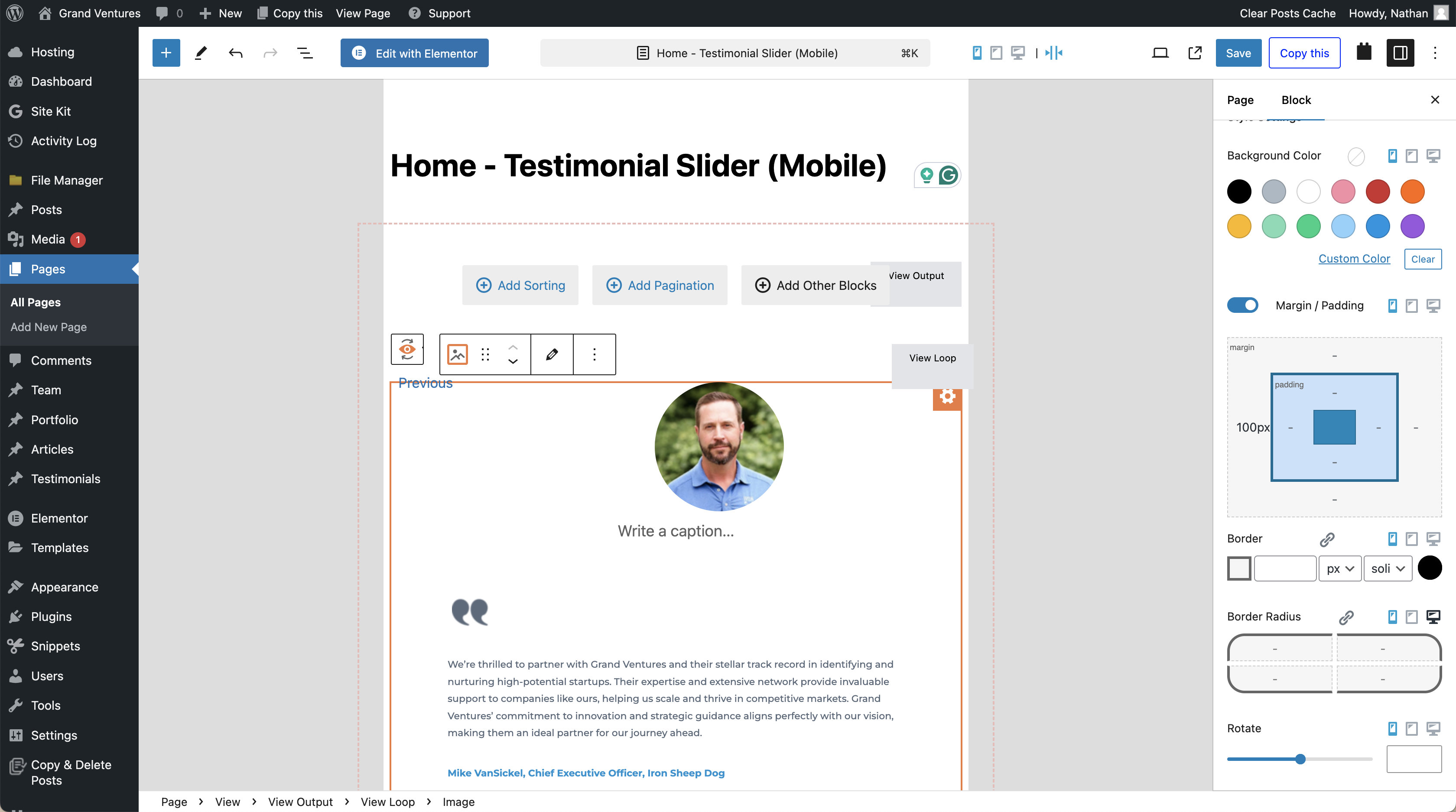
Screenshot 2024-09-06 at 7.07.59 PM.png
Screenshot 2024-09-06 at 7.07.27 PM.png

Tell us what you are trying to do? Mobile images will not align to center, even when the align to center block is selected in the Layout Customization settings. This is an issue in all mobile views, but I've added padding in the Style Settings to the left side to push the image to the center to temporarily resolve this. I've removed the padding from the "Home - Testimonial Slider (Mobile)" so that you can see the issue.

Is there any documentation that you are following? No.

Is there a similar example that we can see? No.

What is the link to your site? lien caché

#2741999

Christopher Amirian
Supporter

Les langues: Anglais (English )

Hi,

It seems that your theme has CSS code that overrides the default WordPress block editor positioning.

I found out that if you add the CSS code below to your theme it fixes the issue:

.wp-block-image {
    text-align: center;
}

Thanks.