Passer la navigation

[Résolu] Member site tutorial – "Show Content Template" not shown

This support ticket is created Il y a 3 years, 8 months. There's a good chance that you are reading advice that it now obsolete.

This is the technical support forum for Toolset - a suite of plugins for developing WordPress sites without writing PHP.

Everyone can read this forum, but only Toolset clients can post in it. Toolset support works 6 days per week, 19 hours per day.

Ce sujet contient 2 réponses, a 2 voix.

Dernière mise à jour par andreasK-15 Il y a 3 years, 8 months.

Auteur
Publications
#2471239
Screen Shot 2022-10-06 at 7.34.43 pm.png

Tell us what you are trying to do?
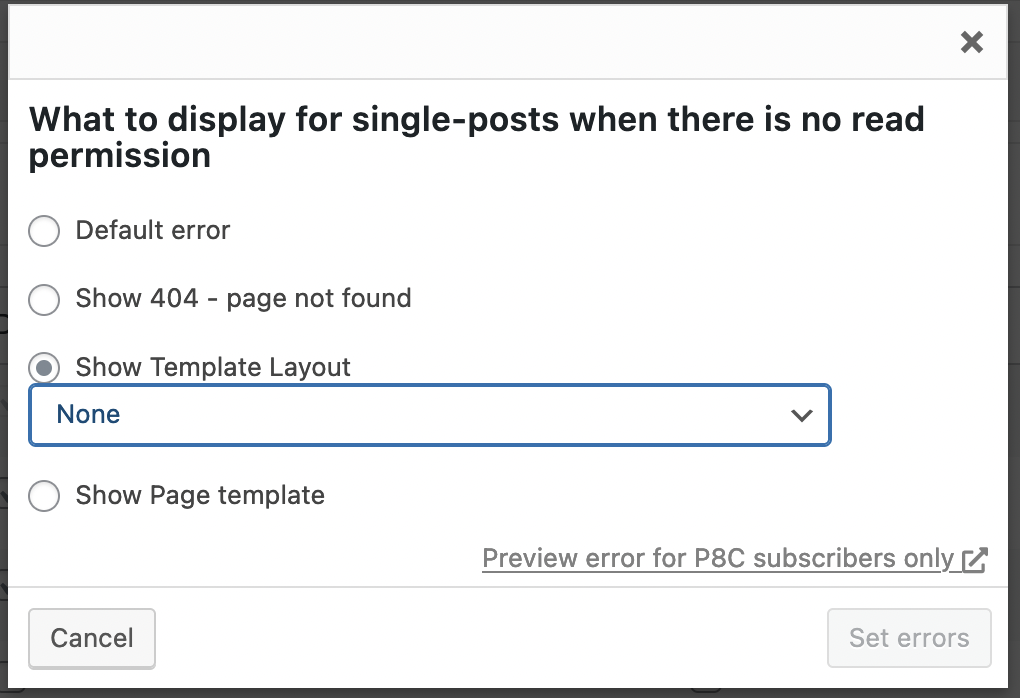
I'm following the "Member site tutorial" and I'm stuck on the section where to select "Show Content Template". This option is not shown for me. I get the following options instead: "Show Template Layout" and "Show Page template" (see also attached screenshot) but none of them give me the option to select my newly created "Login page" content template.
Is there any documentation that you are following?
Yes: https://toolset.com/lesson-placement/lesson-placements-1645837-1622351/
Is there a similar example that we can see?
No.
What is the link to your site?
lien caché

#2471369

Nigel
Supporter

Les langues: Anglais (English ) Espagnol (Español )

Fuseau horaire: Europe/London (GMT+01:00)

Do you have the Layouts plugin installed on your site?

This is a legacy plugin maintained for use on existing sites.

If you are starting a new project you will not need it and can delete it.

#2473017

Thanks Nigel! My issue is resolved now.