Passer la navigation

[Résolu] Malfunctioning

This support ticket is created Il y a 3 years, 7 months. There's a good chance that you are reading advice that it now obsolete.

This is the technical support forum for Toolset - a suite of plugins for developing WordPress sites without writing PHP.

Everyone can read this forum, but only Toolset clients can post in it. Toolset support works 6 days per week, 19 hours per day.

Sun Mon Tue Wed Thu Fri Sat
- 9:00 – 13:00 9:00 – 13:00 9:00 – 13:00 9:00 – 13:00 9:00 – 13:00 -
- 14:00 – 18:00 14:00 – 18:00 14:00 – 18:00 14:00 – 18:00 14:00 – 18:00 -

Fuseau horaire du supporter : Asia/Hong_Kong (GMT+08:00)

Ce sujet contient 8 réponses, a 3 voix.

Dernière mise à jour par omriB Il y a 3 years, 6 months.

Assisté par: Luo Yang.

Auteur
Publications
#2490335

Hi there,

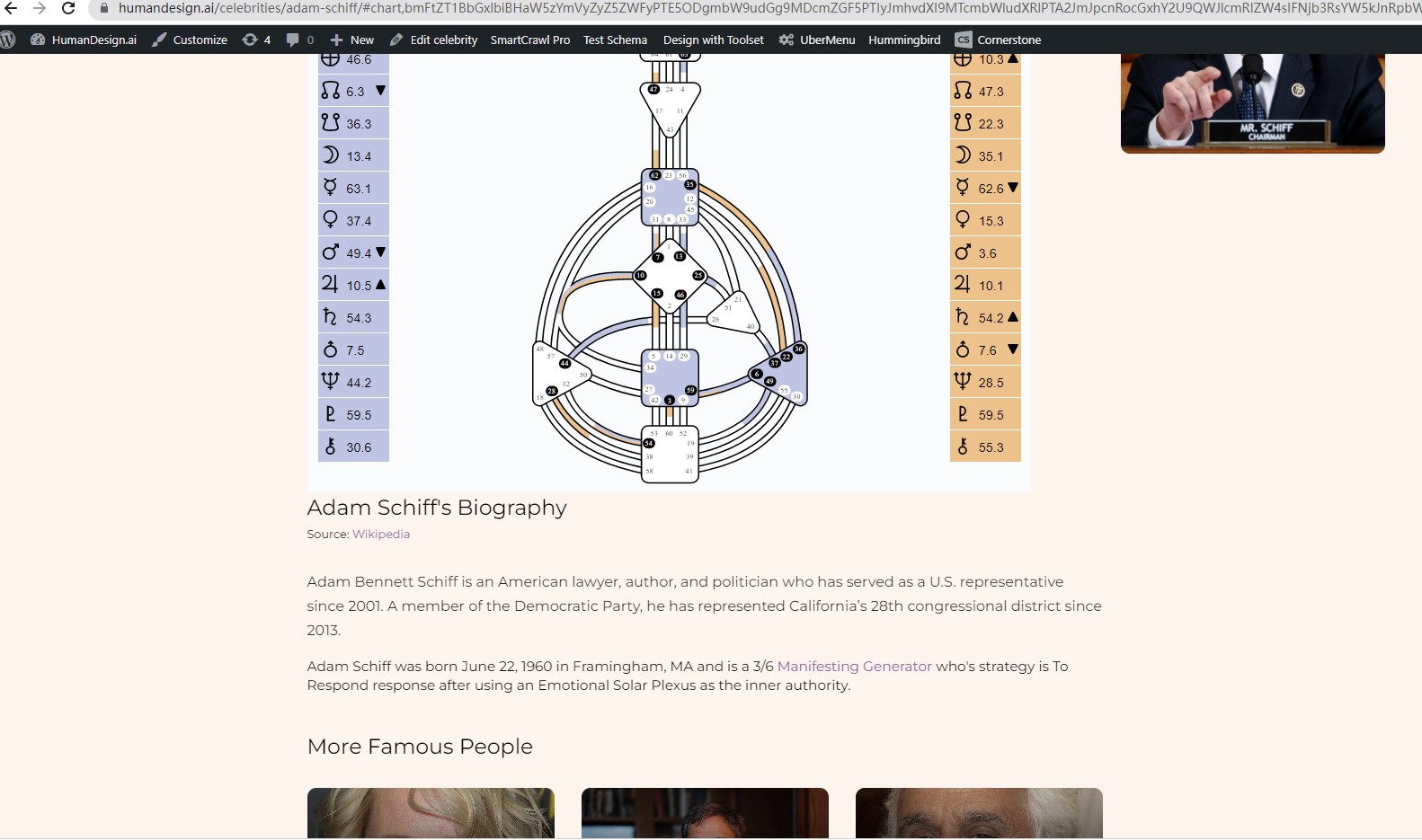
Since the update to 6.1, there are many issues with views. For some reason the post body is getting mixed up with the featured image (archive) and vice versa.

This wasn't a problem before.

#2490995

Nigel
Supporter

Les langues: Anglais (English ) Espagnol (Español )

Fuseau horaire: Europe/London (GMT+01:00)

Hi there

You have given us access to your site.

Could you give us some specific examples of what we should look at to see the problems?

Thanks.

#2491061

Hi Nigel,

Thanks for your response.

Actually its difficult to give you an example, because it seems to happen intermittently, hence my screenshots.

However, if you goto lien caché and click on a few different celebrities/related celebrities, hopefully you'll see what i mean. It's only start happening since WP v6.1 rolled out. Was fine before.

Kind Regards
Kyle

#2491677
celebrities.jpg

Hello,

I have tried it in your website with below steps:
1) Login into your website
2) Open the URL you mentioned above:
lien caché
3) Click some of the celebrities/related celebrities post links
I don't see the problem you mentioned above:

the post body is getting mixed up with the featured image (archive) and vice versa.

See my screenshot celebrities.jpg

Please provide detail steps to reproduce the same problem, thanks

#2491743
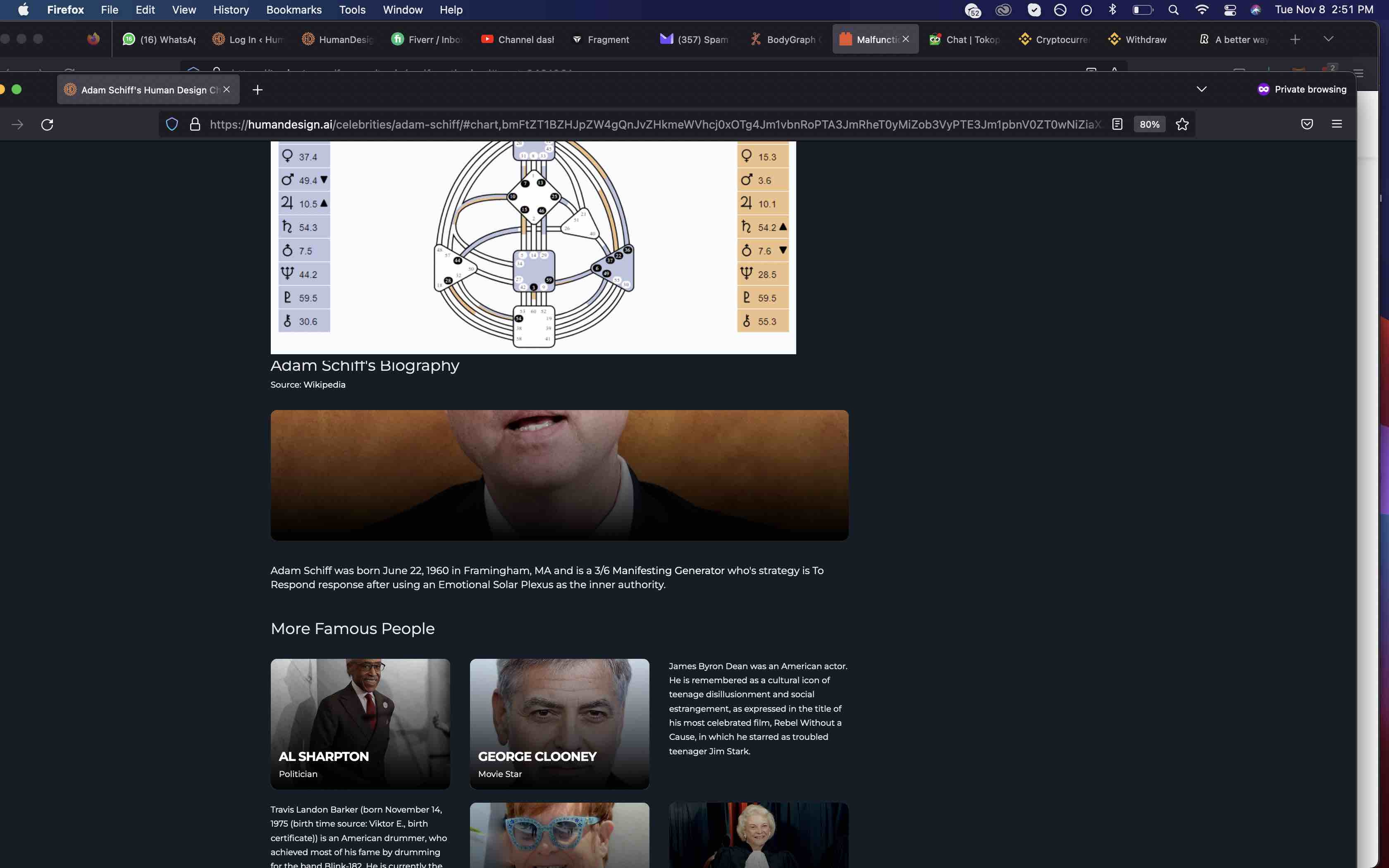
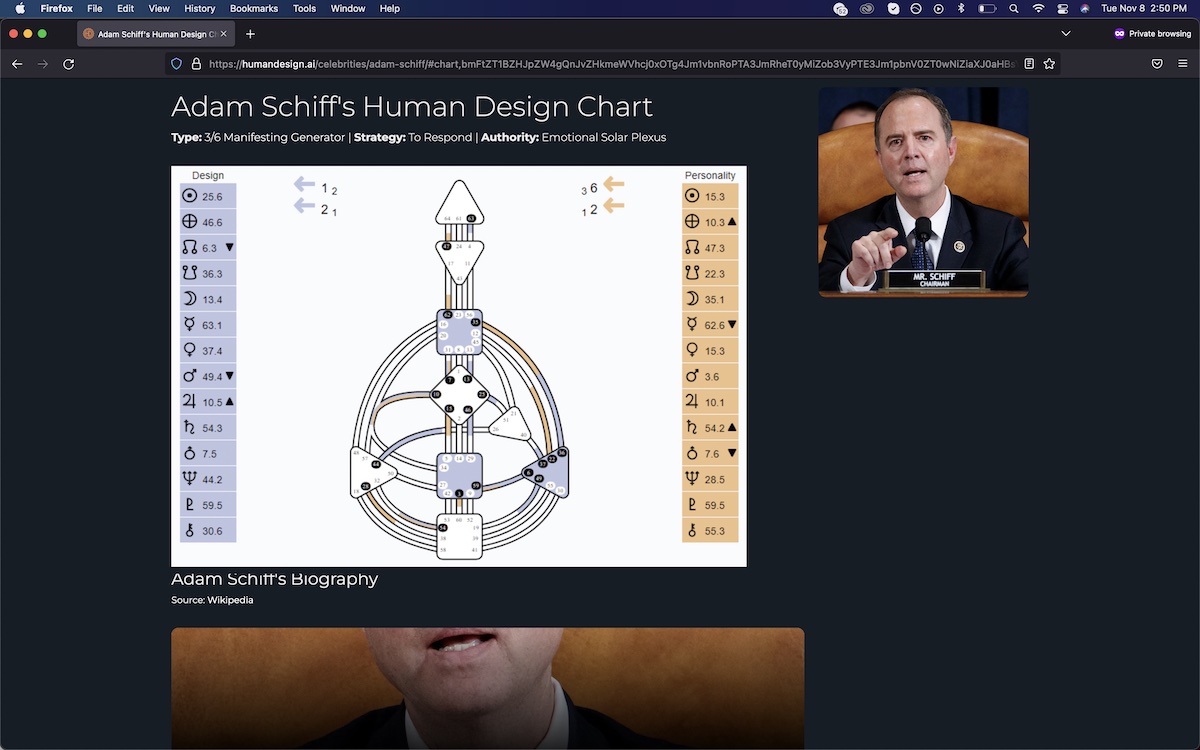
Screen Shot 2022-11-08 at 2.51.50 PM.jpg
Screen Shot 2022-11-08 at 2.50.28 PM.jpg

Hi bro,

did you see my original screenshots?

This is what I see when I click on the same link in a private browser. No specific steps, just goto website > famous people > adam

See what i mean by the description showing up as the post body and vice versa.

#2492463

I did not see your original screenshots:
https://toolset.com/forums/topic/malfunctioning/#post-2490335

And I have checked it in your website again, the problem occurs only for guests(Non-logged-in users), can you confirm it?

1) You are not using Toolset content template to design the single "celebrities" post:
lien caché

2) You are using other plugins(cornerstone) to design the single "celebrities" post, the featured image is outputted from their layout, see it here:
lien caché

This is out the range of Toolset support, I suggest you check it with cornerstone support.

#2493601
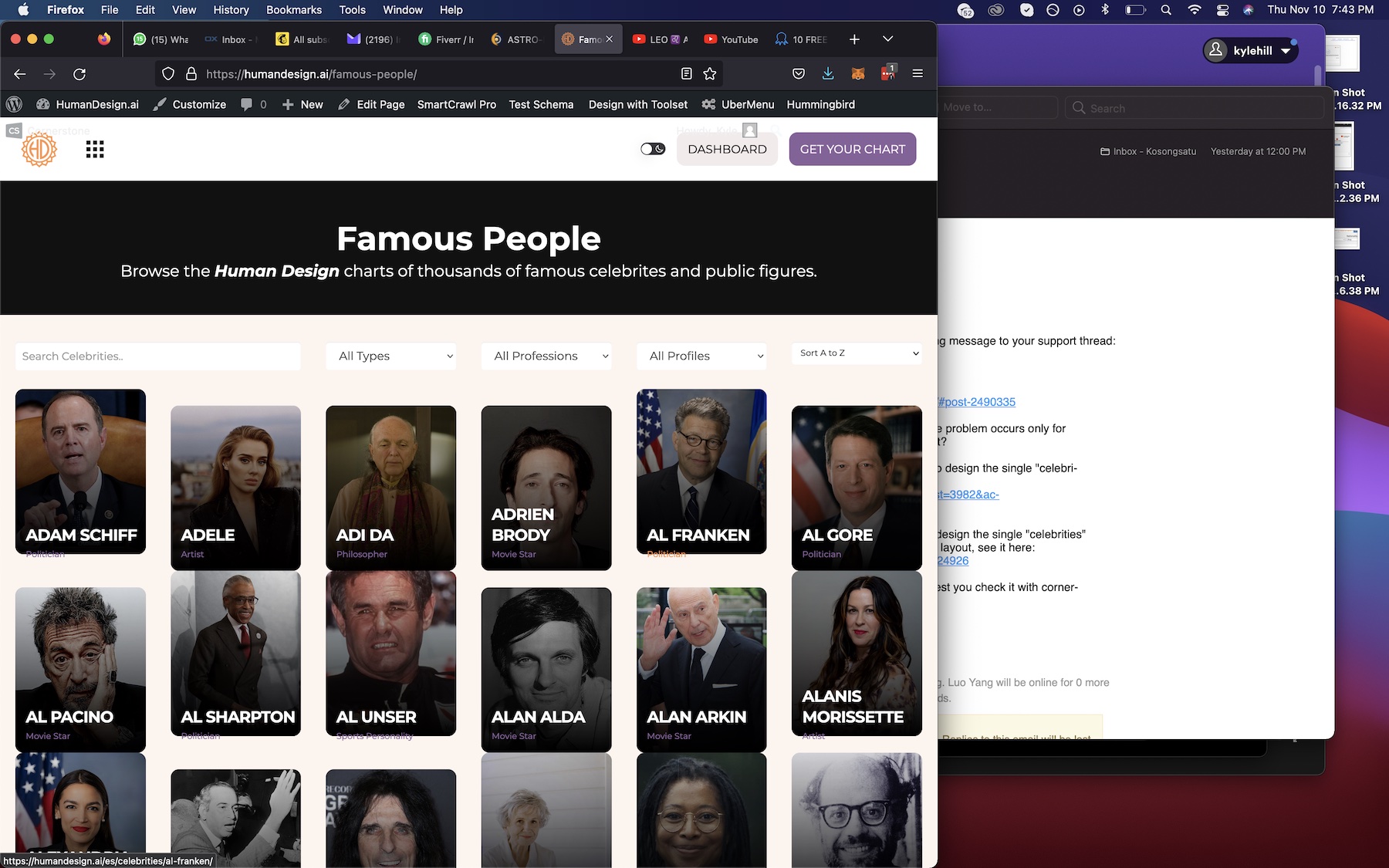
Screen Shot 2022-11-10 at 7.43.11 PM.jpg

Hi Luo,

I'm sure its actually an issue with toolset, because if you look at my archive page here lien caché

it's all messed up and is purely toolset (using a views shortcode)

I swear this wasn't a problem before 6.1. Would really appreciate your help.

#2494215

For the new issue:

it's all messed up and is purely toolset (using a views shortcode)

I have done below modifications in your website:
1) Edit the post view "Celeb filter":
lien caché
in section "Loop Editor" change all content template shortcodes from:
[wpv-post-body view_template="loop-item-in-celeb-filter"]
To:
[wpv-post-body view_template="loop-item-in-celeb-filter" suppress_filters="true"]

Please test again, check if it is fixed, there should be other plugin/theme in your website change the outputs

More help:
https://toolset.com/documentation/user-guides/views-shortcodes/#wpv-post-body
If suppress_filters=’true’, all third party (non WordPress) filters hooked into the_content filter will be removed, when retrieving the post body.

#2494245

My issue is resolved now. Thank you!