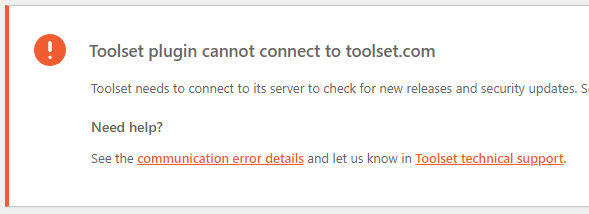
I am trying to: Get rid of annoying warning dialog
Link to a page where the issue can be seen:
lien caché
I expected to see: That the plugin can connect to Toolset, which it does
Instead, I got: An apparently invalid warning, since the plugin is connecting and updating just fine.
// Security plugin is disabled and caching plugin is cleared.
Hello,
Thank you for getting in touch.
I'm assuming here that your site key is valid. If such is the case then you can go to Dashboard -> Updates and click on Check again.
Once you've done this please let me know if the message is still displaying.
Thanks,
Shane
Hi,
Yes, the key is valid, the product is working, and I had done all that before writing. I've reset this multiple times.
The warning message shows up on the plugins home page, as well as any page in that part of the site.
lien caché
lien caché
etc.
The most likely cause of this is that this website had a different domain before. This site was previously registered for the subdomain
lien caché
However, I've taken all the obvious steps such as removing the original key/registration and setting up a new one.
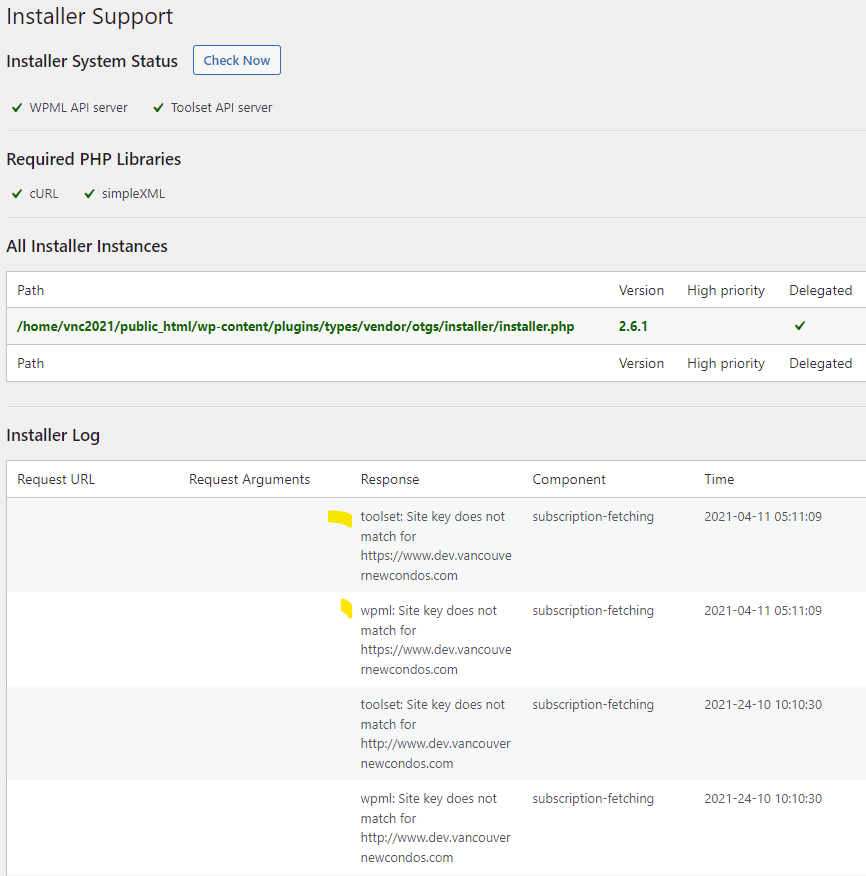
Also, the website was previously using WPML. I've since removed that plugin, but I still see it mentioned on this screen:
lien caché
The errors there include,
toolset: Site key does not match for lien caché
wpml: Site key does not match for lien caché
I tried to reset the file "installer.php" by temporarily hiding it, but that breaks the site.
/wp-content/plugins/types/vendor/otgs/installer/installer.php
Hopefully the attached helps. Otherwise I guess you'd have to log in to see it.
Maybe I should remove the Toolset plugin(s) and reinstall them. Is it generally safe to do that without losing settings?
Just to clarify: although the annoying error message says "cannot connect to Toolset", it connects just fine.
The connection itself is not the problem; the plugin is updating and working perfectly.
It's just the existence of a nuisance warning, and the inability to get any new site key I generate to stop that false "mismatch" error, that I'm reporting.
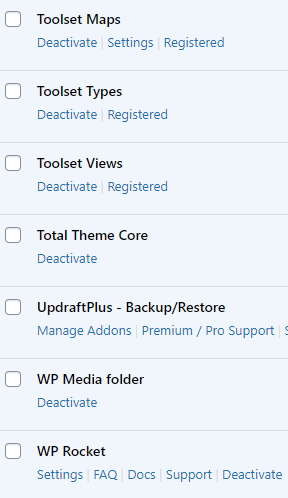
...and I meant to repeat: although you will see WP Rocket installed, that's not what's causing this. Caching was cleared, and also I disabled it before as a test.
I don't see any other plugin here that would cause a conflict.
Hello,
I'm aware this isn't a conflict. My though here is for you to regenerate the site kay based on the error from your screenshot.
The best way to generate the site key is by following the instructions in the link below.
https://toolset.com/faq/how-to-install-and-register-toolset/#automatic-installation-once-you-have-types-plugin-installed
Paying close attention to step 3.
Usually i've seen this occur when users copy and paste their website URLs to register their plugin but it is always best to let our installer automatically get the URL.
Thanks,
Shane
Hi Shane,
That sounded promising. As you supposed, I was previously creating the key on your site by pasting the URL manually. So I followed step 3 and used the auto-registration method this time (after removing the key on both sides first).
Although the new key works and the website connects to Toolset just fine, that nuisance warning is still there at top of page.
I have to consider it a bug, but it's not a critical one. As you can tell from the domain above, it's actually a temp dev site and not really important. So I'm OK to just let this go since the client is not seeing it.
(FYI I had tried registering this site with the "dev site" checkbox both ticked and unticked, just out of curiosity. Since we have an unlimited license, I'm currently not actually using 'dev' status for this.)
Hello,
Given that the key now validates you should be able to remove the message by going to Dashboard -> Updates and clicking on check again.
Thanks,
Shane
Hi,
Actually I just checked and I see that the subscription error is now gone:
Subscriptions updated successfully. subscription-fetching 2021-05-11 05:11:24
And with that, the annoying warning dialog is also gone. I didn't have to refresh anything.
I think I just didn't wait long enough before writing my last note. It must have taken an interval for things to sync up after doing the key setup properly.
So the conclusion is: don't register the domains manually, and then wait longer after redoing it automatically. 🙂
Thanks Shane.