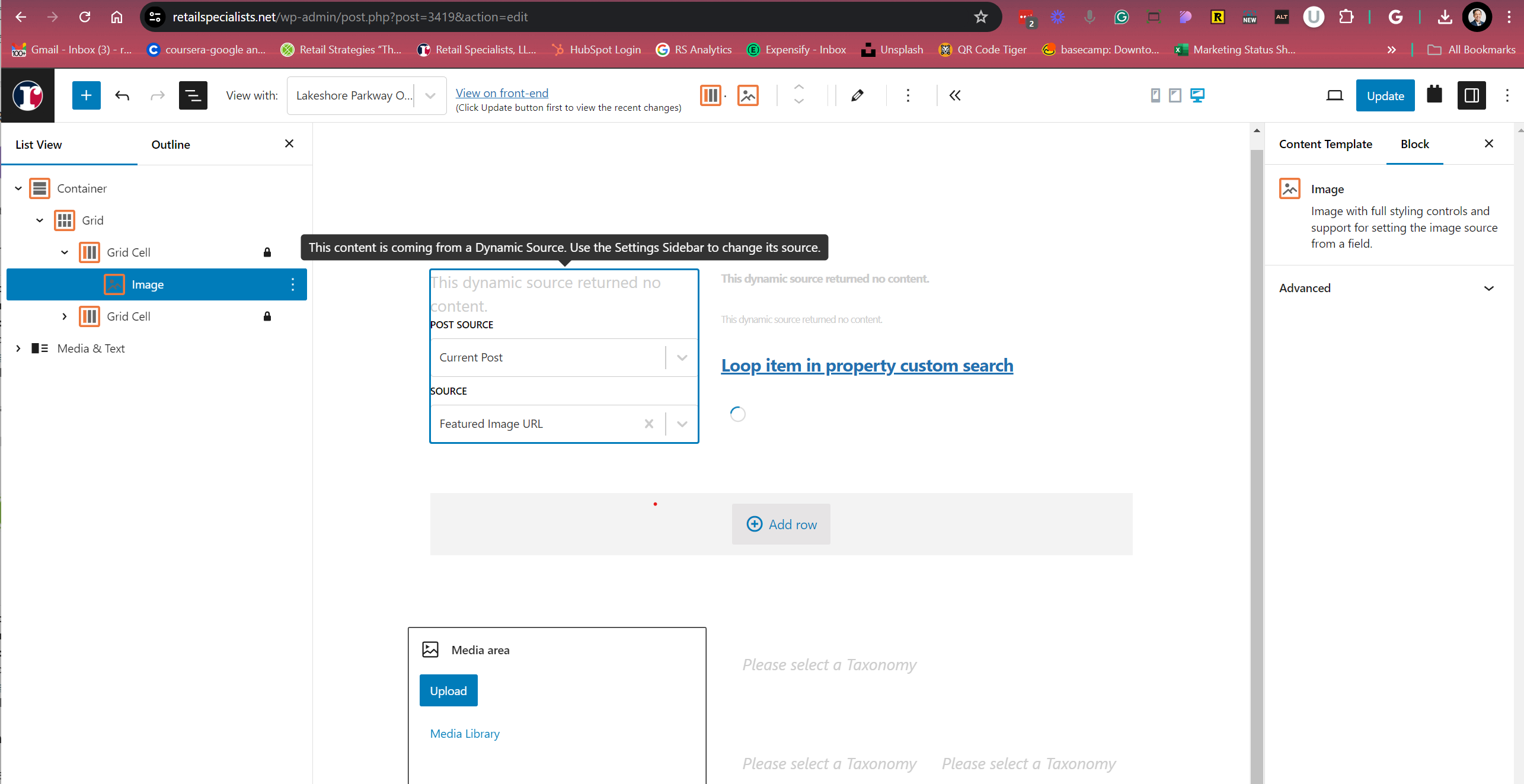
Tell us what you are trying to do? To create an image block with a cropped size (so all images will be square instead of using the aspect ratio) -- notice on the right sidebar: no options will show up for sizing or cropping. They show up for media files, but once the source is set to Dynamic they disappear.
Ok, I figured out is was a plugin conflict. I was using several Meow Apps plugins (2 for images, renaming, cleaning, seo, etc). Once I deactivated them the options reappeared.
I was wrong... when I disabled those apps I had inadvertently set the Image source to a media image instead of Dynamic source.
Ooops. (Debug info attached)
And yes, I have set the content template to "post".
There are 2 Javascript errors:
contentScript.bundle.js:1
GET lien caché net::ERR_NAME_NOT_RESOLVED
(anonymous) @ contentScript.bundle.js:1
u.a @ contentScript.bundle.js:1
242 @ contentScript.bundle.js:1
u @ contentScript.bundle.js:1
(anonymous) @ contentScript.bundle.js:1
(anonymous) @ contentScript.bundle.js:1
Show 6 more frames
Show lessUnderstand this error
contentScript.bundle.js:1
Uncaught (in promise) TypeError: Failed to fetch
at contentScript.bundle.js:1:16680
at u.a (contentScript.bundle.js:1:23288)
at 242 (contentScript.bundle.js:1:16591)
at u (contentScript.bundle.js:1:22793)
at contentScript.bundle.js:1:23909
at contentScript.bundle.js:1:23917
Can you please share problem URL where I can see the issue as well as admin access details.
*** Please make a FULL BACKUP of your database and website.***
I would also eventually need to request temporary access (WP-Admin and FTP) to your site. Preferably to a test site where the problem has been replicated if possible in order to be of better help and check if some configurations might need to be changed.
I have set the next reply to private which means only you and I have access to it.
The topic ‘[Closed] image block loses settings when set to Dynamic Source’ is closed to new replies.