Passer la navigation

[Résolu] I was prompted to enter a toolset key for this site, but my key is not accepted

This support ticket is created Il y a 2 weeks, 3 days. There's a good chance that you are reading advice that it now obsolete.

This is the technical support forum for Toolset - a suite of plugins for developing WordPress sites without writing PHP.

Everyone can read this forum, but only Toolset clients can post in it. Toolset support works 6 days per week, 19 hours per day.

Sun Mon Tue Wed Thu Fri Sat
- 10:00 – 13:00 10:00 – 13:00 10:00 – 13:00 10:00 – 13:00 10:00 – 13:00 -
- 14:00 – 18:00 14:00 – 18:00 14:00 – 18:00 14:00 – 18:00 14:00 – 18:00 -

Fuseau horaire du supporter : Asia/Kolkata (GMT+05:30)

Ce sujet contient 1 reply, a 1 voix.

Dernière mise à jour par - Il y a 2 weeks, 2 days.

Assisté par: Minesh.

Author
Publications
#2888780
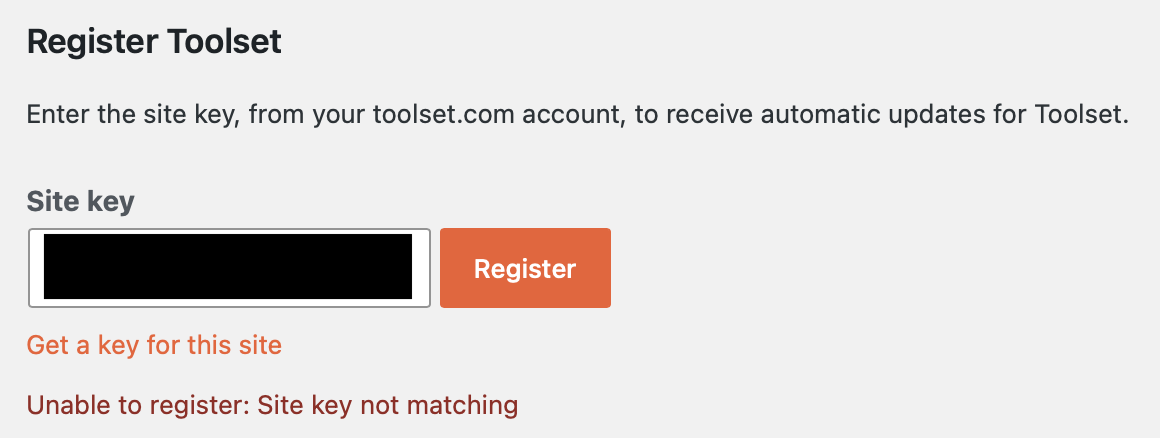
ToolsetKeyProblem-Oct26.png

Tell us what you are trying to do? Update existing plugins.

Is there any documentation that you are following? Simply the OTGS Installer window. See attachment for error msg.

Is there a similar example that we can see? [I did not have this problem with another site I just updated, aldercreek.org]

What is the link to your site? lien caché

#2888877

Minesh
Supporter

Les langues: Anglais (English )

Fuseau horaire: Asia/Kolkata (GMT+05:30)

Hello. Thank you for contacting the Toolset support.

Please try to delete the existing site key.

Have you installed and activated Toolset Types plugin?

Could you please send me debug information that will help us to investigate your issue.
=> https://toolset.com/faq/provide-debug-information-faster-support/

What if you try to follow the following steps:
- Deactivate and Delete all Toolset plugins from plugins page
- Download the latest Toolset Types plugin from your accounts page:
=> https://toolset.com/account/downloads/
- Upload and activate first Types plugin and then try to register a new site key by following the steps given with the following link:

Here is the Doc:
=> https://toolset.com/faq/how-to-install-and-register-toolset/#automatic-installation-once-you-have-types-plugin-installed