Passer la navigation

[Résolu] How to make linkable the image in a view

This support ticket is created Il y a 4 years, 8 months. There's a good chance that you are reading advice that it now obsolete.

This is the technical support forum for Toolset - a suite of plugins for developing WordPress sites without writing PHP.

Everyone can read this forum, but only Toolset clients can post in it. Toolset support works 6 days per week, 19 hours per day.

Sun Mon Tue Wed Thu Fri Sat
9:00 – 13:00 9:00 – 13:00 9:00 – 13:00 9:00 – 13:00 - - 9:00 – 13:00
14:00 – 18:00 14:00 – 18:00 14:00 – 18:00 14:00 – 18:00 - - 14:00 – 18:00

Fuseau horaire du supporter : Africa/Casablanca (GMT+01:00)

Marqué : ,

Ce sujet contient 4 réponses, a 3 voix.

Dernière mise à jour par lucaC-7 Il y a 4 years, 8 months.

Assisté par: Jamal.

Auteur
Publications
#2187473
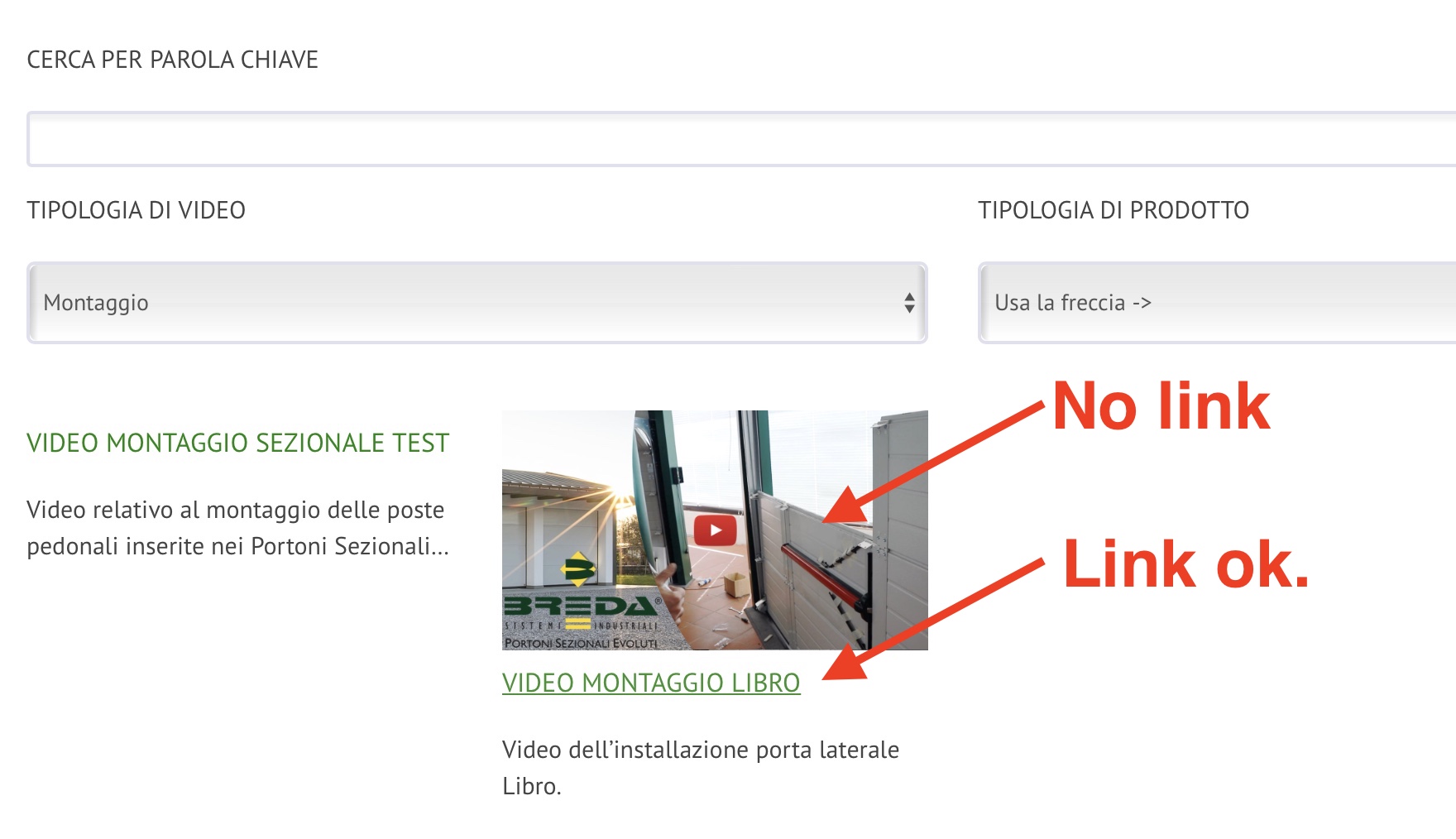
Schermata 2021-10-05 alle 08.50.58.jpg

Hi, in my view I use this loop item:

[types field='copertine-video' title='%%TITLE%%' alt='%%ALT%%' size='full'][/types]
<h6 class="titolomanuale">[wpv-post-link]</h6>
[wpv-post-excerpt length="80" more="..."]

How can I make the image (from a custom field) linkable to the "wpv-post-link"?

Thanks in advance.

#2187529

Nigel
Supporter

Les langues: Anglais (English ) Espagnol (Español )

Fuseau horaire: Europe/London (GMT+01:00)

If you are using shortcodes this way, then wrap your types shortcode to output the image with an anchor tag where the href is provided by the wpv-post-url shortcode, e.g.

<em><u>lien caché</u></em>
#2187533

Yeah!
This code works perfectly!

lien caché

#2187673

Hello there!

For support rules, we are able to handle only one issue at a time. This helps us to bring you a better service and also helps other users to find all the information here exposed. For that reason, I have to kindly ask you to mark this ticket as resolved.

Feel free to open a new ticket for any other question or request.

All the best,
Jamal

#2190585

My issue is resolved now. Thank you!