Passer la navigation

[Résolu] How to Display Custom Fields

This support ticket is created Il y a 4 years, 5 months. There's a good chance that you are reading advice that it now obsolete.

This is the technical support forum for Toolset - a suite of plugins for developing WordPress sites without writing PHP.

Everyone can read this forum, but only Toolset clients can post in it. Toolset support works 6 days per week, 19 hours per day.

Sun Mon Tue Wed Thu Fri Sat
- 9:00 – 12:00 9:00 – 12:00 9:00 – 12:00 9:00 – 12:00 9:00 – 12:00 -
- 13:00 – 18:00 13:00 – 18:00 13:00 – 18:00 14:00 – 18:00 13:00 – 18:00 -

Fuseau horaire du supporter : America/Jamaica (GMT-05:00)

Ce sujet contient 1 reply, a 2 voix.

Dernière mise à jour par Shane Il y a 4 years, 5 months.

Assisté par: Shane.

Auteur
Publications
#2244215
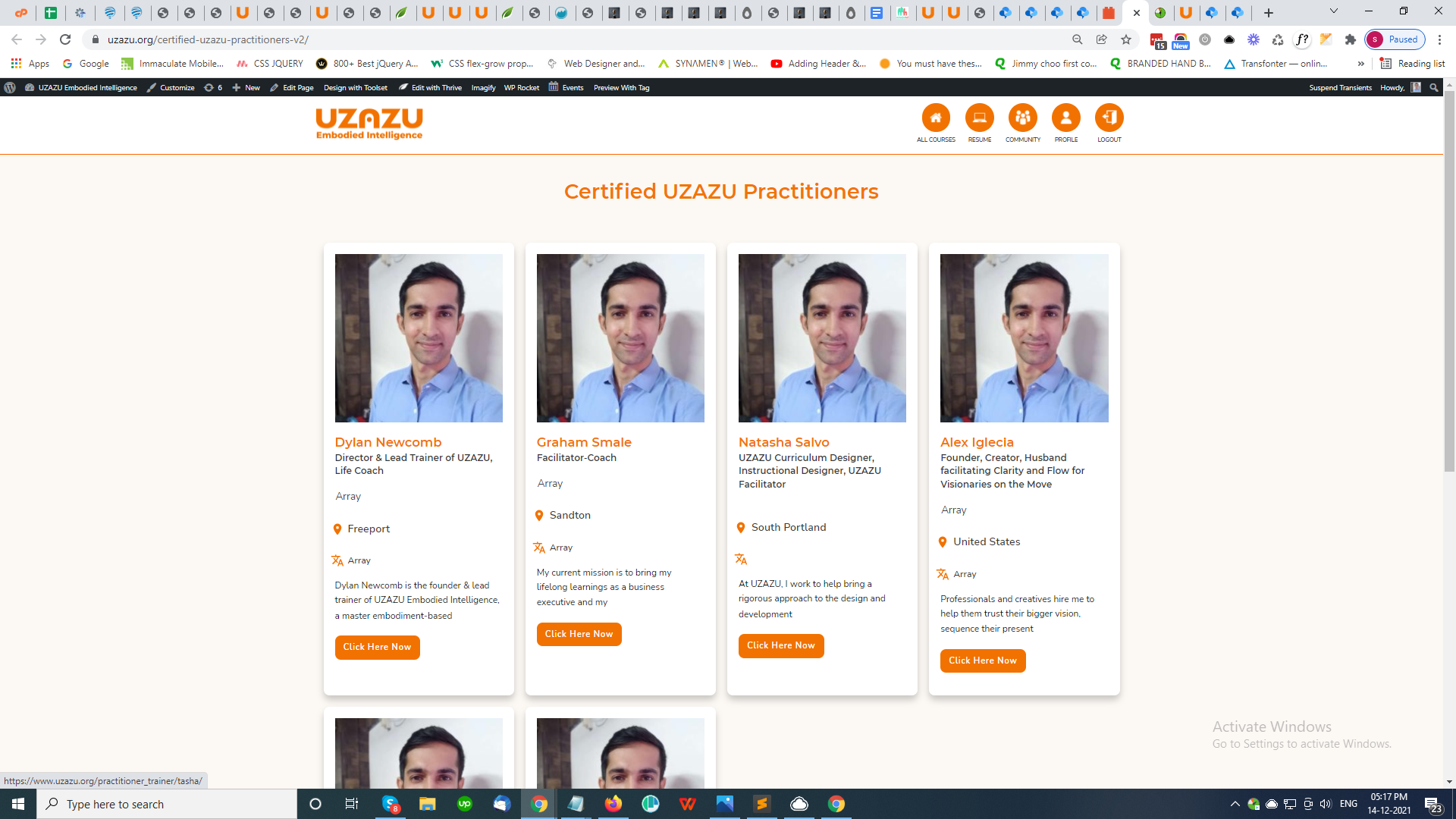
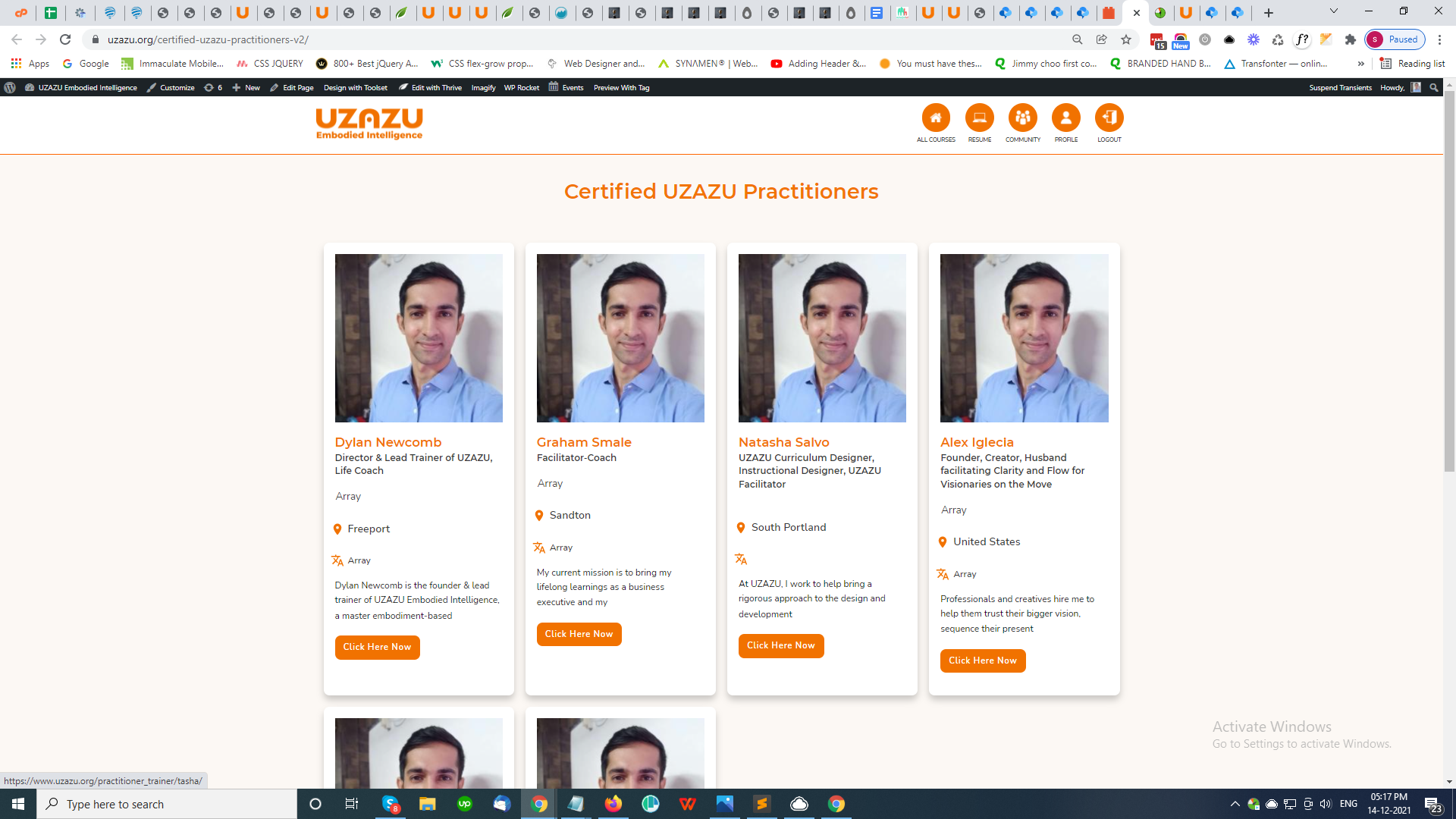
Screenshot (65).png
Screenshot (65).png

Hii Team
I am facing issue with displaying data of custom fields

Please check this video :-
lien caché

Credential
URL - lien caché
Username = admin@test.com
Password = NewSecure@123
Thanks

#2244523

Shane
Supporter

Les langues: Anglais (English )

Fuseau horaire: America/Jamaica (GMT-05:00)

Hi Dylan,

Thank you for getting in touch.

The reason why you're getting this "array" on the frontend is because the field data is stored as a serialised array in the database. Given that you're using some dynamic field option to pull the data from the field then it won't work. The template builder that you're using isn't going to format the array of terms so that they're readable.

To resolve this you will need to use our Toolset Types shortcode to display the information from this field. An example usage is.

[types field='field-slug'][/types]

Replace field-slug with the actual slug of your custom field.

For the images, this appears to be an issue with the page builder because when I edit the page using the page builder the correct images show up. So you will need to contact the support team for the builder for them to debug this one for you.

Thanks,
Shane