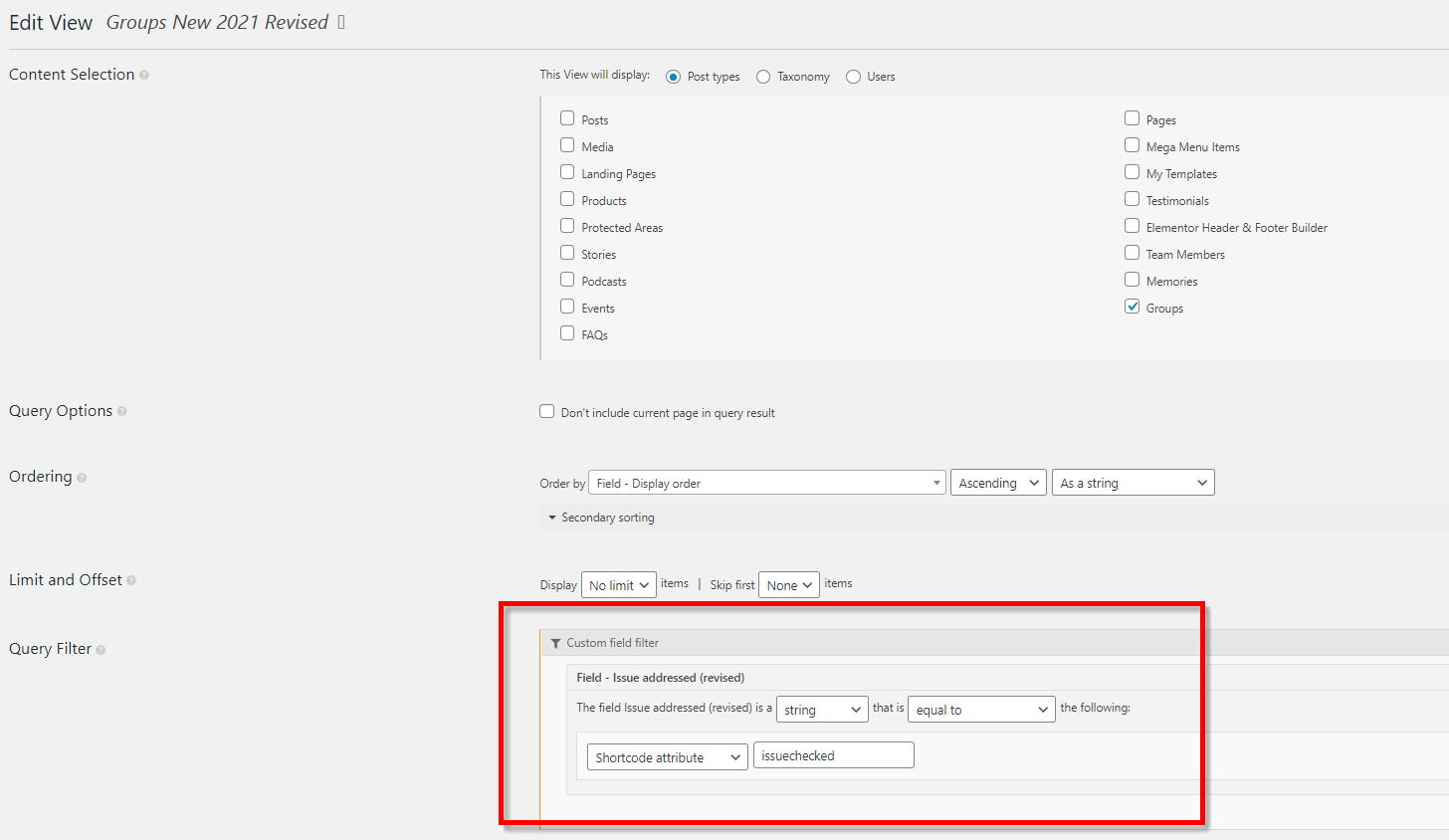
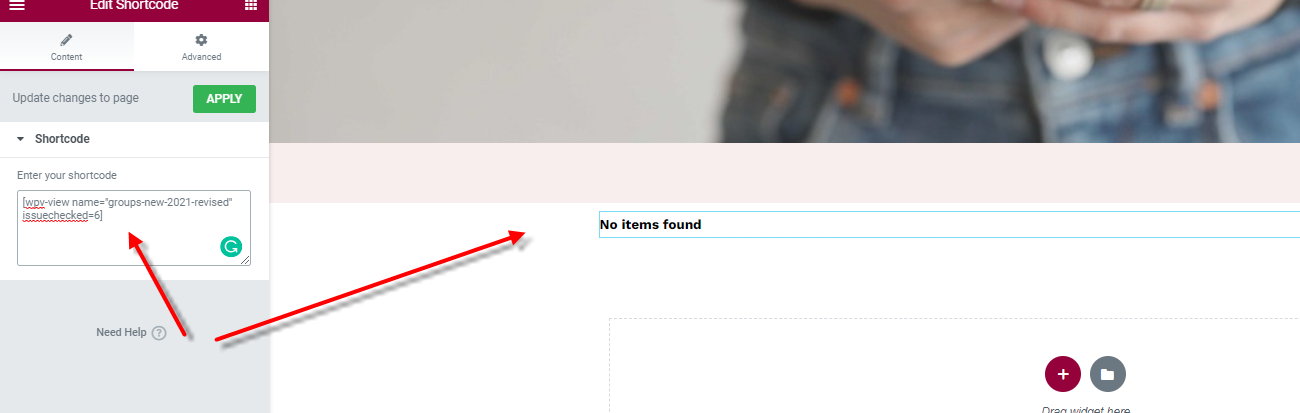
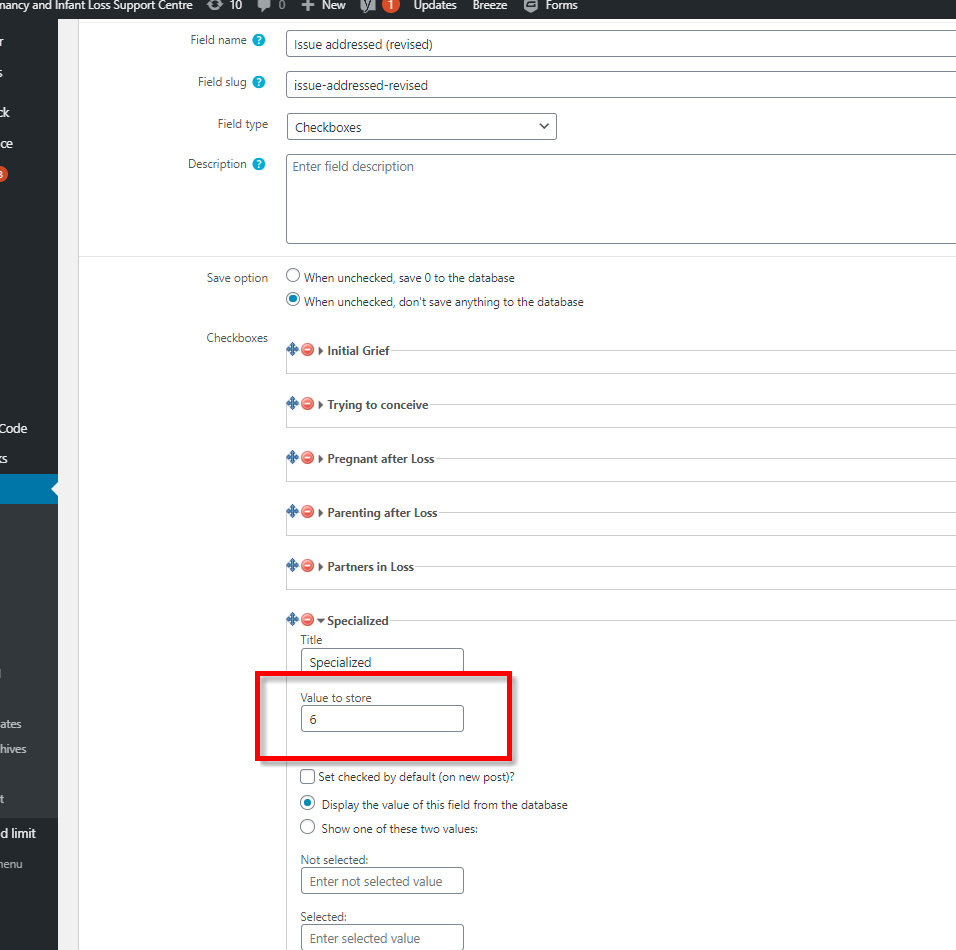
I'm trying to filter a view based on the checkboxes selected. The field is a "checkboxes" field and the user could potentially select one more of the checkboxes. I have a view and custom field filter setup as shown in the images attached here. The filtering, however, doesn't work: it always produces no results found.
Is there any documentation that you are following?
Searching Google for answers
Is there a similar example that we can see?
Not that I'm aware
Hello. Thank you for contacting the Toolset support.
The reference URL you shared is seems to be used when you have imported serialized array as content in database and then you want to convert that into filter. Honestly, I do not have any experience with that but your case seems different as you want to filter view's results based on the shortcode attribute.
Can you please share problem URL where you are trying to add the view as well as admin access details.
*** Please make a FULL BACKUP of your database and website.***
I would also eventually need to request temporary access (WP-Admin and FTP) to your site. Preferably to a test site where the problem has been replicated if possible in order to be of better help and check if some configurations might need to be changed.
I have set the next reply to private which means only you and I have access to it.