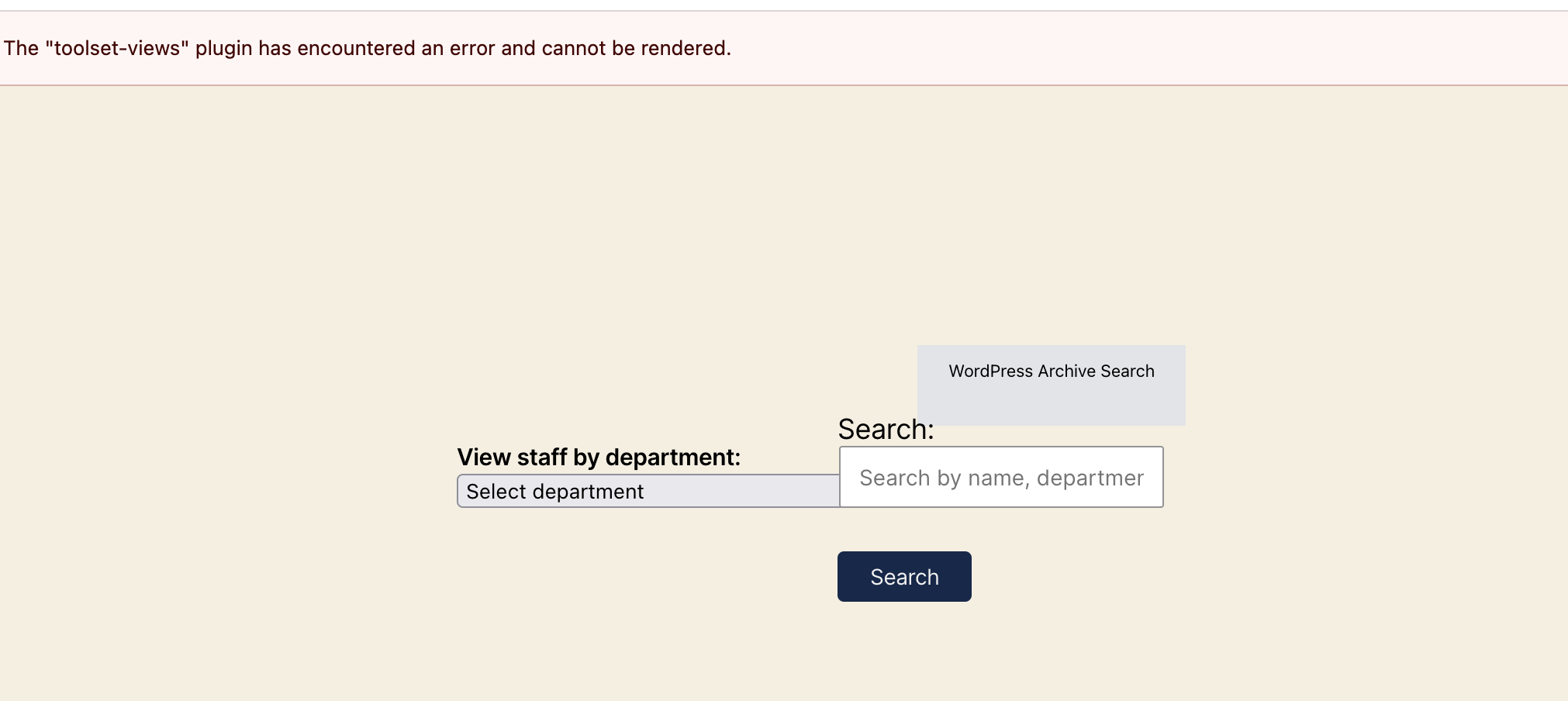
I am trying to: Edit archive pages in the admin interface
Link to a page where the issue can be seen: it's affecting the admin interface on library.unc.edu and our (private) test server at www-dev.lib.unc.edu
I expected to see: no error messages related to a plugin we're not using- we have Types, Blocks, and Forms installed, but not Views.
Instead, I got: A yellow banner displaying [The "toolset-views" plugin has encountered an error and cannot be rendered.]
We think that it might be related to a reusable pagination block in the WordPress Archive Output called "1/26 Pagination for Archive Templates". Attempting to edit the original of that block results in an unexpected error:
lien caché
lien caché
https://www-dev.lib.unc.edu/wp-includes/js/dist/data.min.js?ver=14a216e0932d72c22976:3:19949
t.a<https://www-dev.lib.unc.edu/wp-content/plugins/toolset-blocks/public/js/wordpressArchive.js?ver=3.6.29:1:68586
i<https://www-dev.lib.unc.edu/wp-includes/js/dist/data.min.js?ver=14a216e0932d72c22976:3:25173
A/g<https://www-dev.lib.unc.edu/wp-includes/js/dist/data.min.js?ver=14a216e0932d72c22976:3:24306
lien caché
https://www-dev.lib.unc.edu/wp-includes/js/dist/data.min.js?ver=14a216e0932d72c22976:3:19949
lien caché
https://www-dev.lib.unc.edu/wp-includes/js/dist/data.min.js?ver=14a216e0932d72c22976:3:24506
lien caché
lien caché
https://www-dev.lib.unc.edu/wp-includes/js/dist/data.min.js?ver=14a216e0932d72c22976:3:25164
lien caché
lien caché
lien caché
lien caché
lien caché
lien caché
lien caché
lien caché
lien caché
ia/<https://www-dev.lib.unc.edu/wp-includes/js/dist/vendor/react-dom.min.js?ver=18.3.1.1:184:289
Hi,
Welcome to Toolset Support. Would you please create a staging copy of the website and perform the tests below?
- Create a sample WordPress Archive as a test and check whether the same issue occurs there.
- Test with a minimal setup:
- IMPORTANT STEP! Create a backup of your website. An even better approach would be to test this on a copy/staging version of the website to avoid disrupting the live website.
- Switch to a default theme such as "Twenty Twenty" by going to "WordPress Dashboard > Appearance > Themes".
- Go to "WordPress Dashboard > Plugins" and deactivate all plugins except:
- Toolset Blocks (or Views, as both use the same codebase)
- Toolset Types
- Check whether you can still reproduce the issue.
- If not, reactivate your plugins one by one and check for the issue each time to identify the plugin causing the problem.
If the issue persists, try duplicating the WordPress Archive and check whether the issue still occurs. You can copy and paste the same code, but the purpose of this test is to create a new archive.
Please get back to us with the results.
Thanks.
We've tried deactivating all the plugins but Blocks and Views and setting the theme to Twenty Twenty and the error banner is still there. We've also removed the pagination block from the page and the error is the same, so it seems it's coming from somewhere else.
Okay, would you please set your next reply as private and provide the login information for a copy/staging version of the website? Please also let me know where I should check.
Thanks.
Unfortunately our QA server is behind access restrictions and copying our database to a more external space isn't really an option with our university policies.
Without seeing our specific setup, do you have any suggestions for why this particular error message (“The toolset-views plugin has encountered an error”) might be triggered, to help us with our troubleshooting? Have you seen anything like this before? It seems like it ought to stand out in the code, since we're using Blocks and not Views.
Hi,
I can recommend the steps below:
1. Create a backup. In a previous case, a broken reusable block crashed the Toolset editor, and sending it to the trash fixed it. Removing the block from the archive does not delete the reusable block itself. Go to the reusable blocks list (edit.php?post_type=wp_block), send "1/26 Pagination for Archive Templates" to the trash, and reload the archive editor.
2. Create a new, empty WordPress Archive and check whether the banner appears there.
3. If you can, paste the archive's code ("Code editor" in the block toolbar menu), with any private data removed. I can test it on my side without your database.
Thanks