Passer la navigation

[Résolu] Duplicate Document Display on Front-End

This support ticket is created Il y a 23 hours, 54 minutes. There's a good chance that you are reading advice that it now obsolete.

This is the technical support forum for Toolset - a suite of plugins for developing WordPress sites without writing PHP.

Everyone can read this forum, but only Toolset clients can post in it. Toolset support works 6 days per week, 19 hours per day.

Sun Mon Tue Wed Thu Fri Sat
- 10:00 – 13:00 10:00 – 13:00 10:00 – 13:00 10:00 – 13:00 10:00 – 13:00 -
- 14:00 – 18:00 14:00 – 18:00 14:00 – 18:00 14:00 – 18:00 14:00 – 18:00 -

Fuseau horaire du supporter : Asia/Kolkata (GMT+05:30)

Ce sujet contient 4 réponses, a 1 voix.

Dernière mise à jour par tafadzwaK-2 Il y a 1 hour, 11 minutes.

Assisté par: Minesh.

Auteur
Publications
#2866312
Screenshot-2026-06-24-at-16.25.02.jpg

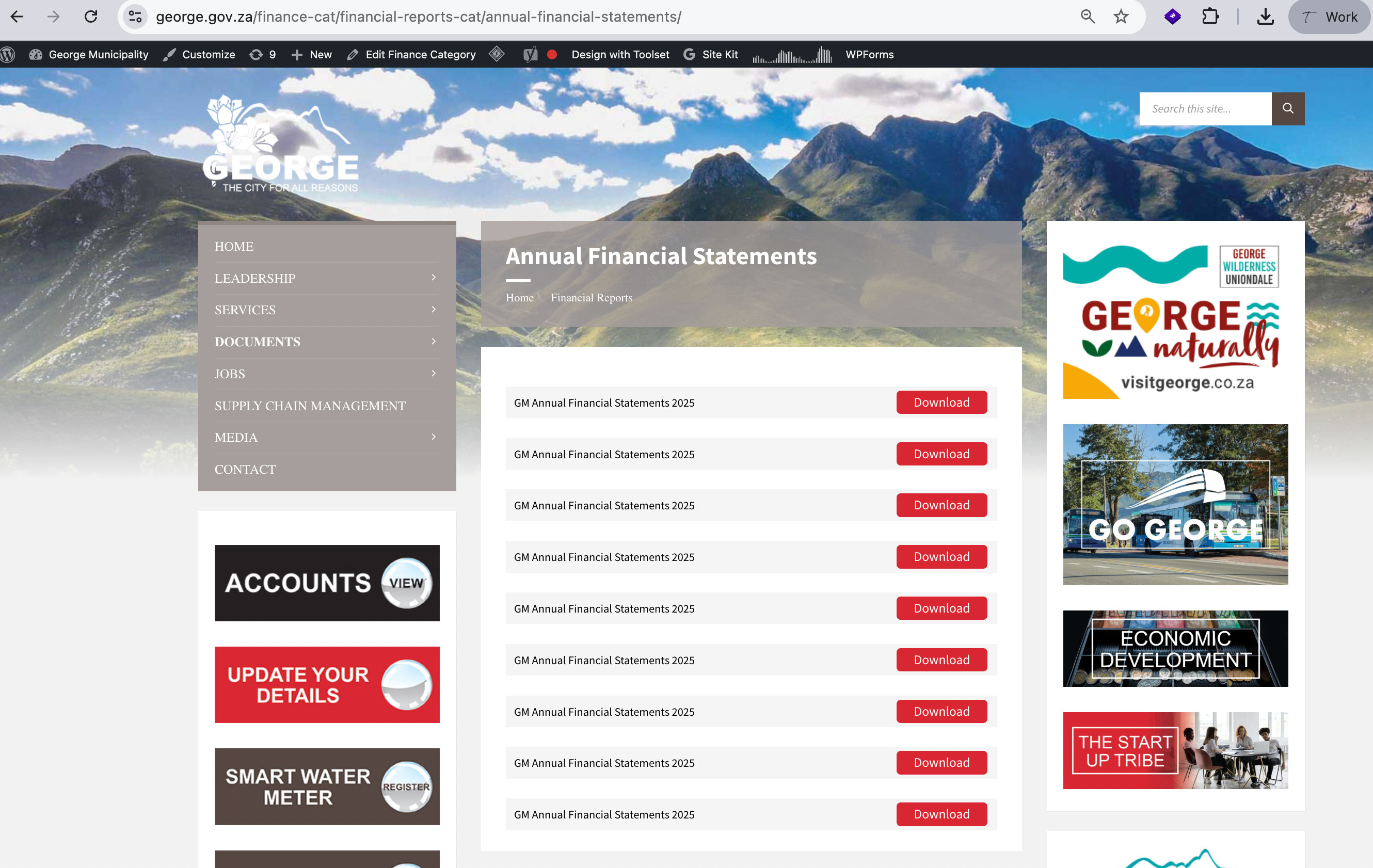
Documents are appearing multiple times on the front end, even though it has only been added once in the WordPress backend.

Affected URL
lien caché
lien caché
lien caché
lien caché

Looks like all documents are being repeated

Description
On the Finance Policies page and other pages, one or more documents are being duplicated in the front-end listing. The document record exists only once in the WordPress admin area and has not been intentionally duplicated.

What is the link to your site? lien caché

#2866317

Minesh
Supporter

Les langues: Anglais (English )

Fuseau horaire: Asia/Kolkata (GMT+05:30)

Hello. Thank you for contacting the Toolset support.

Have you updated Toolset plugins to latest releae? if yes:

In order to minimize the cause of the issue and to ensure any possible conflict:

Could you please try to resolve your issue by deactivating all third-party plugins as well as switch to the default theme to check for any possible conflicts with any of the plugins or themes?
- Do you see it working as expected? if no:
-- What if you downgrade the Toolset plugins back to prevoius version - do you see it working?

is it possible for you to send me duplicator copy of your site?
- https://toolset.com/faq/provide-supporters-copy-site/

Alternatively - you can also send "All in one WP migration" package if you can not build the duplicator package:
- https://wordpress.org/plugins/all-in-one-wp-migration/

I have set the next reply to private which means only you and I have access to it.

#2866435

Minesh
Supporter

Les langues: Anglais (English )

Fuseau horaire: Asia/Kolkata (GMT+05:30)

The issue is reported in front of our Devs, please hold on for further updates.

#2866454

Minesh
Supporter

Les langues: Anglais (English )

Fuseau horaire: Asia/Kolkata (GMT+05:30)

I've good news.

With the following link I've uploaded the hotfix version that contains the fix for this issue. It has Toolset Blocks and Toolset Views plugins zip.
=> lien caché

You can download whatever plugin you are using and replace with your existing plugins by removing the current Toolset Blocks/Views plugin from your plugins page.

Once we release the hotfix version official, it will available with your account's Download page and you can later update to that once its available later on.

I hope the above hotfix version will help you to fix your issue.

#2866466

Minesh
Supporter

Les langues: Anglais (English )

Fuseau horaire: Asia/Kolkata (GMT+05:30)

Another good news.

The new hotfix version are available to download on your account's plugins page:
- https://toolset.com/download/toolset-blocks/#changelog
- https://toolset.com/download/toolset-views/#changelog

- If you use Toolset Blocks then download and install Toolset Blocks.
- If you use Toolset Views then download and install Toolset Views.

#2866468

Thank you so much. We replaced the toolset blocks and it works now. Thank you